Template details
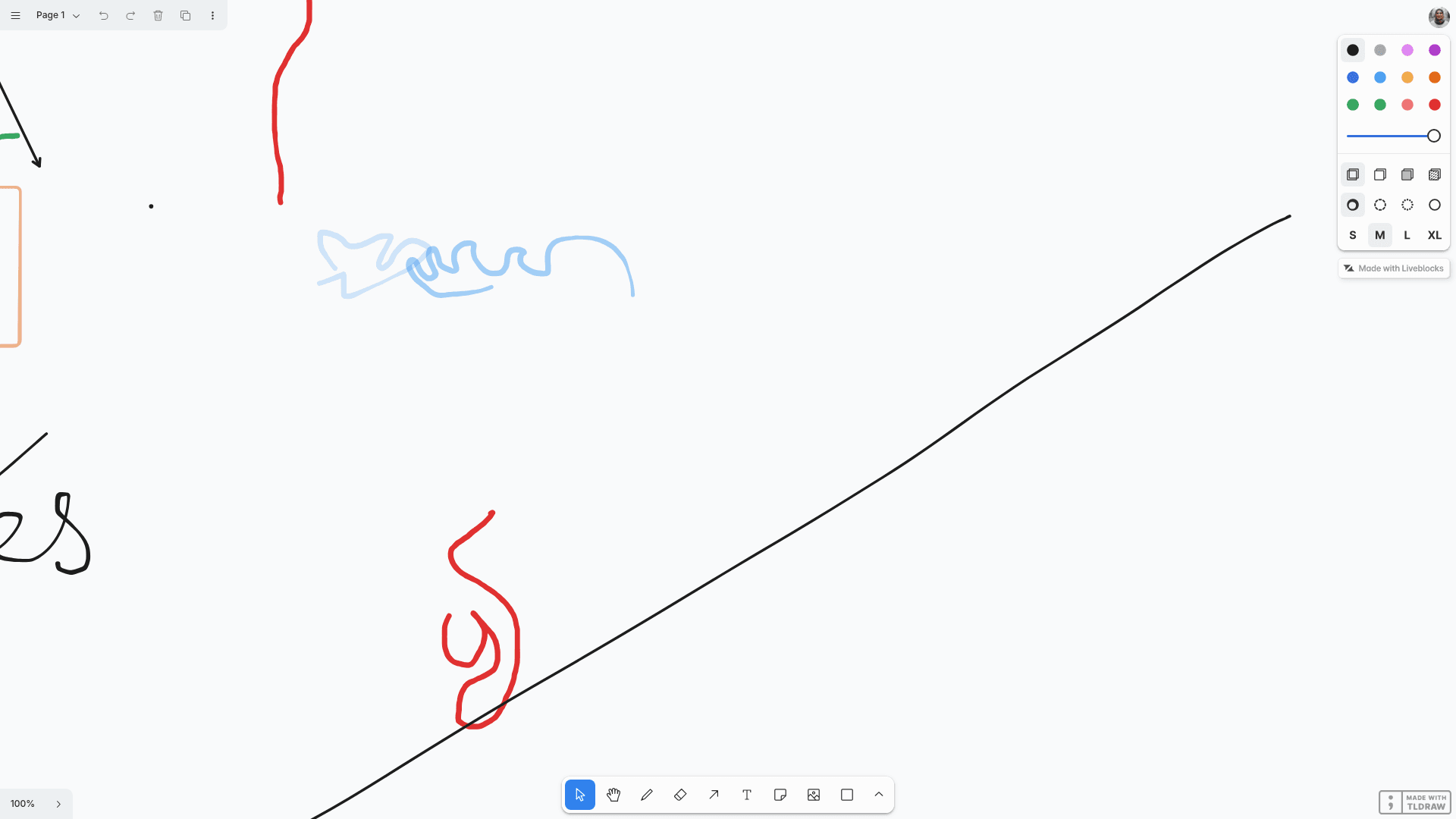
Liveblocks Tldraw Whiteboard (Storage)
A collaborative whiteboard starter using tldraw, Liveblocks Storage, and Next.js for real-time multiplayer drawing.
About this template
Tldraw Whiteboard (Storage) is a collaborative whiteboard starter by Liveblocks that combines the tldraw drawing library with Liveblocks Storage and Next.js for real-time multiplayer editing.
What is Tldraw Whiteboard (Storage)?
This is a boilerplate example that demonstrates how to build a multiplayer whiteboard where multiple users can draw on the same tldraw canvas simultaneously. It takes user drawing actions as input, persists them through Liveblocks Storage, and outputs a shared, live-synchronized canvas in the browser. The template runs on Next.js, uses React for the UI, and is published by Liveblocks in their official GitHub examples repository.
Key Features
- Liveblocks Storage sync — All canvas shapes and updates are stored and synchronized in real time through Liveblocks, so every connected client sees changes instantly.
- tldraw canvas — The whiteboard is powered by the tldraw library, an open-source drawing tool with commercial and non-commercial licensing options.
- Next.js framework — Built on Next.js with React, enabling server-side rendering, API routes, and easy deployment to Vercel.
- One-command setup —
npx create-liveblocks-app@latest --example nextjs-tldraw-whiteboard-storage --api-keydownloads the example and automatically obtains a Liveblocks API key. - Manual configuration — Install with
npm install, create an account on liveblocks.io, and set your secret key as theLIVEBLOCKS_SECRET_KEYenvironment variable. - Liveblocks dev server support — Run
npx liveblocks devfor local development against a dev server, which requires addingbaseUrl: "http://localhost:1153"and usingsk_localdevas the secret. - One-click Vercel deploy — The
--vercelflag on the create command prepares both local development and deployment to Vercel. - CodeSandbox ready — Fork the example on CodeSandbox and add
LIVEBLOCKS_SECRET_KEYas a secret to start developing in the browser.
Who is it for?
- React and Next.js developers who want a working reference for integrating tldraw with Liveblocks Storage in a real-time app.
- Product teams prototyping collaborative features that need a whiteboard or diagramming surface with multiplayer sync and persistence.
- Liveblocks users learning the API who want a minimal, official example that shows Storage and presence in action.
What can you do with Tldraw Whiteboard (Storage)?
- Build a collaborative drawing app: Users can draw, edit, and erase shapes on a shared canvas that updates across all sessions immediately.
- Explore Liveblocks Storage integration: Study how a canonical example wires the Liveblocks client, room, and storage together in Next.js.
- Deploy a working whiteboard to production: Use the Vercel deployment flow to publish the app in a few steps, then replace the example content with your own logic.
How does it work?
You start by cloning the template with npx create-liveblocks-app@latest --example nextjs-tldraw-whiteboard-storage --api-key. The CLI supports you in getting a Liveblocks API key, then you run npm run dev locally. For local development without a hosted API key, you can use npx liveblocks dev, update LiveblocksProvider with baseUrl: "http://localhost:1153", and replace the secret with sk_localdev.
Pros and cons
- Open-source starter: The full example code is available on GitHub, so developers can copy, modify, and learn from the implementation.
- Multiple integration paths: It supports the hosted Liveblocks service, a local dev server, Vercel deployment, and CodeSandbox.
- tldraw watermark: The tldraw library shows a watermark on the canvas; removing it requires purchasing a business license from sales@tldraw.com.
FAQ
How do I run this example locally?
Run npx create-liveblocks-app@latest --example nextjs-tldraw-whiteboard-storage --api-key to download the project and fetch an API key automatically. Then start the app with npm run dev and open http://localhost:3000.
Do I need a Liveblocks account to use this template?
Yes, the template relies on Liveblocks Storage for real-time collaboration. You need a liveblocks.io account to obtain a secret API key, which you save as the LIVEBLOCKS_SECRET_KEY environment variable in a .env.local file.
Can I deploy this template to Vercel?
Yes. Use npx create-liveblocks-app@latest --example nextjs-tldraw-whiteboard-storage --vercel, which sets up both local development and a Vercel deployment. You can also deploy manually by pushing the Next.js project and configuring your environment variables.
Is the tldraw license free for commercial use?
The tldraw library is provided under the tldraw license, which permits commercial and non-commercial use. If you want to remove the watermark and purchase a business license, contact sales@tldraw.com.