Template details
Light Material
A lightweight Jekyll blog theme for personal pages, ready for GitHub Pages.
About this template
Light Material is a lightweight Jekyll blogging theme for personal pages, distributed under the MIT License and ready to run on GitHub Pages.
What is Light Material?
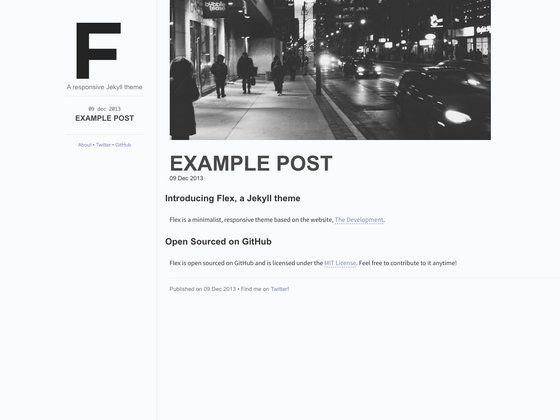
Light Material is a Jekyll theme that transforms a Jekyll site into a minimal blog or personal homepage. It takes Markdown-based content and generates a static website through Jekyll's build process. The theme is maintained on GitHub under the repository name material-theme by the user lukas-h, with a live demo hosted at https://lukas-h.github.io/material-theme. Because it runs on Jekyll, it requires no database and no server-side processing after build.
Key Features
- Lightweight design — The theme keeps page weight low, making it suitable for text-focused personal blogs.
- Material-inspired aesthetic — The name "light material" and the material-theme demo suggest a clean, light Material Design visual style.
- GitHub Pages ready — Deploy by forking the repository, editing _config.yml, and enabling GitHub Pages in project settings.
- Configurable site settings — Change the site's URL, title, and other values directly in the
_config.ymlfile. - MIT License — Free to use, modify, and redistribute with attribution; the license is linked in the repository.
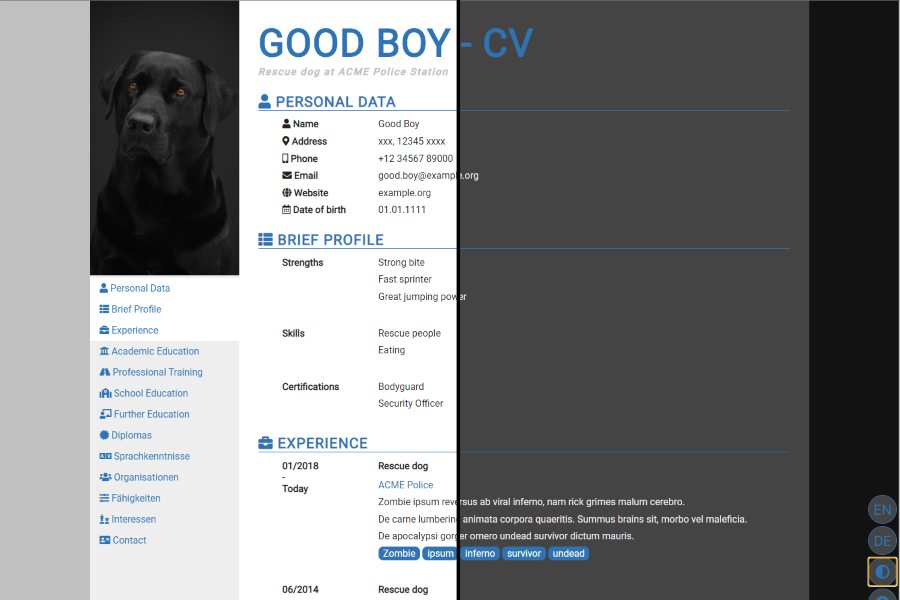
- Live demo — A working example of the theme runs at the provided demo URL, showing the blog layout and design.
Who is it for?
- Individual bloggers who want a no-frills place to publish written content without managing a database.
- Developers and technical writers who use GitHub Pages and want a simple way to host a Jekyll-based blog.
- Students or researchers who need a personal page for posting notes, projects, or links.
- Jekyll enthusiasts looking for a minimal theme to customize and extend with their own layouts and styles.
What can you do with it?
- Start a personal blog: Write posts in Markdown, commit them to the repository, and let GitHub Pages publish the site automatically.
- Create a simple portfolio page: Use the theme's blog structure to showcase selected work or project summaries.
- Publish technical documentation: Keep lightweight notes and tutorials organized as blog posts.
- Host a personal landing page: Configure the home page to serve as a short bio with links to your social profiles.
How does it work?
- Fork the repository on GitHub.
- Edit
_config.ymlto set your site URL and other site-wide values. - Enable GitHub Pages in the project settings to get a published site at
https://your-username.github.io/material-theme/. - Write new posts in the
_postsdirectory (or according to Jekyll conventions) and push changes.
FAQ
Is Light Material free?
Yes. The theme is distributed under the MIT License, which permits free commercial and personal use, modification, and distribution with attribution.
What does Light Material do?
It is a Jekyll blogging theme that converts Markdown content into a static blog or personal page. It focuses on simplicity and lightweight output.
Do I need a database to run it?
No. Jekyll is a static site generator, so the site is built into plain HTML files at build time. No database or backend is required.
How do I install it?
The recommended method is to fork the theme's repository, update _config.yml, and enable GitHub Pages in the repository settings.
Can I customize the theme?
Yes, since all source files are available in the repository, you can modify layouts, styles, and configuration to match your needs.