Template details
Material Kit 2
Free and Open Source UI Kit for Bootstrap 5, React, Vue.js, React Native and Sketch based on Google's Material Design
About this template
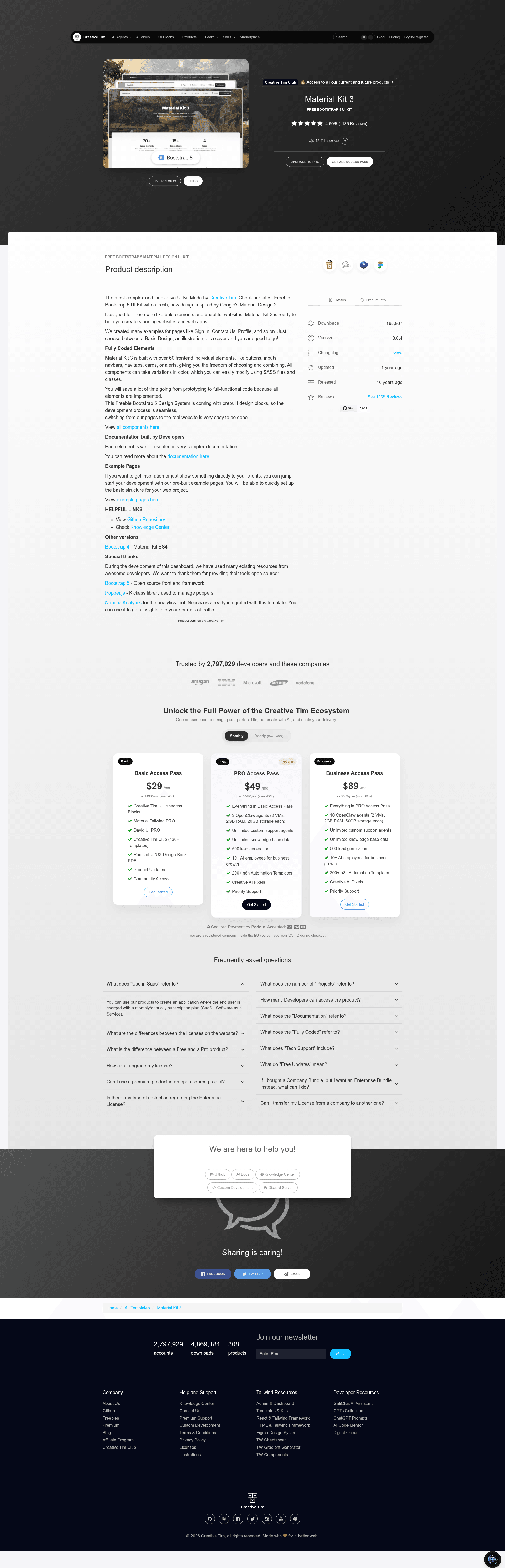
Material Kit 2 is a free, open-source Bootstrap 5 UI kit from Creative Tim that gives developers a complete set of Material Design-styled components and three ready-coded pages for building web interfaces.
What is Material Kit 2?
Material Kit 2 is a free, open-source UI kit released by Creative Tim that restyles Bootstrap 5 elements according to Google's Material Design principles. It takes a standard Bootstrap project and adds a set of CSS, SCSS, and JavaScript assets — including material-kit.min.js, core plugins, and material-kit.scss — that produce ready-to-use components like buttons, inputs, navbars, and example pages (login, landing, profile). The kit runs in any HTML web project and can be installed via npm, Bower, download, or Git clone.
Key Features
- Bootstrap 5 based — Built on Bootstrap 5 with a full SCSS source (material-kit.scss) so you can compile custom styles with Gulp (gulpfile.js included).
- Three example pages — Fully coded login page, landing page, and profile page are included in the pages/ directory, with live demos for each.
- Material Design styling — The visual language uses light, surface, and movement, with deliberate color choices, edge-to-edge imagery, and large-scale typography; layouts resemble layered sheets of paper with navigation on the left and actions on the right.
- Multiple framework versions — The design is available for HTML, React, Vue, React Native, Figma, WordPress (as the Hestia theme), Photoshop, and Sketch, letting you carry the same look across platforms.
- Responsive design — Officially supports the last two versions of Chrome, Firefox, Edge, Safari, and Opera.
- Assets organized — The download includes assets/css, assets/fonts, assets/img, assets/js (core and plugins), and assets/scss directories, plus documentation in docs/documentation.html.
- One-click deploy — A deploy button sends your copy of the template to the Genezio serverless platform.
- Analytics integration — Nepcha Analytics is referenced as an integrated analytics tool for gaining traffic insights.
Who is it for?
- Front-end developers who need a ready-styled Bootstrap 5 base and want to skip hand-writing Material Design CSS; they can install it via npm and start building immediately.
- Android developers who want a web presence that visually matches Material Design conventions and leaves a consistent impression across app and website.
- UI designers looking for a Figma or Sketch version of the same components so they can prototype and hand off to developers with matching styling.
Use cases
- Product landing pages: Use the included landing page example to launch a startup or app marketing page with Material Design components like navbars, buttons, and cards.
- User authentication screens: Start from the login page example to create sign-in flows, then adapt the profile page for account management.
- Marketing sites for mobile apps: Keep visual consistency with Material Design to support an Android application's branding.
How does Material Kit 2 work?
- Install it:
npm i material-kit, or download the ZIP from Github or Creative Tim, or runbower install material-kit, or clone the repository. - Open the included presentation.html or pages/ examples to see the components in action; each page links to the compiled assets in assets/.
- Customize by editing the SCSS in assets/scss/material-kit/ and rebuilding with the included gulpfile.js, or directly edit the compiled CSS in assets/css/.
Pricing
Material Kit 2 is free and open source under the MIT license. Creative Tim also sells a PRO version, Material Kit Pro, which adds more components.
FAQ
Is Material Kit 2 free?
Yes, Material Kit 2 is distributed as a free open-source project and released under the MIT license, so you can use it in personal and commercial projects.
What Bootstrap version does Material Kit 2 use?
It is built for Bootstrap 5. The kit restyles Bootstrap elements and includes its own SCSS and JavaScript files, including material-kit.min.js.
How do I install Material Kit?
You can install it with npm i material-kit, run bower install material-kit, download the ZIP from the Creative Tim website or GitHub, or clone the repository directly.
What example pages are included?
The kit includes three fully coded examples: a login page, a landing page, and a profile page, all accessible from the pages/ folder and on the live demo.
Is there a React or Vue version?
Yes. The Material Kit design is available in React, Vue, React Native, Figma, WordPress, Photoshop, and Sketch versions, linked in the product's Versions section.