Template details
Mini-Van
Mini-Van: A minimalist template engine for DOM generation and manipulation, working for both client-side and server-side rendering (SSR)
About this template
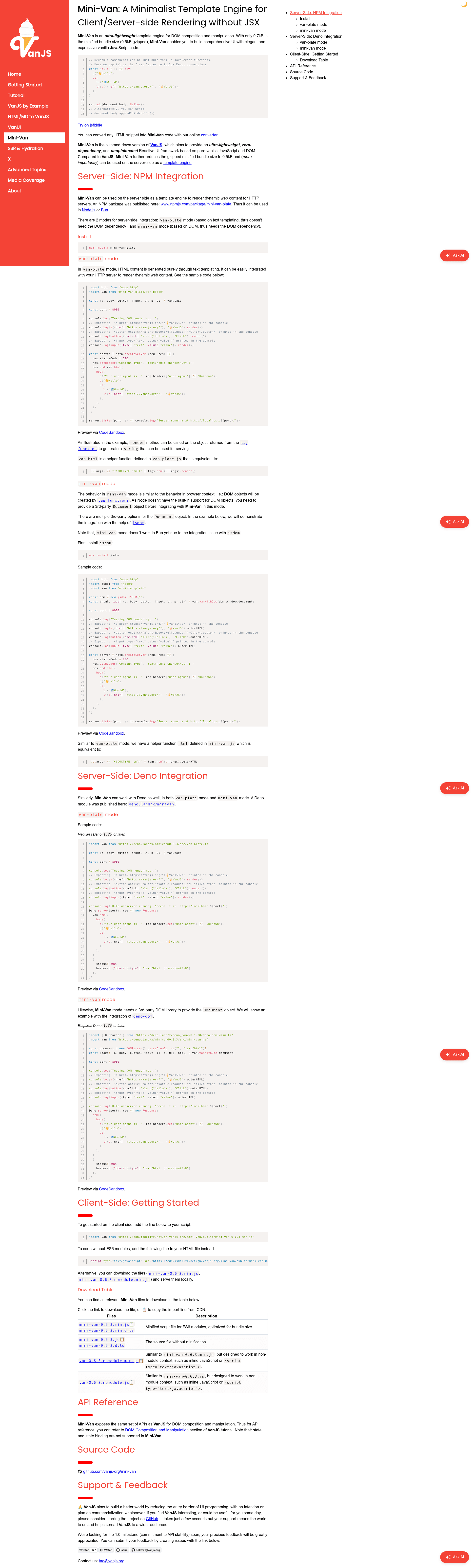
Mini-Van is an ultra-lightweight (0.7kB minified, 0.5kB gzipped) template engine for DOM composition and manipulation that renders UI with vanilla JavaScript functions instead of JSX, working both in the browser and on server-side runtimes.
What is Mini-Van?
Mini-Van is a minimalist, zero-dependency template engine that maps JavaScript function calls such as div(...), p(...), and ul(li(...)) directly to HTML elements or markup. It accepts plain JavaScript values — strings, numbers, other tag functions, and attribute objects like a({href: "https://vanjs.org/"}, "🍦VanJS") — and produces either real DOM nodes or HTML strings depending on the mode. It is created by the VanJS project as a slimmed-down sibling of the VanJS reactive UI framework, with state management removed to reach a smaller bundle and enable server-side string rendering.
Key Features
Mini-Van's documented feature set is built around sub-kilobyte size, zero dependencies, and a VanJS-compatible component API. The concrete capabilities below all come from the project page.
- Ultra-small bundle — 0.7kB minified and 0.5kB gzipped with zero runtime dependencies and no external imports.
- No JSX and no build step — components are plain vanilla JavaScript functions; the page's
Helloexample usesdiv,p,ul,li, andatag functions directly and appends the result withvan.add(document.body, Hello()). - Two server-side rendering modes —
van-platemode generates HTML purely through text templating with arender()method and no DOM requirement, whilemini-vanmode creates real DOM objects and needs a third-party Document such asjsdomon Node.js ordeno-domon Deno. - Multi-runtime server support — the npm package
mini-van-plateruns in Node.js and Bun, and a Deno module is published at deno.land/x/minivan requiring Deno 1.35 or later; thevan.htmlhelper prepends<!DOCTYPE html>. - Client-side CDN delivery — import the ES module from jsdelivr at
mini-van-0.6.3.min.jsor load the nomodule variant for environments without ES6 support. - HTML-to-code converter — an online converter at vanjs.org/convert transforms any HTML snippet into equivalent Mini-Van tag-function code.
- VanJS-compatible API — DOM composition and manipulation APIs match VanJS, so existing VanJS component code works after removing state and state binding, which Mini-Van does not support.
Who is Mini-Van for?
Mini-Van is aimed at developers who want DOM composition and server-side HTML rendering without JSX, frameworks, or a build step. The four scenarios below map directly to documented examples in the project.
- Node.js backend developers — install
mini-van-plate, import tag functions fromvan.tags, and callvan.html(...)inside anhttp.createServerhandler to serve dynamic HTML pages. - Deno developers — import the module from deno.land/x/minivan and render responses with
Deno.servein either van-plate or mini-van mode, with DOM mode using theDOMParserfrom deno-dom. - Front-end developers avoiding JSX — compose DOM elements with ordinary JavaScript functions and append them to the page using
van.add(document.body, Hello())or standardappendChild. - VanJS users — reuse VanJS components in a smaller package when reactive state bindings are not needed, on either side of the server/browser boundary.
What can you do with Mini-Van?
The documented examples show one concrete task per runtime and rendering mode. Each of these scenarios has working sample code in the project documentation.
- Node.js HTTP servers: render a complete HTML page that echoes the request's user-agent header and lists a link to VanJS, using
res.setHeader('Content-Type', 'text/html; charset=utf-8'). - Deno servers: serve the same dynamic page using
Deno.serveand thevan.html(...)helper imported from deno.land/x/minivan. - Client-side apps: build the
Hellocomponent from nested tag functions, log the resultingHTMLAnchorElementfor theatag, and append the whole tree to the document body. - HTML migrations: paste an existing HTML snippet into the online converter to generate equivalent Mini-Van code, then drop that code into a vanilla JavaScript project.
How does Mini-Van work?
Install the package with npm install mini-van-plate (or import the Deno module), then call tag functions destructured from van.tags to build a tree. In van-plate mode, call .render() on a tag result or the van.html(...) helper to get a complete HTML string; in mini-van mode, pass a third-party Document to van.vanWithDoc(...) and receive real DOM elements you can serialize with outerHTML.
Pros and cons
The project page states these advantages and limitations directly, so they reflect documented behavior rather than opinion.
- Pros: tiny gzipped size, zero dependencies, no JSX or build step, works across browser/Node/Bun/Deno, and offers both string and DOM rendering modes.
- Cons: state and state binding are not supported, mini-van mode requires a third-party DOM library, and mini-van mode does not yet work in Bun because of jsdom integration issues.
Pricing
Mini-Van is free and open-source. The VanJS project states it has "no intention or plan on commercialization whatsoever" and asks for GitHub stars and issue feedback rather than payment.
Alternatives
- VanJS — the parent framework of Mini-Van, which adds reactive state bindings at the cost of a larger bundle and no server-side string rendering.
- EJS — a widely used Node.js template engine that embeds JavaScript inside its own markup syntax rather than composing with function calls.
- Pug — a Node.js template engine with an indentation-based syntax, in contrast to Mini-Van's plain JavaScript functions.
FAQ
Is Mini-Van free?
Yes. Mini-Van is open-source software published on GitHub and npm, and the VanJS project explicitly states it has no intention or plan for commercialization. The maintainers ask for GitHub stars and issue reports in return.
Does Mini-Van support state management?
No. Mini-Van intentionally omits the state and state binding features of VanJS to keep the bundle at 0.5kB gzipped and to enable server-side string rendering. If you need reactive state, use VanJS instead.
What is the difference between van-plate and mini-van modes?
van-plate mode generates HTML through pure text templating and needs no DOM implementation, so it works in Node.js, Bun, and Deno. mini-van mode creates actual DOM objects, so it requires a third-party Document such as jsdom (Node.js) or deno-dom (Deno), and does not yet work in Bun.
Which runtimes does Mini-Van support on the server?
The npm package mini-van-plate supports Node.js and Bun, and a Deno module is available at deno.land/x/minivan for Deno 1.35 or later. The client-side build loads in browsers via jsdelivr as either an ES module or a nomodule script.
Is there a way to convert existing HTML to Mini-Van code?
Yes. The VanJS website hosts an online converter at vanjs.org/convert that takes any HTML snippet and outputs the equivalent Mini-Van tag-function code, which you can then paste into your project.