Template details
sbt-microsites
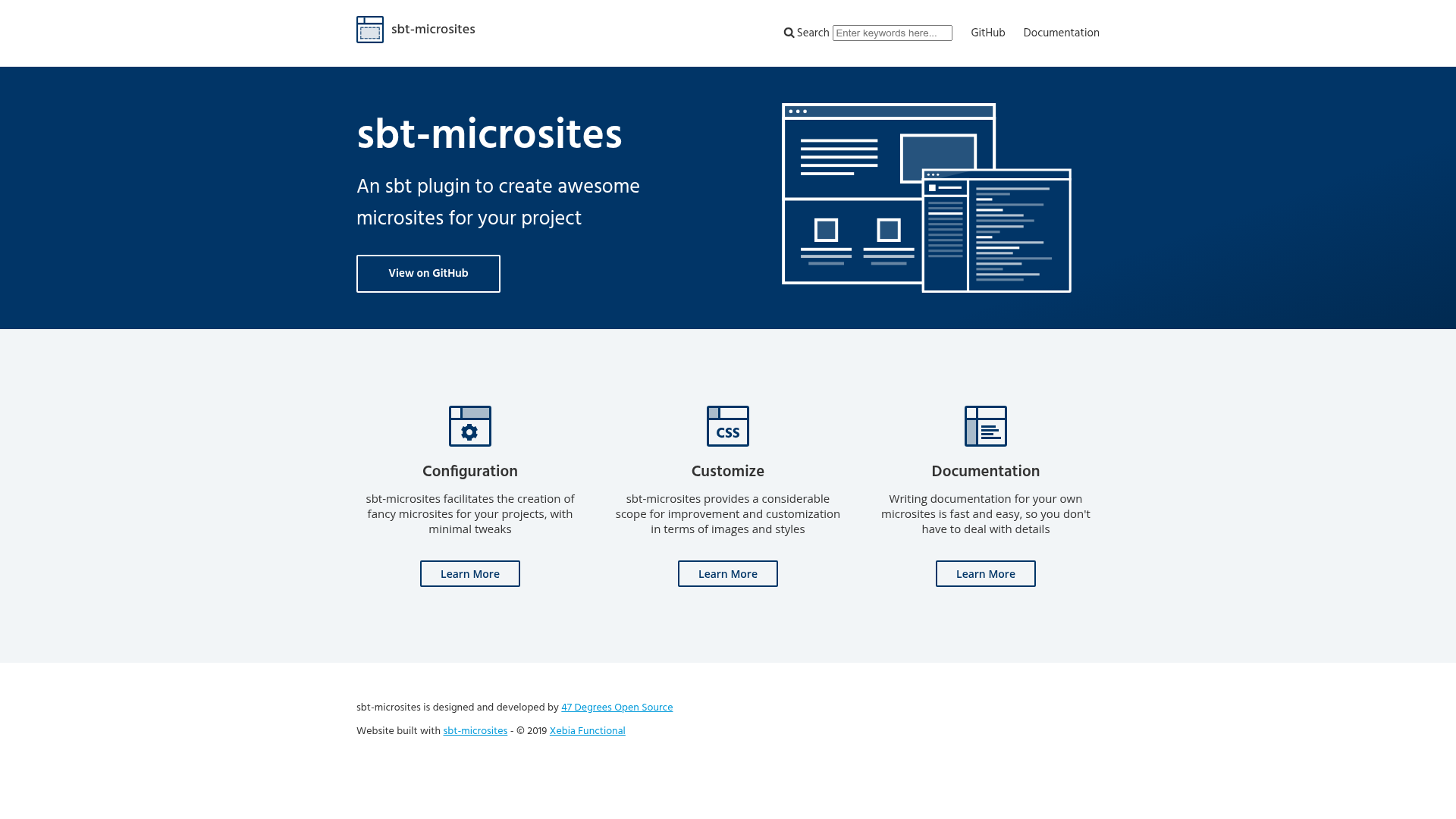
An sbt plugin that creates Jekyll-based microsites for Scala projects with minimal configuration.
About this template
sbt-microsites is an sbt plugin (a build tool for Scala) that generates Jekyll-based microsites — pre-styled static documentation websites — for Scala projects with minimal configuration.
What is sbt-microsites?
sbt-microsites is an sbt plugin developed by 47 Degrees that creates Jekyll instances ready to publish as static web pages for Scala projects. It takes your project's markdown documentation and produces a styled microsite with templates, layouts, and styles provided at compile time. The plugin runs inside sbt, so no separate build process is needed. It is used by Cats, Scalaz, Cats-Effect, FS2, PureConfig, and many other Scala libraries.
Key Features
- Markdown-based documentation — Write content in markdown; the plugin converts it into a static Jekyll site.
- Pre-built templates and layouts — Templates, layouts, and styles are available through the plugin at compile time, so you avoid styling work.
- Minimal setup — Enable the plugin with
enablePlugins(MicrositesPlugin)and add one line toproject/plugins.sbt. - Customization options — The plugin exposes a range of configuration settings to tailor your site (documented in the microsites docs).
- Proven in production — Adopted by well-known Scala projects including Cats, Scalaz, fs2, PureConfig, and Ciris.
Who is it for?
- Scala library maintainers — Create a professional documentation site for an open-source library without writing HTML/CSS.
- Open-source project teams — Publish project notes, guides, and API documentation as a static site hosted anywhere.
- Sbt users — Anyone already using sbt for a Scala build can enable the plugin and get a microsite from existing markdown docs.
What can you do with sbt-microsites?
- Library authors: Generate a documentation microsite from markdown and publish it to GitHub Pages or any static host.
- FP ecosystem projects: Use the same template-driven approach that powers sites for Cats, Scalaz, and freestyle.
- Teams documenting internal Scala tools: Keep docs in markdown within the repo and render them as a styled site at build time.
How does sbt-microsites work?
Add addSbtPlugin("com.47deg" % "sbt-microsites" % "1.4.4") to project/plugins.sbt, then add enablePlugins(MicrositesPlugin) to build.sbt. After that, run an sbt task to generate the site; the plugin compiles your markdown into a Jekyll microsite using the included templates and styles. The official documentation lists prerequisites needed to build the site.
Pros and cons
- Pros: Simple two-line setup; no frontend styling work; free under Apache 2.0.
- Cons: Requires Jekyll and its prerequisites installed locally; the plugin is specific to sbt/Scala projects.
Pricing
sbt-microsites is open source and freely available under the Apache 2.0 license.
FAQ
What is sbt-microsites?
sbt-microsites is an sbt plugin that creates Jekyll-based static documentation sites for Scala projects. It supplies templates, layouts, and styles so you only write markdown, and it's used by many Scala libraries like Cats and Scalaz.
How do I install sbt-microsites?
Add addSbtPlugin("com.47deg" % "sbt-microsites" % "1.4.4") to your project/plugins.sbt file, then add enablePlugins(MicrositesPlugin) to your build.sbt. The plugin requires sbt and a local Jekyll installation.
Does sbt-microsites require Jekyll?
Yes. A microsite is an instance of Jekyll, so Jekyll must be installed on your machine to build the site. The documentation lists the prerequisites you'll need.
Is sbt-microsites free?
Yes, it's open source and released under the Apache 2.0 license. You can use it in commercial and non-commercial projects without licensing fees.
Which projects use sbt-microsites?
The showcase on the GitHub repository lists Cats, Scalaz, Cats-Effect, FS2, PureConfig, Ciris, Monocle, ScalaCache, and many other well-known Scala libraries.