Template details
Saga
A code-first static site generator in Swift with typed metadata, plugins, and no config files.
About this template
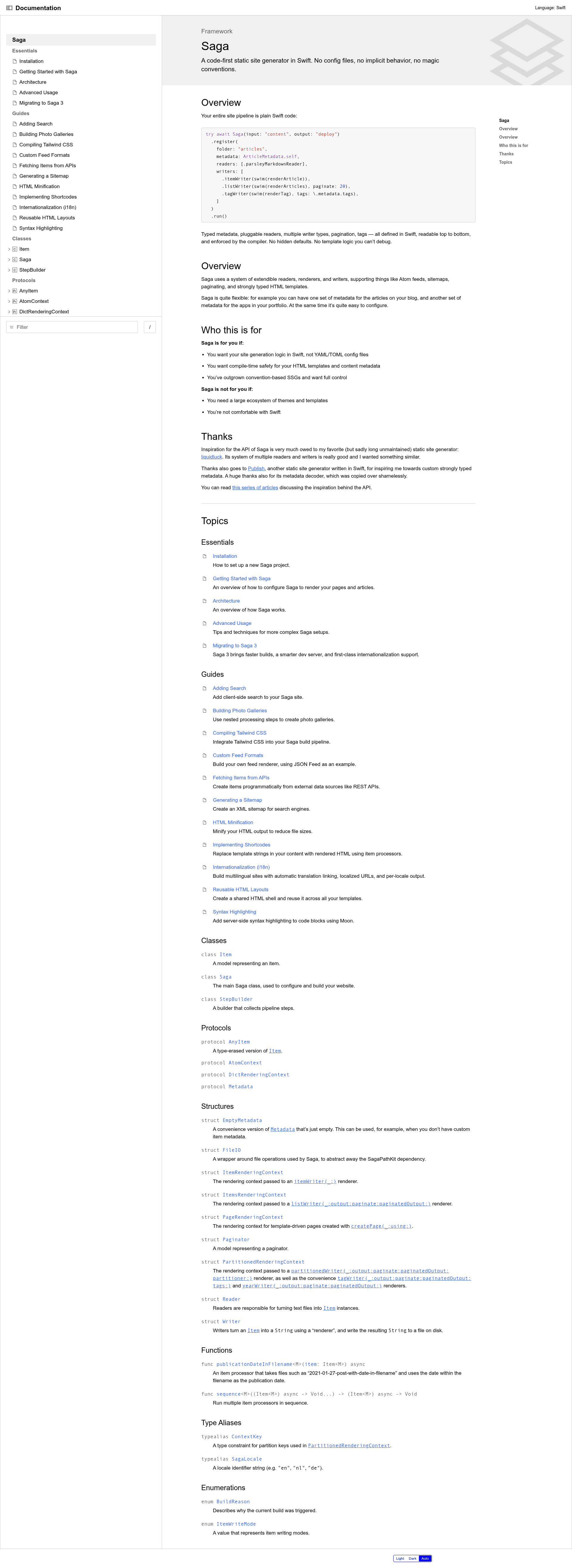
Saga is a code-first static site generator written in Swift, designed for developers who want their entire site pipeline expressed as plain Swift code instead of configuration files.
What is Saga?
Saga is a static site generator that takes Markdown content and Swift code as input and produces a static website as output. It runs on macOS 14+ and Linux, requires Swift 6.0+, and is maintained by Loopwerk with commercial support available. The core library is on GitHub under loopwerk/Saga, and a CLI is distributed separately via saga-cli.
Key Features
- Code over configuration — No config files, no implicit behavior, no magic conventions; the entire pipeline is defined in Swift and enforced by the compiler.
- Typed metadata — Define multiple content types with strongly typed Swift structs, such as articles with tags, portfolio items with App Store links, or movie reviews with ratings, actors, genres, and release years.
- Pluggable readers and writers — Compose with readers like ParsleyMarkdownReader and writers for items, lists with pagination (e.g., 20 per page), tags, and sitemaps.
- Incremental builds — Rebuild only changed content, which speeds up local development and deploys.
- Built-in i18n — Multilingual sites with fully localized URLs, automatic translation linking, and per-locale writers.
- Programmatic content — Load content from disk or generate it programmatically, plus custom pipeline steps for tasks like generating images or building a search index.
- Asset hashing — Easily create cache-busting hashed filenames for static assets.
- Pre/post build hooks — Register custom steps before or after the standard pipeline, such as minifying HTML via Bonsai.
Who is it for?
- Swift developers who want compile-time safety for HTML templates and content metadata, and prefer Swift over YAML/TOML config files.
- Static site maintainers who have outgrown convention-based SSGs or need multiple typed content types on a single site.
- Sites that need multilingual support with localized URLs and automatic translation linking built in.
What can you do with Saga?
- Blog authors: Build a blog with Markdown articles, tags, pagination, RSS feeds, and syntax highlighting — all defined in a few lines of Swift.
- Portfolio owners: Create a portfolio site with multiple content types (e.g., projects) each with their own metadata, and group or paginate them independently.
- Developers needing custom pipelines: Write custom steps to generate images, build a search index, or minify HTML before deployment.
How does Saga work?
You initialize a project with saga init mysite, then saga dev to run a local server with live reload. The build process is orchestrated by the Saga(input:output:) pipeline, where you register folders with metadata types, readers, and writers. The CLI handles build, dev, and init, and also supports incremental builds.
Alternatives
- Hugo — A fast SSG written in Go that uses configuration and shortcodes.
- Eleventy — A JavaScript-based SSG with a plugin ecosystem and multiple template languages.
- Publish — Another Swift SSG, but it lacks a CLI, live reload, and incremental builds (as of the comparison table).
- Ignite — A newer Swift SSG (in development since 2024) that also lacks live reload and incremental builds.
FAQ
Does Saga have a config file?
No. All site generation is defined in Swift code passed to the Saga pipeline, so there are no configuration files to override or debug.
What platforms does Saga run on?
Saga requires Swift 6.0+ and runs on macOS 14+ and Linux. It installs via Homebrew, Mint, or from source with Swift Package Manager.
Can I use Saga for a multilingual site?
Yes. Saga has built-in i18n with fully localized URLs, automatic translation linking, and per-locale writers, with an ExampleI18n project to reference.
Does Saga support image processing?
No. The feature comparison table shows that Saga does not include image processing or asset bundling, unlike Hugo, Eleventy, and Astro. Asset hashing is supported, though.
How do I get support?
Commercial support is available via Loopwerk, and the documentation is offered online at getsaga.dev and in Xcode via Product → Build Documentation.