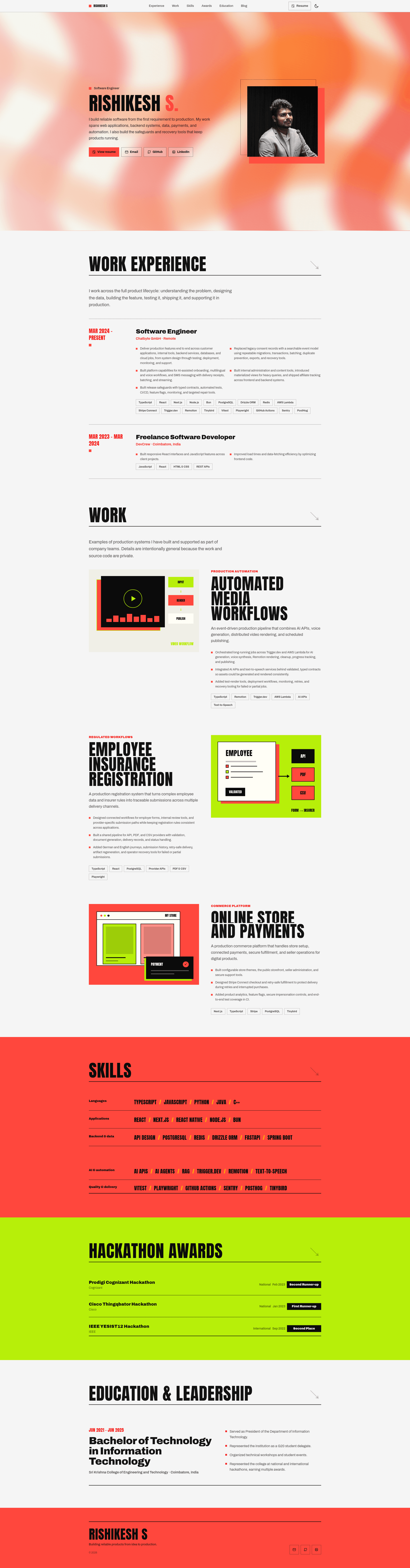
Template details
Modern Portfolio Template
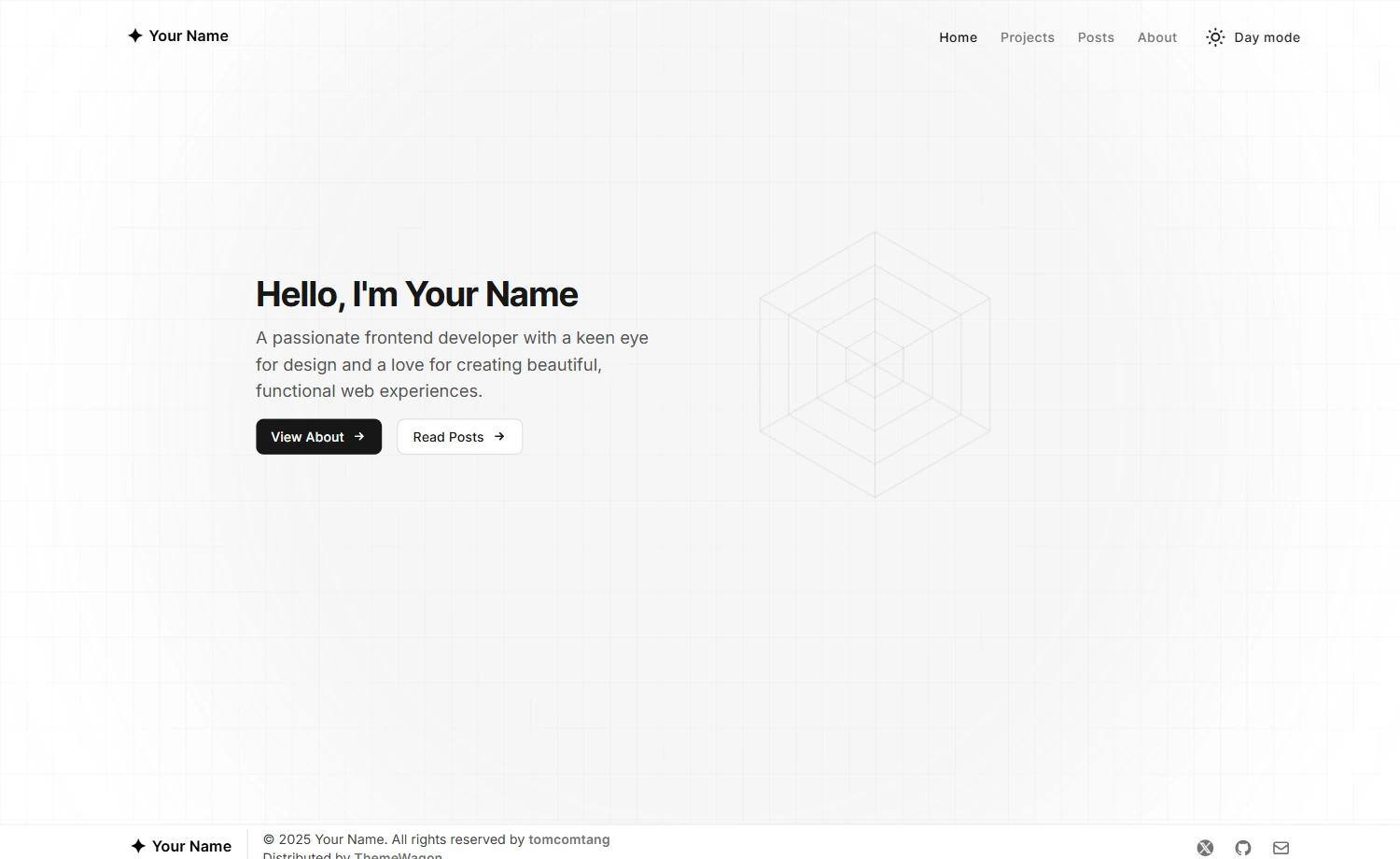
A responsive developer portfolio built with Astro 7, React 19, Tailwind CSS 4, and Framer Motion, with light/dark themes and a type-safe MDX blog.
About this template
Modern Portfolio Template is a responsive single-page developer portfolio built with Astro 7, React 19, Tailwind CSS 4, and Framer Motion, designed to present a developer's personal information and blog content as a static site.
What is the Modern Portfolio Template?
The Modern Portfolio Template is a static-site portfolio generator that takes all personal and professional details from one TypeScript file plus optional MDX blog posts and produces a fully static website in a dist/ folder. It runs on the Astro framework with React components, uses Tailwind CSS for styling, and is authored by Rishikesh S., released under the MIT license. The output can be deployed to Vercel or any static host, with the canonical site URL driven by the ORIGIN environment variable.
Key features
- Astro 7 with React 19 islands — pages are rendered as static HTML with optional interactive React components, and the build outputs to
dist/. - Tailwind CSS 4 styling — utility-first styling that supports a light and a dark theme built into the template.
- Framer Motion animations — motion effects with built-in reduced-motion support for accessibility.
- Single-source content — all personal details, work experience, skills, projects, awards, and education are edited in one TypeScript file at
src/lib/data.ts. - Type-safe MDX blog — add
.mdor.mdxfiles undersrc/content/blog; posts appear in/blog, get static article routes, and are included in the sitemap when thedraftfrontmatter flag is set tofalse. - Vercel Analytics integration — the static Astro output includes Vercel Analytics out of the box.
- Sitemap generation — Astro generates a sitemap using the
ORIGINenvironment variable for canonical URLs. - Developer tooling — commands for
lint,typecheck,format(Oxfmt), andcheck(Astro and TypeScript diagnostics), with dependencies pinned to exact versions.
Who is it for?
- Software developers who want a clean, responsive portfolio that demonstrates technical projects, skills, and work history without building a site from scratch.
- Technical bloggers who want a type-safe MDX blog alongside their portfolio, with draft support and sitemap inclusion managed through frontmatter.
- Open-source maintainers who need a minimal, MIT-licensed template they can fork, customize in one data file, and deploy to Vercel or another static host.
What can you do with the template?
- Developers: publish a portfolio fast — replace the content in
src/lib/data.tsfrombun run devatlocalhost:4321, update theprofilePicturereference, and deploy the generated static site to Vercel. - Writers: run a personal blog — drop new
.mdor.mdxposts intosrc/content/blogwithtitle,description,pubDate, and optionalupdatedDatefrontmatter, then flipdrafttofalseto publish. - Teams: adopt the same stack — use the pinned exact versions in
package.jsonwith Bun 1.3.14 and Node.js 22.12+ to reproduce the build withbun install --frozen-lockfileand the included verification commands.
How does the template work?
The development loop starts with git clone and bun install, then bun run dev serves the site at http://localhost:4321. A portfolio owner edits src/lib/data.ts for personal content and adds blog posts as Markdown or MDX files; ORIGIN is set to the public URL so Astro generates correct canonical links and sitemap. Production builds run bun run build after type and lint checks, and the resulting dist/ folder is ready for Vercel or any static host.
FAQ
Is the template free?
Yes. The template is open source under the MIT License, and the repository is publicly available on GitHub. There are no paid tiers or licensing fees involved.
What Node.js and Bun versions are required?
Bun 1.3.14 and Node.js 22.12 or newer are required, because Astro 7 depends on those versions. The project uses exact dependency pinning, so updates should be made to package.json and bun.lock together.
How do I add a blog post?
Create a .md or .mdx file in src/content/blog with frontmatter containing title, description, pubDate, and an optional updatedDate. Set draft to false to publish the post to /blog, its static article route, and the sitemap.
Does the template support both light and dark themes?
Yes. The Tailwind CSS 4-based styling includes both light and dark themes. The template also supports reduced-motion preferences for Framer Motion animations.
Where can I deploy the static site?
The build outputs static files to dist/, so it works on Vercel or any static hosting service. Set the ORIGIN environment variable to your production URL so Astro uses it for canonical URLs and sitemap generation.