Template details
myprofile
Generate a hosted HTML resume from Markdown using GitHub Discussions and GitHub Actions.
About this template
myprofile
myprofile is a GitHub-based resume generator that converts Markdown written in a GitHub Discussion into a rendered HTML resume, using GitHub Actions for automation. It is built for people who want to maintain their CV in plain text and have it hosted and updated automatically.
What is myprofile?
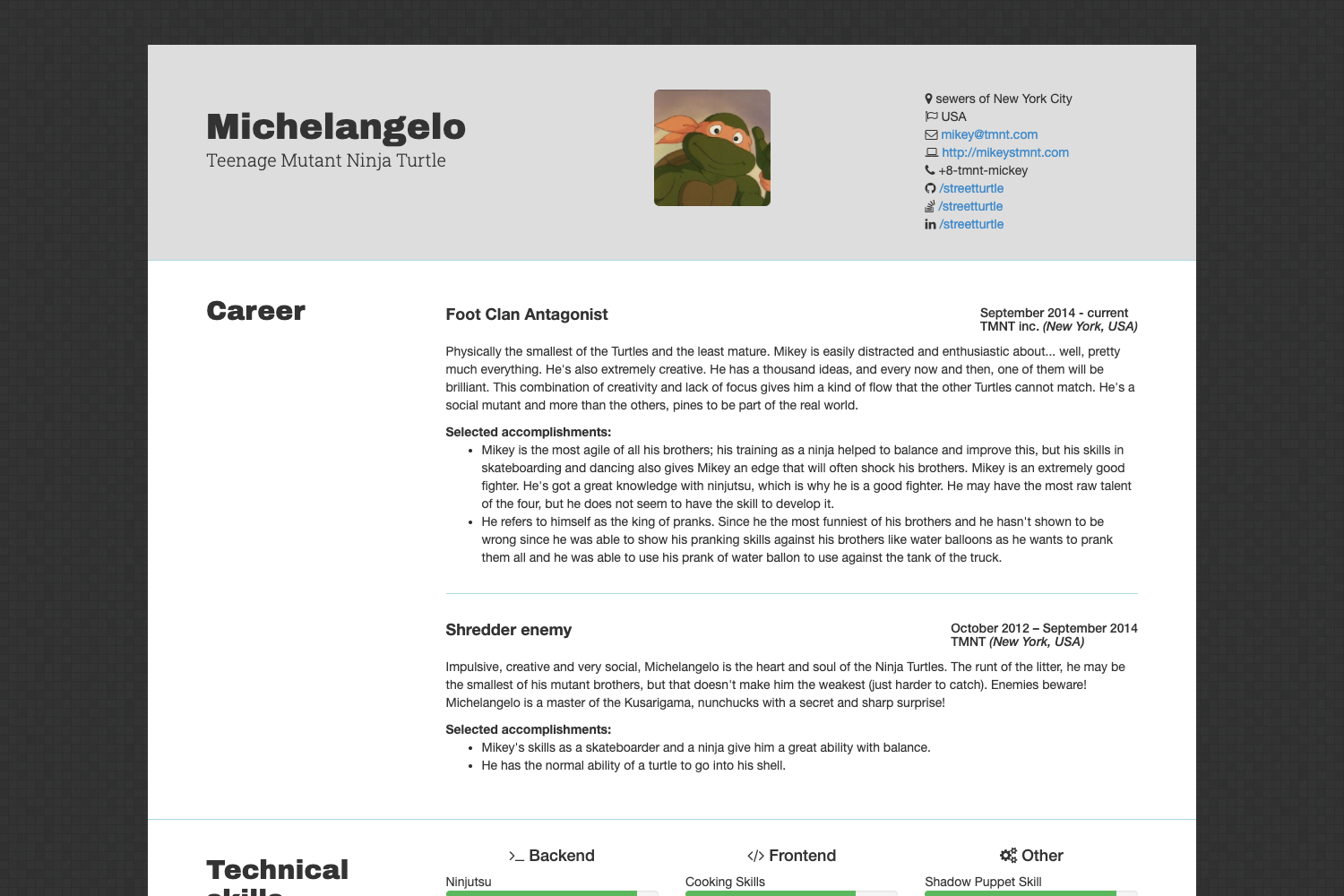
myprofile is a resume generation template that takes Markdown as input and produces a hosted HTML resume as output. Instead of a traditional CMS or database, it uses a GitHub Discussion as the content source and a GitHub Action to render the resume. The project lives in the shield-wall/myprofile repository and is documented at myprofile.pro.
Key Features
- Markdown-first editing — the entire resume is written in Markdown, with an example template provided in the repository's README.
- GitHub Discussions as content store — the discussion body is the single source of truth; editing it triggers a fresh resume build.
- Automated generation — GitHub Actions processes the Markdown and posts a comment containing the resume link within seconds.
- No local tooling — everything runs in the cloud, so you only need a GitHub account and a browser.
- Version history — since the resume lives in a GitHub discussion, all revisions are recorded by GitHub.
- PDF output — the repository topics list pdf, indicating the pipeline can additionally produce a PDF version of the resume.
- Live example — a sample resume is available at https://bucket.myprofile.pro/users/eerison/resume.html to preview the template.
- Documentation — the site at myprofile.pro includes a full structure overview explaining how to rearrange resume sections.
Who is myprofile for?
- Job seekers who want a free, version-controlled resume without subscribing to a resume builder.
- Developers and technical professionals who are comfortable editing Markdown and already use GitHub daily.
- Users who prefer automation — anyone who wants a resume that updates itself when the source file changes.
What can you do with myprofile?
- Create a resume quickly: copy the provided Markdown example, paste it into a new Resume discussion, and start the discussion to get a generated link.
- Update content iteratively: change the discussion body and the resume regenerates automatically — no need to create a new discussion.
- Render for different formats: use the HTML output for sharing online and the PDF pipeline for printed applications or uploads to job portals.
How does myprofile work?
- Copy the Markdown example code from the repository's README.
- Create a new Resume discussion in the GitHub repository.
- Paste the Markdown into the discussion body and click "Start discussion."
- Wait a few seconds; a comment will appear containing your resume link.
To update, simply edit the body of the existing discussion — a new resume will be generated.
FAQ
Is myprofile free?
The repository is public and the README does not mention any paid plan. The workflow relies on GitHub Discussions and GitHub Actions, which are free for public repositories under standard GitHub usage limits.
How do I update my resume?
Edit the body of the original Resume discussion. There is no need to create a new discussion; the GitHub Action regenerates the resume whenever the body is changed.
Do I need to install software?
No. The entire pipeline runs on GitHub Actions in the cloud. You only need a GitHub account and a web browser to create the discussion.
Can I customize the layout?
Yes. The documentation at https://myprofile.pro/structure/overview/ explains how the resume is structured and how to move sections around.