Template details
Neofeed
A beginner-friendly Hugo theme for a personal IndieWeb feed, with CSS skins and out-of-the-box deployment to Neocities and GitHub Pages.
About this template
Neofeed is an enriched Hugo theme for publishing a personal IndieWeb feed — a microblog-style timeline that works like Twitter but lives on your own static website — with built-in continuous-deployment workflows for Neocities and GitHub Pages. Created by Victoria Drake, it's positioned explicitly as a beginner-friendly starter site for learning Hugo while shipping a real personal site, and the repository markets it with the tagline "It's better than Twitter."
What is Neofeed?
Neofeed is a Hugo theme that produces a plain-HTML personal timeline with IndieWeb protocols baked in. It takes Hugo content files with front matter (title, date, categories, tags) and renders them as a feed with h-card, h-feed, and h-entry microformats2 markup so the output is parseable by RSS readers and feed readers. The theme includes a self-documenting Makefile where make entry creates a new post in your editor and make ship builds the site and deploys it, and it can be used either as a standalone fork or added as a git submodule to an existing Hugo site.
Key Features
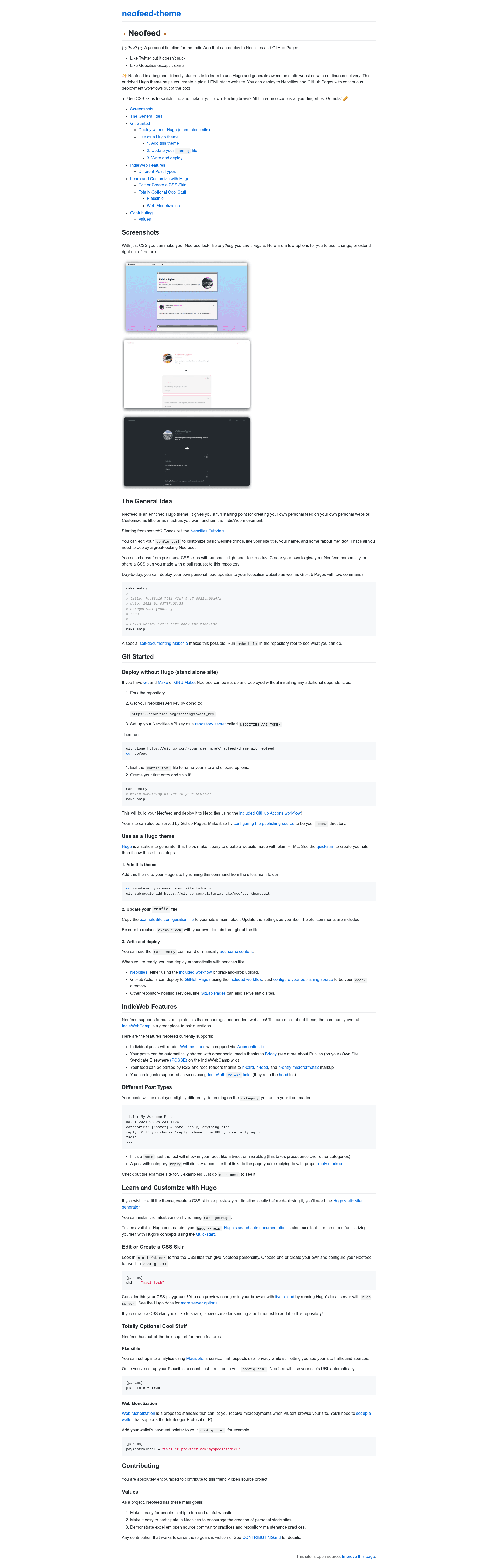
- CSS skins with light and dark modes — Three ready-made skins live in
static/skins/(macintosh, minimal, and cloudy-day); you switch between them by setting theskinparameter inconfig.toml, and the project invites pull requests to share new skins. - IndieWeb feature set — Posts render Webmentions via Webmention.io, the head partial includes IndieAuth
rel=melinks for logging into supporting services, and Bridgy integration supports POSSE-style syndication to other social media. - Categorized post types — A
notecategory renders just the text like a microblog entry, while areplycategory displays a title linking to the page being replied to with proper reply markup. - Zero-dependency deployment — With only Git and Make installed, you can fork the repo, set your Neocities API key as a
NEOCITIES_API_TOKENrepository secret, and deploy via the included GitHub Actions workflow. - Dual hosting targets — The same workflow deploys to Neocities, and GitHub Pages hosting works by setting the publishing source to the
docs/directory; other static hosts like GitLab Pages can also serve the output. - Plausible analytics option — Set
plausible = trueinconfig.tomland the theme inserts Plausible analytics using your site URL automatically. - Web Monetization support — Add a payment pointer to
config.tomlto receive micropayments from visitors through the proposed Web Monetization standard.
Who is it for?
Neofeed is for people who want to own their social feed on their own domain instead of a centralized platform, and for Neocities users who want to publish a personal static site. It's also aimed directly at Hugo beginners: make gethugo installs Hugo, the exampleSite config contains helpful comments, and the README walks through both the standalone and theme-based setup paths. IndieWeb enthusiasts get a working implementation of webmentions, IndieAuth, and POSSE to connect into the broader IndieWeb community.
What can you do with Neofeed?
- IndieWeb participants: publish notes and replies that render webmentions and can syndicate to other social networks through Bridgy, following the Publish on your Own Site, Syndicate Elsewhere model.
- Neocities users: stand up a personal feed without installing Hugo by forking the repository, adding a Neocities API token secret, and running
make entryandmake ship. - Hugo learners: use Neofeed as a guided project to practice static-site generation, editing CSS skins with live reload via
hugo server, and setting up continuous deployment.
How does Neofeed work?
Neofeed follows a three-step workflow: add the theme (fork the repository for a standalone site, or run git submodule add to attach it to an existing Hugo site), customize config.toml with your site name, domain, and chosen skin, then create posts with make entry and deploy with make ship. For local customization, running hugo server gives browser live reload as you edit skins or layouts.
FAQ
Is Neofeed free?
Yes. Neofeed is an open source project released under a friendly contribution model, with no paid tiers. The only costs are whatever you choose for hosting, such as a Neocities account or GitHub Pages.
Do I need to install Hugo to use Neofeed?
No. The standalone route only requires Git and Make; the included GitHub Actions workflow builds the site for you. You only need Hugo if you want to preview locally, edit the theme, or create CSS skins.
Where can I deploy a Neofeed site?
Neofeed ships with continuous-deployment support for Neocities and GitHub Pages, and the static output can also be served by other hosts such as GitLab Pages.
What post types does Neofeed support?
Posts are styled by their category in front matter. The note category shows only text, like a tweet or microblog, and the reply category links the post title to the URL you're replying to with proper reply markup.