Template details
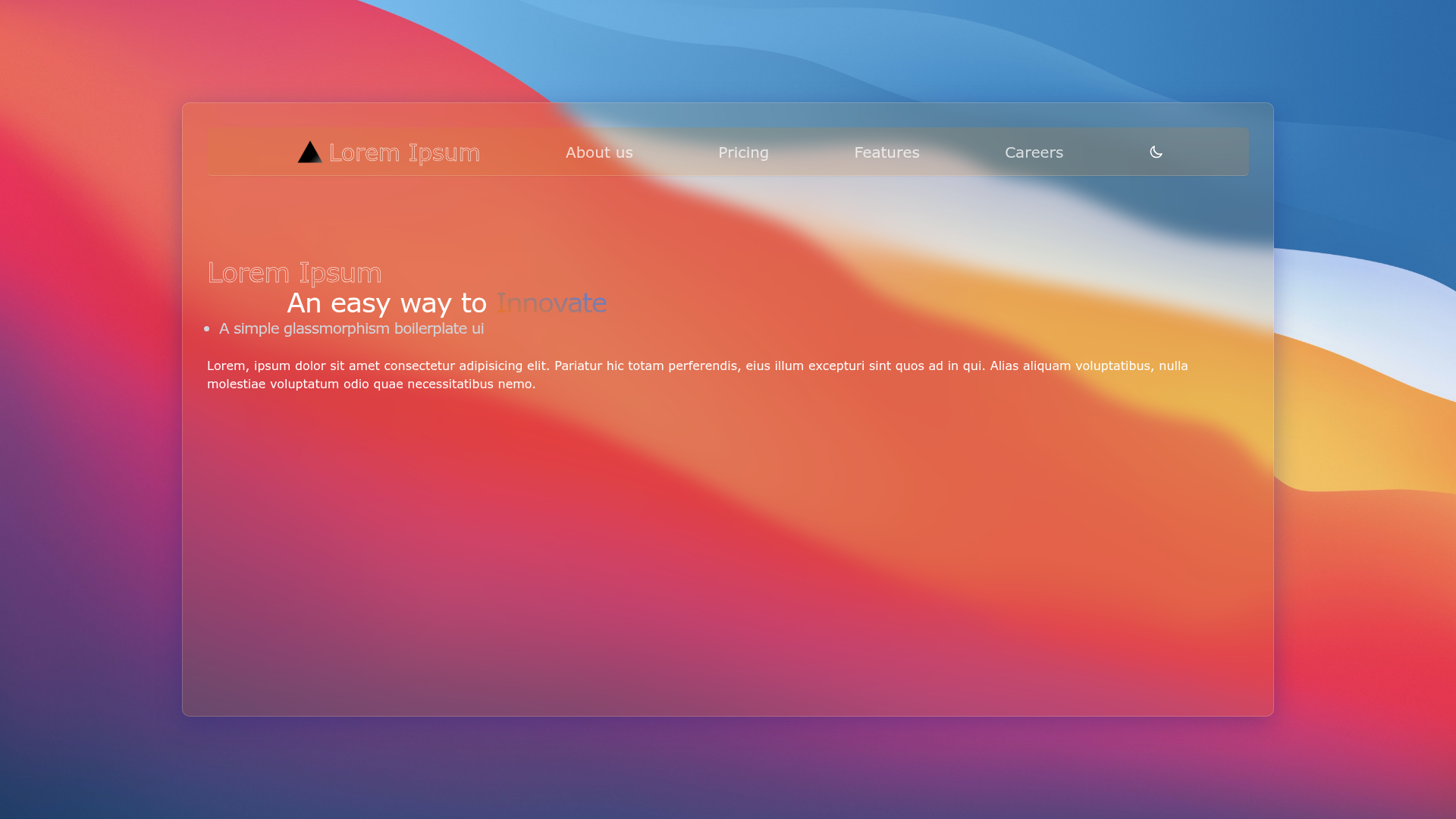
Next Glassmorphism
A simple glassmorphism boilerplate built on Next.js, bootstrapped with create-next-app.
About this template
Next Glassmorphism is a Next.js boilerplate that provides a simple starting point for building web applications with a glassmorphism visual style, bootstrapped with create-next-app.
What is Next Glassmorphism?
Next Glassmorphism is a Next.js project created with create-next-app, the official scaffolding tool from Vercel. It runs the pages router, with pages/index.js as the main editable entry point, and includes the standard development, build, and start scripts. The repository description labels it a "Simple glassmorphism boilerplate :)" and its GitHub topics include glass, glassmorphism, nextjs-boilerplate, and nextjs-template.
Key Features
- Next.js framework — Built on Next.js, offering React components, file-based routing in the
pagesdirectory, and automatic code splitting. - Create-next-app structure — The default project layout includes
pages/_app.js,pages/index.js, andpublic/for static assets. - Development server — Run
npm run devoryarn devto serve the app at http://localhost:3000 with hot reloading on edits. - Glassmorphism theme — The boilerplate is themed around glassmorphism, indicating design intent for frosted glass, transparency, and blur effects.
- Vercel deployment — The README links to the Vercel Platform for easy one-click deployment from the project.
- Learning resources — The README includes links to Next.js Documentation and an interactive tutorial for learning more about the framework.
Who is it for?
- Next.js learners — Beginners can study a minimal, working Next.js app and modify it to practice the pages router and React components.
- Frontend developers — Those who want to experiment with glassmorphism aesthetics can use this boilerplate as a clean base to apply translucent backgrounds, backdrop blur, and border highlights.
- Prototype builders — Developers who need a simple Next.js scaffold quickly can clone this and immediately focus on styling and content.
What can you do with Next Glassmorphism?
- Build a glassmorphism landing page: Start from
pages/index.jsand add glass-like cards, navbars, or modals, then deploy straight to Vercel. - Learn Next.js fundamentals: Follow the README instructions to run the dev server and observe how edits to
pages/index.jshot reload. - Customize the boilerplate: Add styling libraries or additional Next.js features like API routes and static generation, using the README's links to docs as guidance.
How does Next Glassmorphism work?
The README describes a straightforward workflow: run npm run dev or yarn dev to start the local development server, open http://localhost:3000 in a browser, and edit pages/index.js to see changes instantly. For production, the project can be deployed using the Vercel Platform with a single import, or by following the Next.js deployment documentation.
FAQ
How do I start the development server?
Run npm run dev or yarn dev in the project directory, then visit http://localhost:3000 to see the app.
How do I edit the homepage?
Open pages/index.js and modify the React components inside; the browser will automatically reload with your changes.
How do I deploy this boilerplate?
Use the Vercel Platform link provided in the README, which imports the project and deploys it automatically. Alternatively, run next build and next start for a production build.