Template details
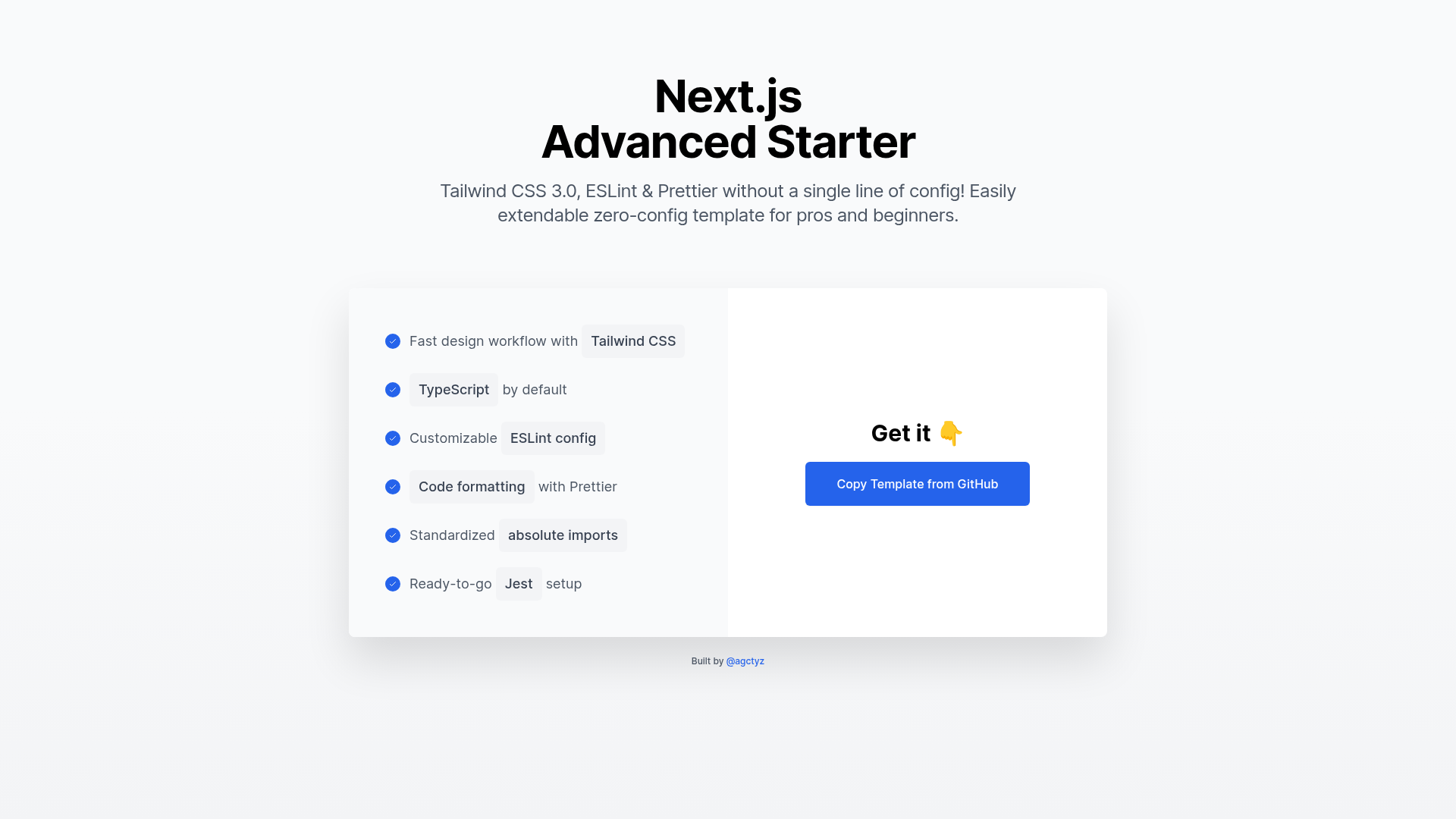
Next.js Advanced Starter
Use Tailwind CSS, ESLint, Prettier & absolute imports instantly. Easily extendable zero-config template for pros and beginners.
About this template
Next.js Advanced Starter is a free GitHub template that scaffolds an opinionated Next.js project with TypeScript, Tailwind CSS 3.0, ESLint, Prettier, and absolute imports pre-configured, so you can start building immediately instead of assembling your own stack.
What is Next.js Advanced Starter?
It is a zero-configuration starter skeleton for Next.js, published on GitHub by an independent developer. The template takes a GitHub repository as input through the "Use this Template" button and produces a working Next.js project with a demo page at localhost:3000. The stack includes TypeScript for type safety, Tailwind CSS 3.0 for styling with automatic class purging, ESLint for linting, Prettier for consistent formatting, and standardized absolute imports. It is deliberately kept small to stay maintainable and performant as you add your own pages and components.
Key Features
- Tailwind CSS 3.0 — Pre-configured with automatic class purging, so unused styles are removed from the final CSS bundle and bundle size stays small.
- TypeScript — The starter is written in TypeScript, giving you typed JavaScript and helping catch errors at development time.
- Customizable ESLint config — A .eslintrc.json file is included; you can add or turn off rules, and items lower in the "extends" array override previous extensions.
- Prettier with format-on-save — A prettier.config.js plus a .vscode/settings.json file makes VSCode auto-format code on save; the README recommends the ESLint, Prettier, and Tailwind CSS IntelliSense extensions.
- Inter font included — The open-source Inter font is loaded via Google Fonts and can be replaced by editing the link tag in src/pages/_app.tsx and the fontFamily setting in tailwind.config.js.
- Standardized absolute imports — Use paths like @components/MyComp instead of ../../components/MyComp; new aliases are added in tsconfig.json and work automatically with Next.js 11+.
- Tailwind first-party plugins — @tailwindcss/forms resets form input styles, and @tailwindcss/typography adds a "prose" class that automatically styles plain HTML content with good typographic defaults.
- Documented config files — The README explains the purpose of tsconfig.json, .eslintrc.json, tailwind.config.js, postcss.config.js, prettier.config.js, and .vscode/settings.json.
Who should use it?
- New Next.js or React developers who want to start building without first configuring TypeScript, ESLint, Prettier, and CSS purging. The template sets up all of this for you, so you can focus on writing components.
- Experienced developers who start many projects and don't want to copy the same configuration into every new repository. The starter is intentionally small and easy to extend or reconfigure.
- Developers who want a minimal base for a blog, landing page, or web app — the included Tailwind plugins and example typography sections give you a starting point for styled content.
What can you do with it?
- Prototype a new web app — Scaffold a Next.js project with Tailwind styling, TypeScript, linting, and formatting already working, then start building pages immediately.
- Style plain HTML with one class — Use the @tailwindcss/typography plugin: add the "prose" class to an article and its headings, paragraphs, and lists are automatically styled with typographic defaults.
- Set up a custom design system — Modify tailwind.config.js to add new sizes, shadows, border widths, and font families, and change the default Inter font to any Google Font of your choice.
- Learn how a professional Next.js stack is wired together — The README documents each config file and links to Tailwind's free course and the ESLint configuration guide, making it a good learning resource.
How does it work?
- Click "Use this Template" on the GitHub repo to create a new repository with the same files.
- Pull the new repo to your machine using the steps GitHub shows after creation.
- Install dependencies with npm install or yarn install.
- Run npm run dev or yarn dev, then open http://localhost:3000 to see the result.
Since Next.js 11, absolute import aliases are picked up automatically from tsconfig.json, so adding a new path like @myalias requires only one line in that file.
FAQ
Is Next.js Advanced Starter free?
Yes, it is a public GitHub template. You can create your own repo from it by clicking the "Use this Template" button, and all code and configuration files are open-source in the repository.
How do I change the font?
Edit the <link> tag in src/pages/_app.tsx to point to your desired font URL (Google Fonts, Adobe Typekit, etc.), then update the fontFamily's sans value in tailwind.config.js. Choose a font that includes weights 400, 500, 600, 700, and 800 so Tailwind's font-weight classes work.
Which config files are included?
The template includes tsconfig.json, .eslintrc.json, tailwind.config.js, postcss.config.js, prettier.config.js, and a .vscode/settings.json that enables format-on-save. The README has a table explaining what each file does.
Does the template include Tailwind CSS forms and typography?
Yes, both @tailwindcss/forms and @tailwindcss/typography are included. @tailwindcss/forms resets input element styles so you don't need manual resets, and @tailwindcss/typography lets you add the "prose" class to style HTML content automatically.