Template details
SuperUI
A Tailwindcss component library.
About this template
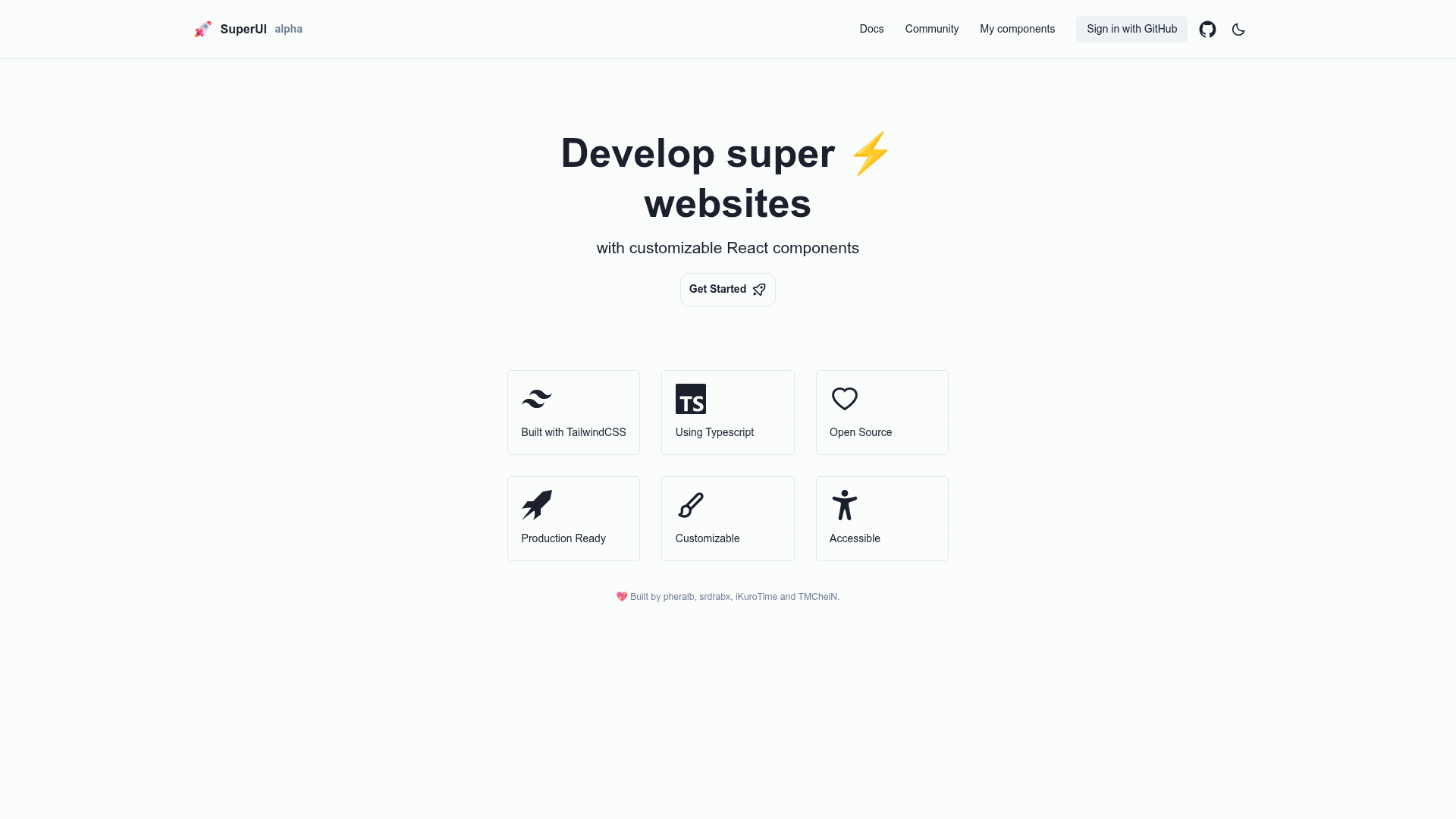
SuperUI is an open-source Tailwind CSS component library for React built with Next.js and TypeScript, combining a copy-paste component gallery with Supabase authentication and database persistence for user-created components.
What is SuperUI?
SuperUI is a Tailwind CSS component library and full-stack starter template created by Pablo Hdez, Nacho Aldama, David Huertas, and Juan Rojas as an entry for the Supabase Launch Week 5 hackathon. It uses React 18, Next.js, TypeScript, and Turborepo, and it includes a documentation site styled with Chakra UI and live code previews powered by CodeSandbox Sandpack. The project provides a set of React components styled with TailwindCSS, and a Next.js app where authenticated users can save their own component code to a Supabase Postgres database.
Key Features
- TailwindCSS component library — Reusable React components styled entirely with TailwindCSS, ready to copy into your own projects.
- Supabase Auth integration — User sign-up and login through Supabase Auth, with a SQL trigger that creates a matching row in the public.users table on registration.
- Supabase Database persistence — A components table stores each user-created component with id, user_id, title, description, code, and inserted_at timestamps.
- Turborepo monorepo — A single repository that organizes the Next.js app, component library, and documentation with Turborepo's high-performance build system.
- Chakra UI documentation site — The component docs are built with Chakra UI to provide an accessible browsing experience.
- CodeSandbox Sandpack — Each component includes a live-running, editable code preview using Sandpack.
- React Icons — The included components draw from the React Icons family for flexible iconography.
- MIT License — The entire project is released under the MIT License, so you can use it freely in commercial and personal projects.
Who is it for?
- React developers who want a set of Tailwind-styled components with live previews they can copy directly into a Next.js or React project.
- Tailwind CSS users who prefer working with utility classes and need ready-made building blocks without pulling in a heavier UI library.
- Supabase developers looking for a working example that wires Supabase Auth and Database into a Next.js application with a user-generated content flow.
- Hackathon teams that want a proven starting point for a Supabase + Next.js + Tailwind project, including the SQL schema and auth trigger already written.
What can you do with SuperUI?
- Browse and copy components: visit the demo site at superui.vercel.app, view the live Sandpack previews, and copy the React Tailwind code.
- Save your own components: after signing in via Supabase Auth, submit a new component with a title, description, and code; it is inserted into the components table tied to your user id.
- Understand a full-stack pattern: trace how the monorepo connects Next.js, Turborepo, Supabase Auth, and Postgres to build a community component library.
- Extend and rebrand: because it is MIT licensed, you can fork the repo, change the components, and launch your own version.
How does SuperUI work?
- Clone the repository from GitHub and run npm install.
- Create a Supabase project at database.new and execute the provided SQL to create the components and users tables plus the handle_new_user trigger.
- Copy your project URL and anon key into a .env file in the /app folder using NEXT_PUBLIC_SUPABASE_URL and NEXT_PUBLIC_SUPABASE_ANON_KEY.
- Run npm run dev and open http://localhost:3001 to start the development server.
Pricing
SuperUI is free and open source under the MIT License, with no paid tiers. You only need a free Supabase account to run the database-backed features.
FAQ
Is SuperUI free to use?
Yes, the project is released under the MIT License, meaning you can use, modify, and distribute SuperUI without cost or attribution requirements.
What Node.js version do I need?
The repository requires Node.js version 14.18.0 or higher, or version 16.0.0 or higher, as shown on the official badge.
Does SuperUI include authentication?
Yes, it integrates Supabase Auth. It also includes a SQL trigger function that automatically inserts a row into public.users when a new user registers.
Where are user-created components stored?
They are stored in a Supabase Postgres table named components, with columns for id, user_id, title, description, code, and inserted_at.
Can I use SuperUI without Supabase?
The components themselves can be copied without Supabase, but the save-and-share functionality depends on a Supabase database and the provided environment variables.