Template details
React for Designers
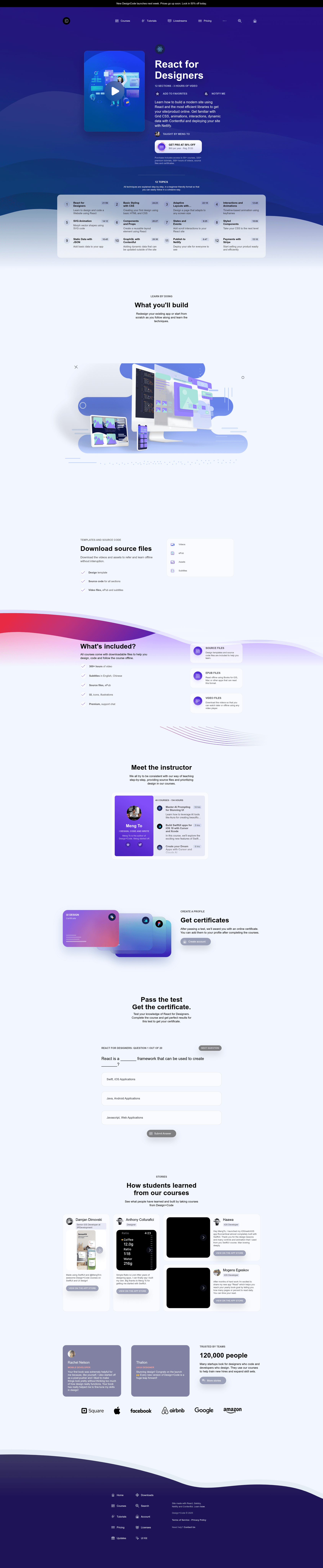
A Gatsby starter template for the React for Designers course, with 12 lesson branches covering styling, animations, GraphQL, and Stripe.
About this template
React for Designers is a Gatsby starter template that accompanies the Design+Code video course, giving you a complete React project scaffold for learning component-based UI development. It takes you through 12 sequenced learning modules, each stored as a separate Git branch, and produces an animated, responsive site ready to deploy to Netlify. The template was authored by Meng To of designcode.io and requires Gatsby CLI and Node.js to run locally.
What is React for Designers?
React for Designers is a Gatsby starter template that accompanies the Design+Code video course, giving you a complete React project scaffold for learning component-based UI development. It takes you through 12 sequenced learning modules, each stored as a separate Git branch, and produces an animated, responsive site ready to deploy to Netlify. The template was authored by Meng To of designcode.io and requires Gatsby CLI and Node.js to run locally.
Key Features
- Component-based architecture — The template mirrors Figma's component workflow, letting you build reusable React components for a design system.
- 12 progressive lesson branches — Each GitHub branch corresponds to a course chapter, from Intro to React through Payments with Stripe, so you can follow along step by step.
- CSS Grid layouts — The Adaptive Layouts branch demonstrates responsive design with CSS Grid.
- Styled Components — The Styled Components branch shows how to style React components with a CSS-in-JS library.
- Static JSON data — The Static Data with JSON branch teaches loading local data without a backend.
- GraphQL with Contentful — The template integrates Contentful as a headless CMS, accessed via GraphQL queries.
- Netlify deployment — The Publish to Netlify branch covers building and deploying the site to Netlify.
- Stripe payments — The Payments with Stripe branch adds Stripe payment processing to the site.
Who is it for?
- Designers moving into front-end development — Learn React by following along with the Design+Code course, using the template as the starting point for each tutorial.
- Visual learners — The course pairs video tutorials with a working project, so you see how CSS Grid, animations, and components behave in real time.
- Design system owners — Create custom, reusable React components that mirror your Figma component libraries for better team collaboration.
What can you do with React for Designers?
- Follow the course sequentially — Check out each branch in order and compare your code against the instructor's solution at every step.
- Experiment with animations — The Interactions and Animations and SVG Animation branches provide working examples you can tweak and extend.
- Build a static site with a CMS — Use the GraphQL with Contentful branch to pull dynamic content into a Gatsby site.
- Deploy a production-ready site — Publish to Netlify and accept Stripe payments from the included code.
How does React for Designers work?
First, install the Gatsby CLI globally with npm install --global gatsby-cli, then run npm install in the project root to install dependencies. Next, gatsby develop starts a local dev server at localhost:8000. For each course module, you can checkout the matching GitHub branch to see the code for that lesson. The README also documents workarounds for known issues, such as running sudo for Gatsby installation, hosting images via CloudApp or the /static directory to avoid local image errors, and restarting the dev server when GraphQL errors occur.
FAQ
How do I fix permission errors when installing Gatsby CLI?
Run sudo npm install --global gatsby-cli to install Gatsby with administrator privileges. This is the workaround documented in the template's README for permission-related install failures on macOS or Linux.
Why is my local image not loading in Basic Styling in CSS?
The README offers three fixes: host the image online (e.g., with CloudApp) and reference the URL, install the url-loader package with npm install --save url-loader, or place images in the /static/images or /public/images folder and link them via ../../static/images/wallpaper3.jpg.
GraphQL is giving an error — what should I do?
Restart your local development environment by pressing Control + C in the Terminal and then running gatsby develop again. The README states that this resolves GraphQL errors that appear after changes.