Template details
Next.js Dashboard
Responsive Dashboard with Next.Js, Charts.Js, TailwindCss
About this template
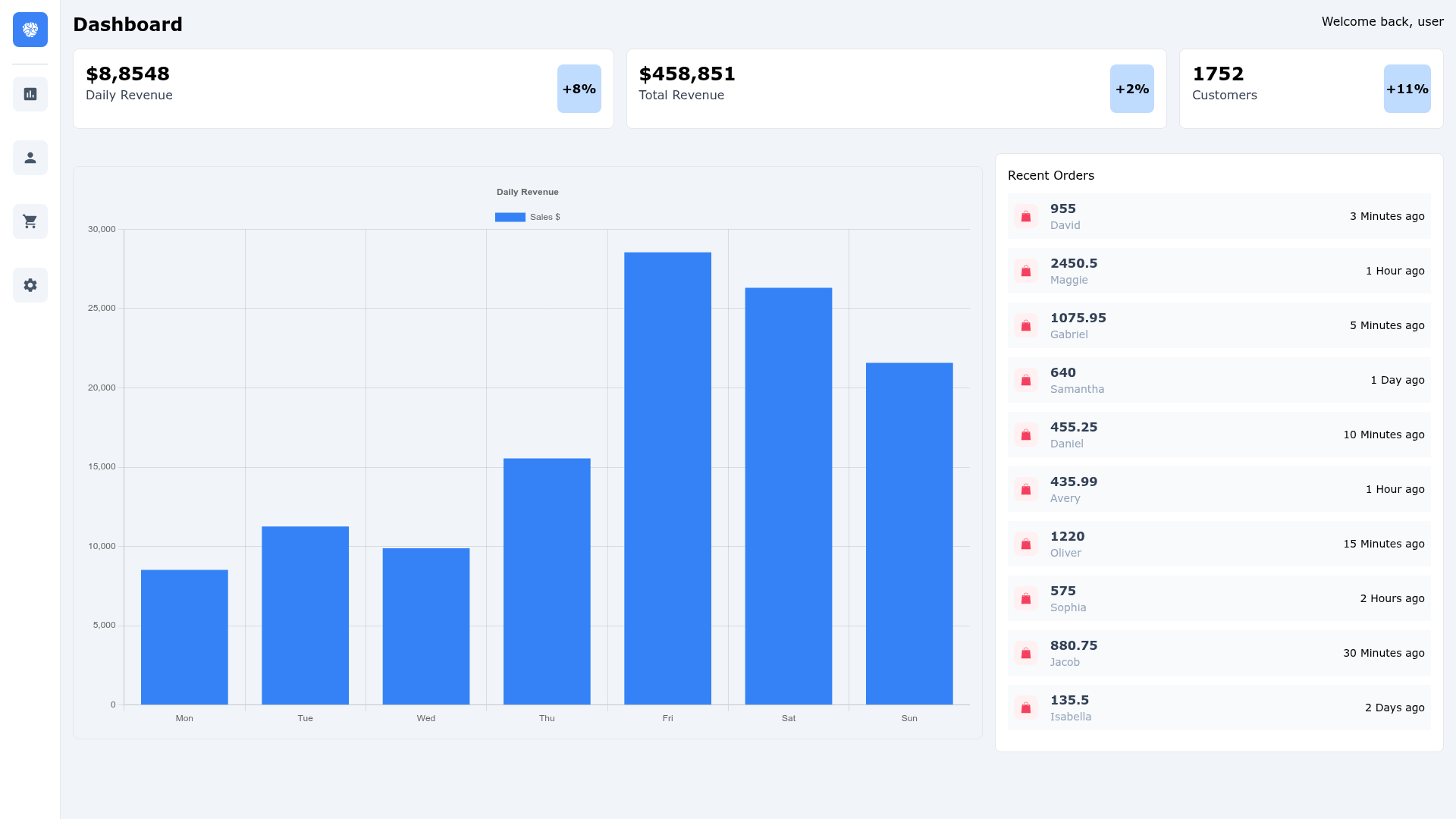
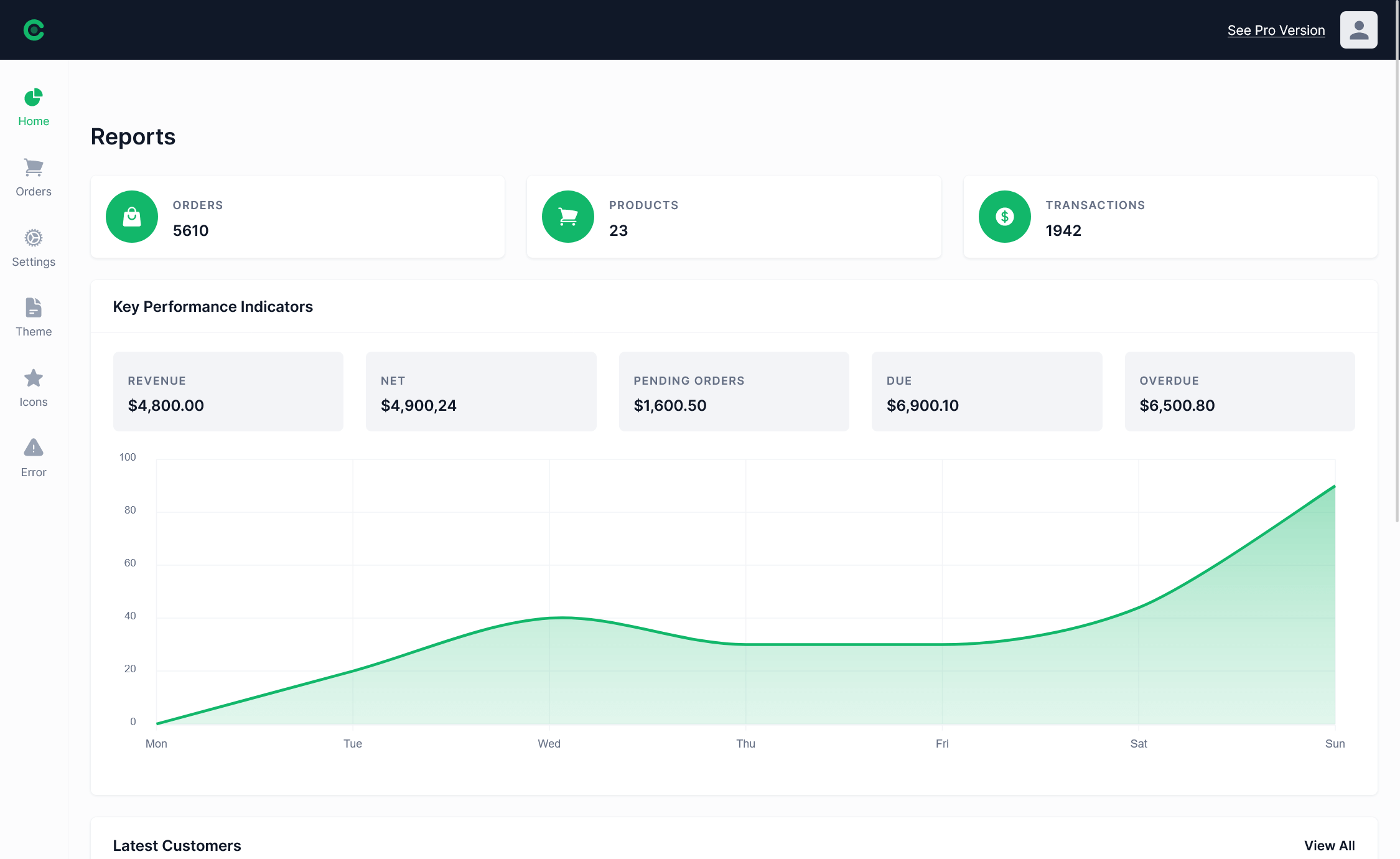
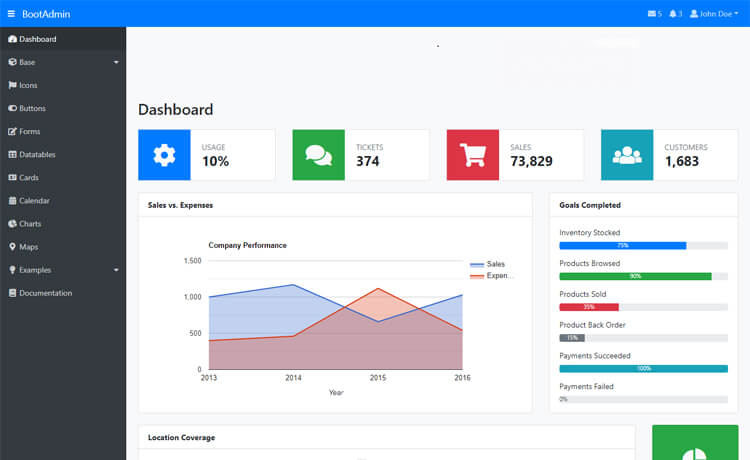
Dashboard with Next.js is a responsive admin dashboard template built on the Next.js framework, styled with Tailwind CSS, and data-driven with Chart.js.
What is Dashboard with Next.js?
Dashboard with Next.js is a responsive dashboard starter template that pairs the React-based Next.js framework with Tailwind CSS for utility-first styling and Chart.js for interactive data visualization. It provides a pre-configured project scaffold — you get a working dashboard interface with chart components instead of starting from an empty directory. The template also includes Prettier for consistent code formatting, and a live demo is deployed on Vercel.
Key Features
- Next.js framework — Supports server-side rendering and static site generation, which makes the dashboard fast to load and more visible to search engines; runs on Node.js.
- Tailwind CSS styling — A utility-first CSS framework lets you build custom responsive layouts directly in your JSX without writing separate stylesheet files.
- Chart.js charts — Interactive, canvas-rendered charts allow you to visualize data with popular chart types (bar, line, doughnut, etc.) directly in the browser.
- Prettier integration — A code formatter is configured to keep your JavaScript, JSX, and CSS consistently formatted across the project.
- Responsive layout — Tailwind's responsive breakpoints make the dashboard adapt from mobile phone screens up to widescreen desktop monitors.
- Deployed demo — The template is hosted on Vercel, so you can view the rendered dashboard live and inspect the interface before cloning the repo.
Who is it for?
Developers and teams who need a ready-made foundation for a data dashboard, admin panel, or analytics interface.
- Web developers — Clone the repository and get a configured Next.js + Tailwind + Chart.js toolchain, saving setup time on their next dashboard project.
- Frontend learners — Study the project's chart components and Tailwind utility classes to see how a functional dashboard is assembled in React/Next.js.
- Product teams building internal tools — Adapt the responsive dashboard layout and chart examples to display metrics like sales, traffic, or server health.
- Freelancers — Reuse the template as the starting point for client admin dashboards, then customize the charts and styling to match each project.
What can you do with Dashboard with Next.js?
- Build a sales dashboard — Display revenue trends and product performance using Chart.js line and bar charts, styled with Tailwind cards.
- Create an analytics dashboard — Show website metrics such as visitors, page views, and bounce rate with interactive charts that update with new data.
- Set up an admin panel — Use the responsive layout as the shell for user management, settings, and other backend views in a Next.js app.
FAQ
Does Dashboard with Next.js use a component library?
No. The template relies on Tailwind CSS for styling and Chart.js for charts, but it does not include a dedicated UI component library such as Material UI or Ant Design.
Can I use this template for commercial projects?
The provided content does not specify a license, so you should check the repository's license file before using it commercially.
Is there a live demo available?
Yes. The template is deployed on Vercel and accessible at the link provided in the repository description.
Does the dashboard include authentication or routing?
The listed technologies include Next.js, which provides file-based routing, but no authentication system is mentioned in the repository metadata.