Template details
NextJS Tailwind Resume Page
Free Next.js resume webpage template using Tailwind CSS and Material Tailwind, designed for job seekers and professionals.
About this template
NextJS Tailwind Resume Page is a free single-page resume website template by Creative Tim, built on the Next.js framework with Tailwind CSS and Material Tailwind for styling.
What is NextJS Tailwind Resume Page?
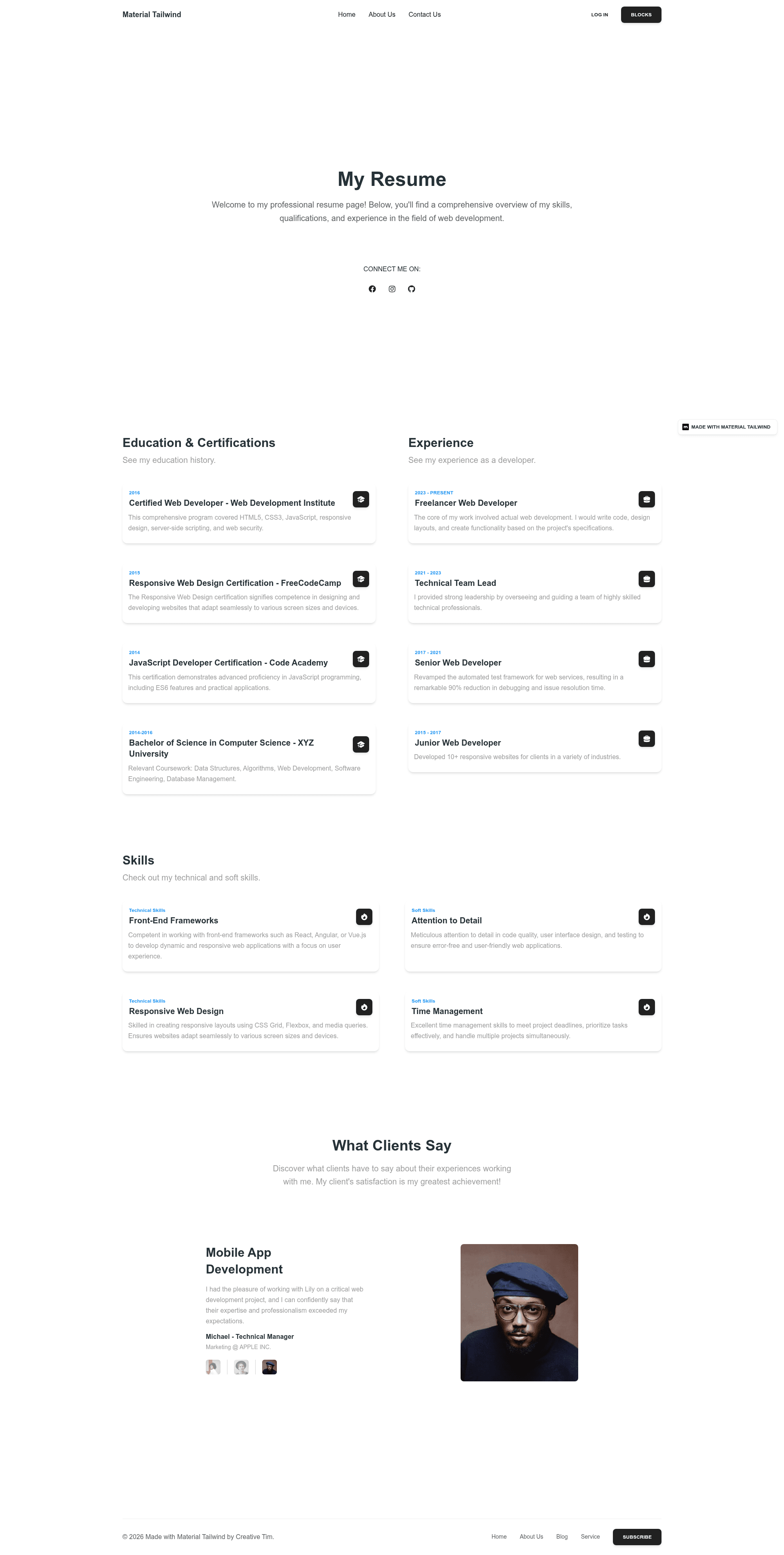
The template is a pre-designed, customizable resume web page for job seekers, professionals, and freelancers who want an online presence to showcase skills and qualifications. It takes a developer's content (name, work history, skills, testimonials) and renders it as a modern single-page site with hero, logo, features, and testimonial sections. The template is version 1.0.0 and is distributed through Creative Tim's website and a public GitHub repository under the Creative Tim license.
Key Features
- Built with Next.js — The template runs on the React-based Next.js framework and supports the last two versions of Chrome, Firefox, Edge, Safari, and Opera.
- Tailwind CSS + Material Tailwind styling — Styling is handled by the utility-first Tailwind CSS framework combined with Material Tailwind's React components, so all design tokens are customizable through Tailwind classes.
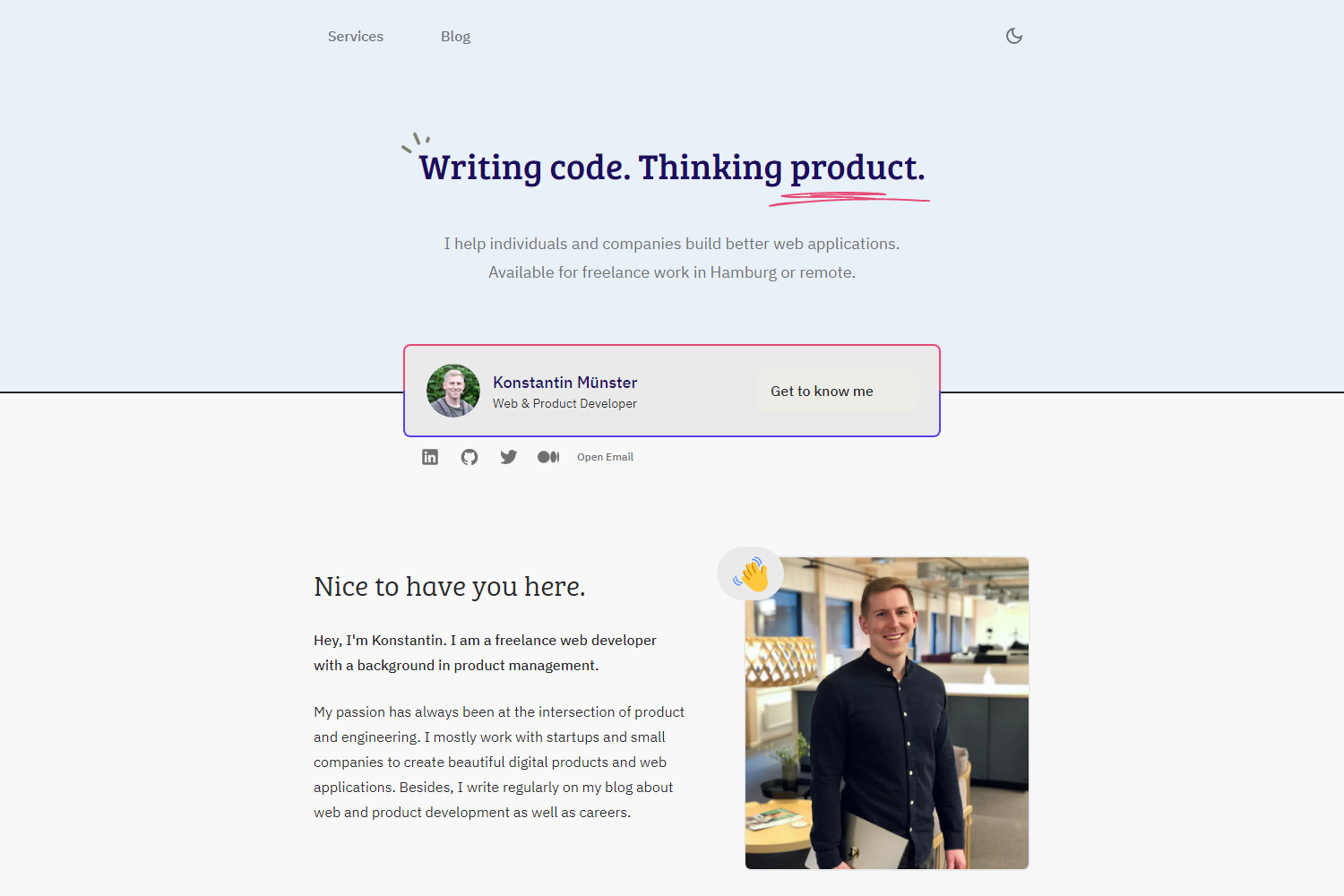
- Pre-built resume sections — The layout includes a hero image area, logo placement, features section, and testimonial section, which together cover a standard resume's key content blocks.
- Developer-focused documentation — Creative Tim provides installation and customization guides at material-tailwind.com/docs/react/installation, and the README links to a live demo, FAQ page, and GitHub issues.
- Simple local setup — After downloading the project, you install Node.js LTS, run
npm installin the root directory, and the app is ready to develop; no additional configuration commands are listed. - Free to download — The product page describes it as a free resume template, and the README includes a download link from Creative Tim.
Who is it for?
- Job seekers — Create a clean online resume to share with recruiters, replacing a PDF with a live URL.
- Freelancers and consultants — Showcase skills, past work features, and client testimonials on a single branded page.
- Web developers getting started with Next.js — Use the template as a learning project to see how content data, Tailwind classes, and Material Tailwind components are organized in a real template.
What can you do with NextJS Tailwind Resume Page?
- Customize the resume content — Edit the React components in the source to replace the default name, headline, features, and testimonials with your own details.
- Deploy the page as a personal website — Since it is a Next.js project, you can build and host the static output on any platform that supports Node.js builds, such as Vercel or Netlify.
- Use it as a starting point — Extend the template with additional components or sections, such as a contact form or work history timeline, using standard Next.js patterns.
How does it work?
The template is installed locally: download the project from Creative Tim, install Node.js LTS from the official site, then run npm install in the project's root directory. After the dependencies are installed, the Next.js dev server can be started to preview and edit the resume page.
Pricing
The template is free to download from Creative Tim. The README does not mention any paid upgrade tier.
FAQ
Is NextJS Tailwind Resume Page free?
Yes. The template is described as a “Free Resume Page Template” on Creative Tim's website, and the README provides a direct download link without any mention of payment.
What framework does NextJS Tailwind Resume Page use?
It uses Next.js, the React-based framework, with Tailwind CSS and Material Tailwind for styling. The result is a static-friendly, single-page resume site that you customize in React components.
What sections are included in the template?
The template includes a hero image, a logo area, a features section, and a testimonial section. These are the resume building blocks mentioned in the README, and they can be edited to display your own skills and client quotes.
Do I need Node.js to use this template?
Yes, the quick start instructions require downloading and installing Node.js LTS from the official Node.js website, then running npm install in the project root to install dependencies.
Where can I find documentation and support?
Documentation is hosted at material-tailwind.com/docs/react/installation, and the README links to a GitHub repository for issues, a Creative Tim FAQ page, and a contact form for technical support.