Template details
NextUI Dashboard
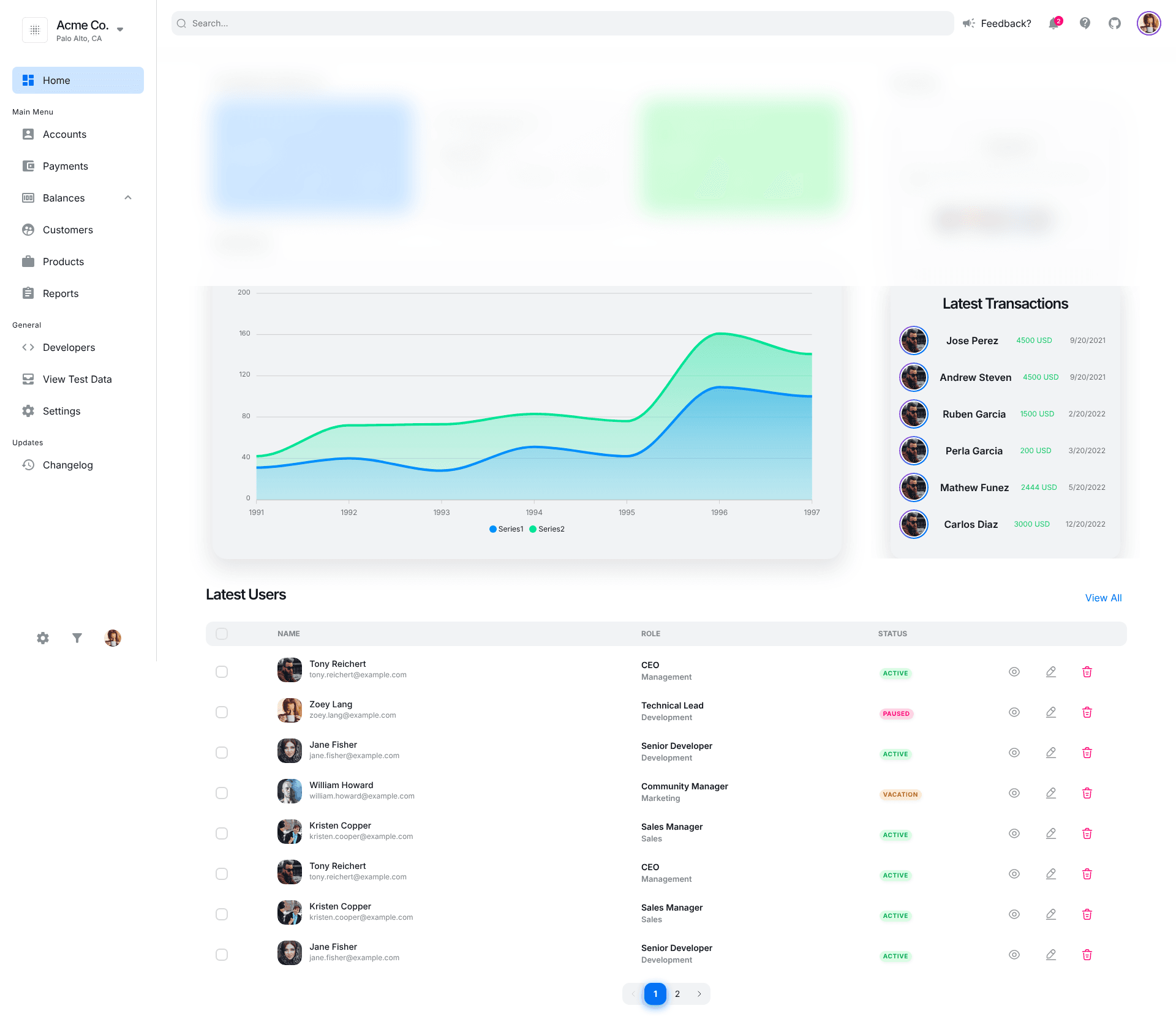
A dashboard starter template using Next.js and NextUI with dark mode, charts, and an accounts page.
About this template
NextUI Dashboard is a free, open-source dashboard starter template that combines the Next.js React framework with the NextUI component library to give developers a runnable admin interface with charts, a sidebar, and theme switching.
What is NextUI Dashboard?
NextUI Dashboard is a sample project that pairs Next.js with NextUI, a React UI library built on Tailwind CSS, to create a functional dashboard application. It takes the repository source code and produces a web app with a home page showing charts, an accounts page, a responsive sidebar, and a navbar. The template is designed for deployment on Vercel and also runs locally via npm scripts. The repository lives under the GitHub account chris-trapstar and is presented as a sample rather than a commercial product.
Key Features
- Dark and light mode — The dashboard includes a theme toggle that switches between dark and light color schemes, a feature highlighted in the project description.
- Fully responsive layout — The interface adjusts to different screen sizes, covering desktop and mobile use.
- Home page with charts — The index page (
pages/index.tsx) contains chart components for data visualization. - Accounts page — A dedicated accounts page (
pages/accounts.tsx) provides a table-driven view for managing account data. - Next.js architecture — The app uses Next.js for routing and page generation, with a pages directory containing
_app.tsxandindex.tsx. - Component library structure — Source code is organized into folders for components (accounts, charts, breadcrumb, home, layout, navbar, sidebar, table, styles, icons, hooks) to keep functionality modular.
- One-click Vercel deployment — A deploy button lets you import the GitHub template directly into Vercel, bypassing manual server configuration.
Who is it for?
- Frontend developers — looking for a ready-made dashboard to customize and extend with NextUI components.
- Startups and small teams — needing a fast head start on an internal admin or metrics dashboard.
- Next.js learners — who want to see a concrete integration of NextUI with Tailwind CSS in a small, well-structured codebase.
What can you do with NextUI Dashboard?
- Build an admin panel — Use the existing layout, sidebar, and accounts page as a base, then replace sample data with your own backend.
- Prototype a dashboard — Quickly create a visual mockup for stakeholders using the included charts and theme toggle.
- Deploy a live instance — Click the Vercel deploy button to go from repository to a hosted dashboard without extra configuration.
How does NextUI Dashboard work?
The project runs as a standard Next.js application. After cloning, install dependencies with npm install and start the development server with npm run dev, then visit http://localhost:3000. The template also includes a Vercel deploy button for immediate hosting.
Pros and cons
- Pros: free and open source, simple two-command setup, includes dark mode out of the box, and is deployable to Vercel in one click.
- Cons: the sample currently has only two pages — home and accounts — and the README notes that "more pages coming soon", so the built-in page set is limited.
Pricing
Free — the project is an open-source sample with no paid tiers or subscription requirements.
FAQ
Is NextUI Dashboard free?
Yes, it is an open-source sample project hosted on GitHub, so there are no fees to use or modify the code.
Can I deploy NextUI Dashboard to Vercel?
Yes, the repository includes a Vercel deploy button that imports the template directly and creates a new deployment.
Does NextUI Dashboard support dark mode?
Yes, dark mode support is one of the listed features, and the template includes light and dark color schemes.
What pages are included?
The template currently includes a home page with charts and an accounts page, plus a sidebar and navbar layout. The README states that more pages are coming soon.
How do I run NextUI Dashboard locally?
Run npm install to install dependencies, then npm run dev to start the development server at http://localhost:3000.