Template details
NLW App Clone
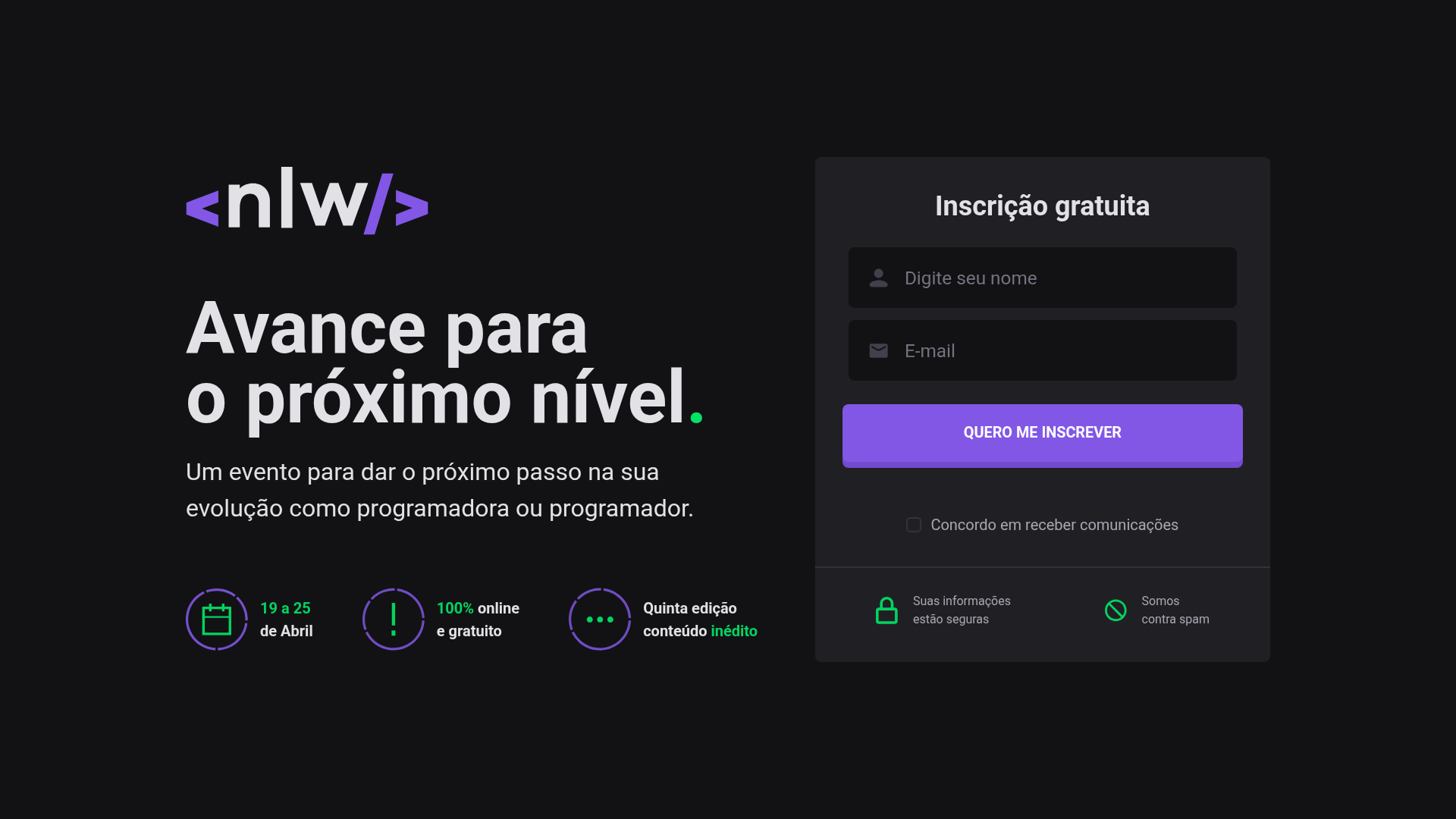
Clone da aplicação de inscrição da Next Level Week #05
About this template
NLW App Clone is an open-source Next.js boilerplate for an event subscription application, cloned from Rocketseat's Next Level Week #05. It gives developers a ready-to-run registration flow with GitHub authentication, track selection, and an invite system, built with TypeScript, Chakra UI, FaunaDB, and Firebase.
What is NLW App Clone?
NLW App Clone is a full-stack Next.js application that reproduces the event sign-up experience of Rocketseat's Next Level Week #05. It takes a user's registration data and GitHub login as input and produces a confirmed enrollment with a generated invite; the app runs on the Next.js framework with React and TypeScript, styled with Chakra UI. The project was created by developer Alexandre Costa and is published under the MIT license.
Key Features
- Event registration form — Handles user sign-up for the event, with validation handled by Formik and Yup.
- Track selection — Lets participants choose a learning track after registering, mirroring the NLW multi-track format.
- GitHub authentication — Uses Firebase for login with GitHub and generates a personalized invite for the authenticated user.
- FaunaDB data layer — Stores registrations and invites in FaunaDB, a serverless GraphQL database.
- Chakra UI design system — Provides the component library and styling for the interface, with a modern, accessible look.
- Local development setup — Runs with npm run dev on port 3000; environment variables are declared in .env.development with an .env.example reference.
Who is it for?
- Next.js developers who want a working example of an event registration flow with authentication and a database.
- Developers following Rocketseat's Next Level Week who want to study or reuse the structure of the #05 edition's app.
- Open-source contributors looking for a MIT-licensed starter to build their own event sign-up product.
What can you do with NLW App Clone?
- Event organizers: Use the app as a starting point for an event registration portal where attendees sign up, pick a track, and receive a GitHub-generated invite.
- React/Next.js learners: Explore a real-world integration of Next.js with Chakra UI, Formik, Yup, FaunaDB, and Firebase in a single project.
- Hackathon teams: Adapt the cloned app quickly to prototype a registration and invitation flow for a new event.
How does NLW App Clone work?
The setup follows the README instructions: clone the repository with git, install dependencies with npm install, and start the development server with npm run dev, which serves the app at http://localhost:3000. Before running, you must fill in the environment variables listed in .env.example into .env.development; the repository includes PUBLIC_KEY and PRIVATE_KEY files in /src/static for generating the invite token.