Template details
not much
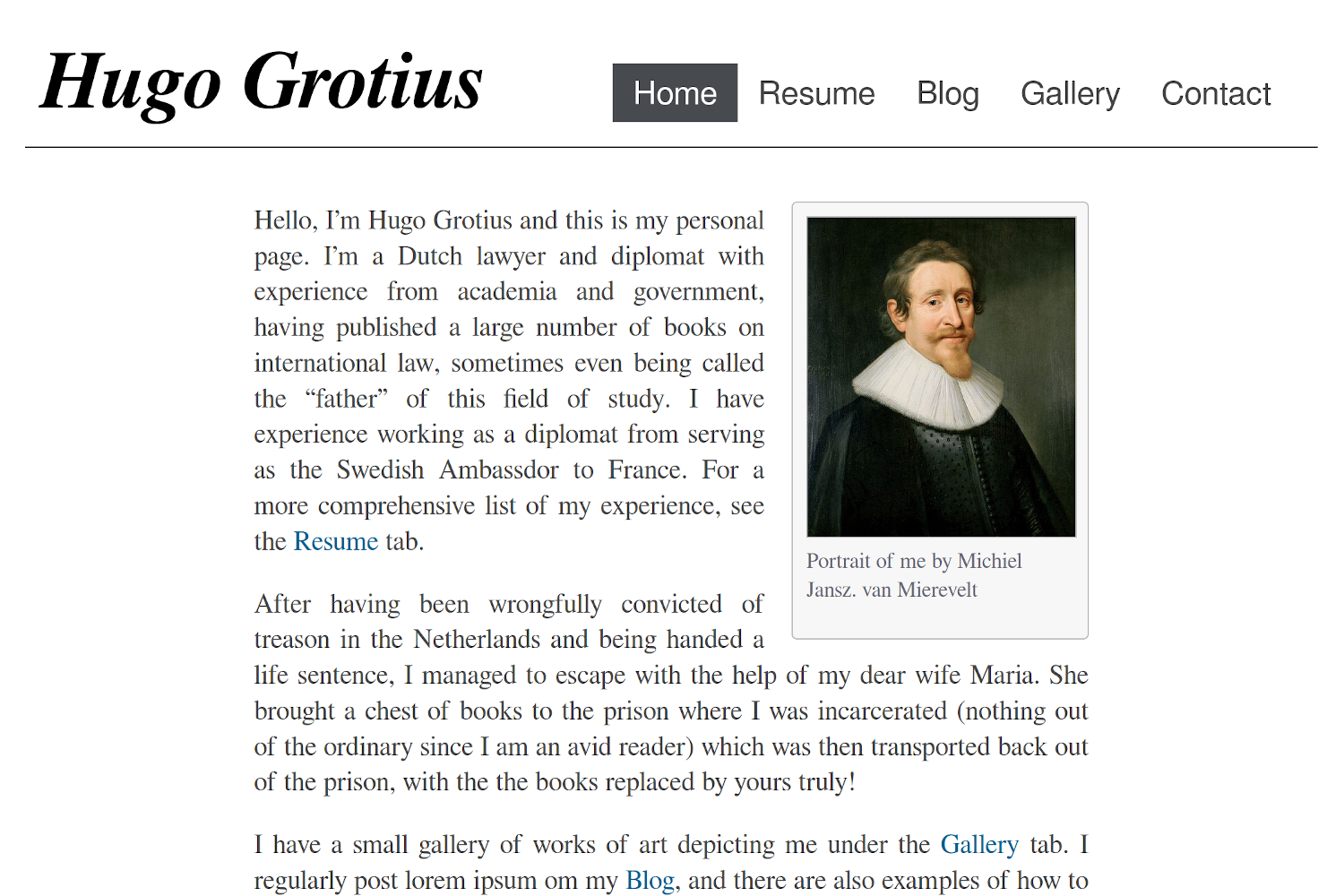
A minimal Hugo theme for personal websites, focusing on simplicity and minimalism.
About this template
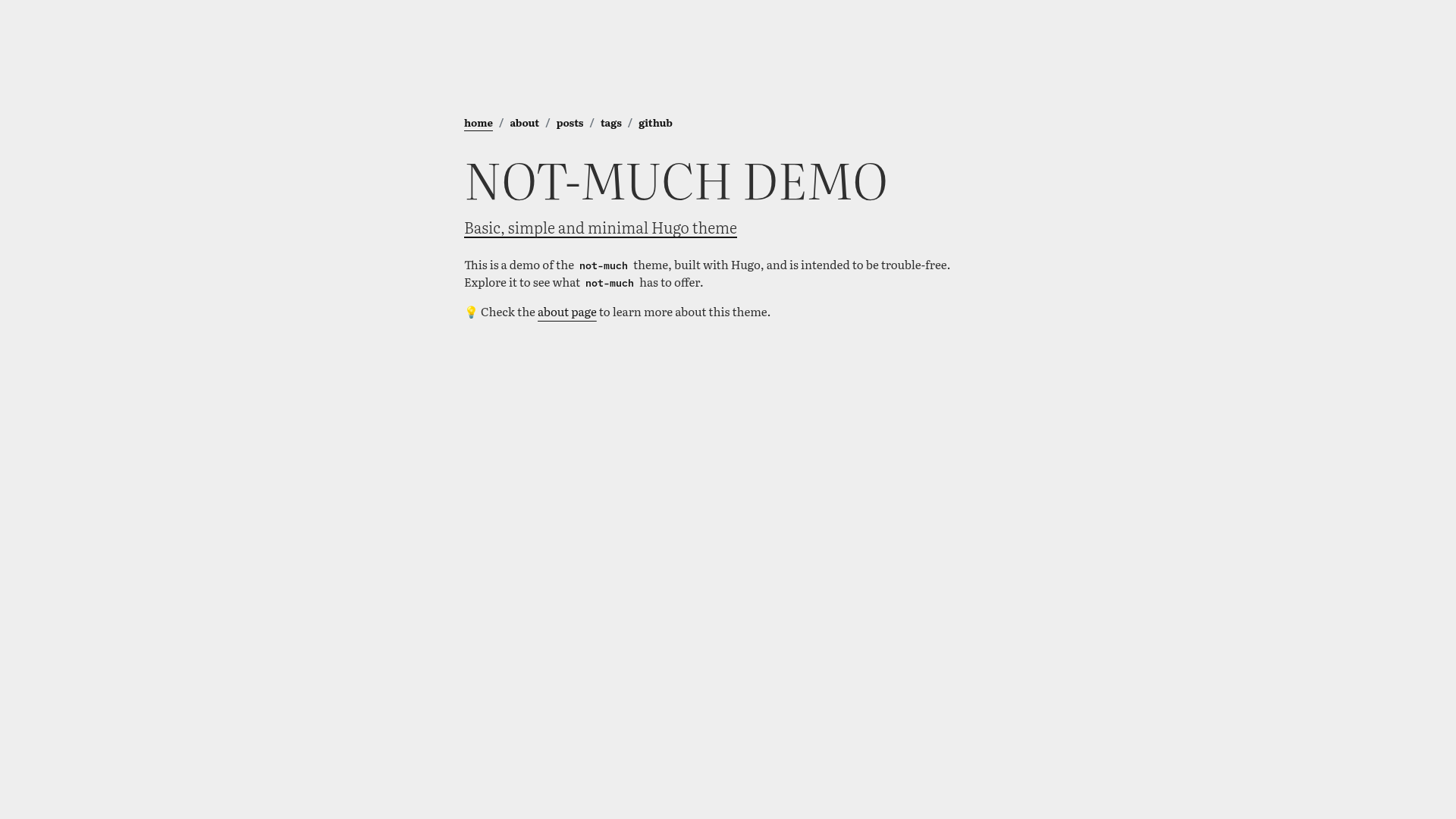
not much is a minimal Hugo theme for personal websites, built by imgios, that prioritizes simplicity and readability with a clean typography-focused layout.
What is not much?
not much is a minimal Hugo theme designed for personal websites and blogs. It takes standard Hugo content written in Markdown and outputs a static site with a simple, readable layout. The theme uses Bootstrap for responsive styling, Literata as its main font, and RedHat Mono for code-related text. It is maintained by imgios and is published on GitHub under the MIT License.
Key Features
- Minimal by design — the theme has no fancy shortcodes or unnecessary features, prioritizing basic, simple content presentation.
- Bootstrap-based styling — built on the free and open-source Bootstrap CSS library, giving it a solid responsive grid and components.
- Literata typography — uses the Literata font, designed for long-form reading, as the main theme font.
- RedHat Mono for code — code blocks and monospaced elements use the RedHat Mono font.
- Example site included — the repository ships an exampleSite directory so you can run
hugo server -Dand see the theme live at localhost:1313. - Multiple installation paths — add the theme as a git submodule or copy the theme directory into your Hugo project's themes folder.
- Palette and comment tags — repository metadata lists catppuccin, custom-palette, dracula, and giscus among its topics, signaling support for those color schemes and the giscus commenting system.
Who is it for?
- Personal website owners — individuals who want a no-frills site to share their writing, resume, or link hub.
- Minimalist bloggers — writers who want their content to be front and center without visual distractions.
- Hugo learners — developers who want a clean exampleSite to study how a Hugo theme is structured and deploy their own site.
What can you do with not much?
- Launch a personal blog quickly — clone the repository, copy the theme to your Hugo site, set the theme name in your config, and start writing Markdown posts.
- Customize appearance — adjust the theme's colors and typography via the configuration file, as detailed in configuration.md.
- Add a comment system — use giscus (supported per the repository tags) to enable GitHub Discussions-based commenting on your posts.
How does not much work?
The README shows a straightforward setup: clone the repo, install a Hugo version that meets the prerequisites (Git and Hugo), move into the exampleSite folder, and run hugo server -D to preview. For a real site, you add the theme as a submodule or as a directory, then set theme = "not-much" in your Hugo configuration file.
Pros and cons
- Pros: very lightweight; easy to understand; typography-focused; MIT licensed.
- Cons: deliberately lacks advanced features like custom shortcodes or widgets; the submodule installation method prevents editing templates inside the theme.
FAQ
Is not much free?
Yes, not much is released under the MIT License, so you can use, modify, and distribute it freely.
How do I install not much?
You can add it as a git submodule from the GitHub repository or copy the theme directory into your Hugo website's themes folder. Then set the theme parameter in your config file to "not-much".
Does not much support comments?
The repository tags include giscus, which suggests support for giscus comments. Check configuration.md for how to enable them on your site.
What fonts does not much use?
Literata is the main theme font, and RedHat Mono is used for code. Both are available from Google Fonts.
Can I use not much for a portfolio or business site?
The theme is designed for personal websites and minimal blogs. It lacks the built-in sections or components typical of portfolio or business templates, though you could customize it with your own layouts.