Template details
Resume-A4
A Hugo theme for creating A4-sized, print-ready resumes from YAML content.
About this template
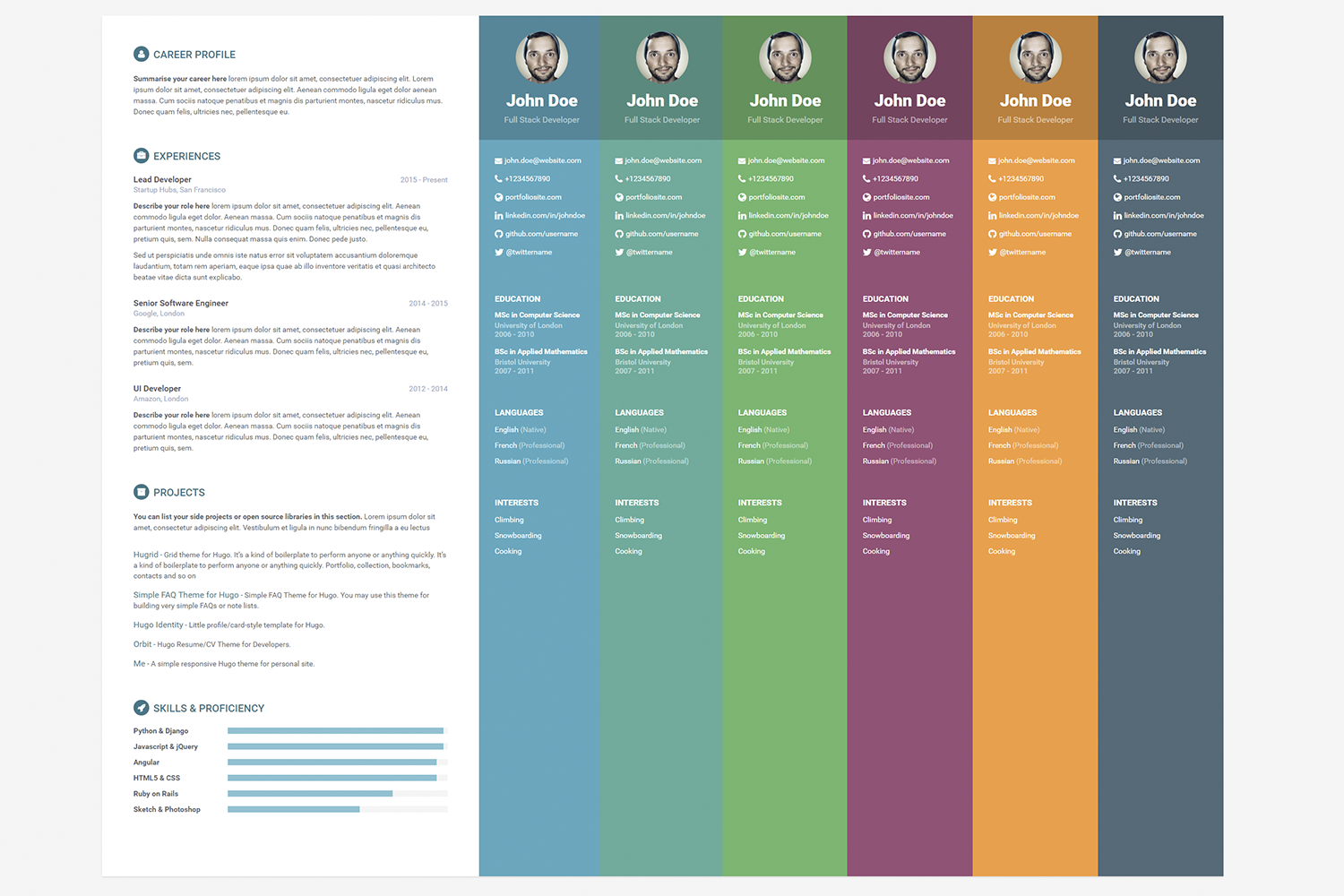
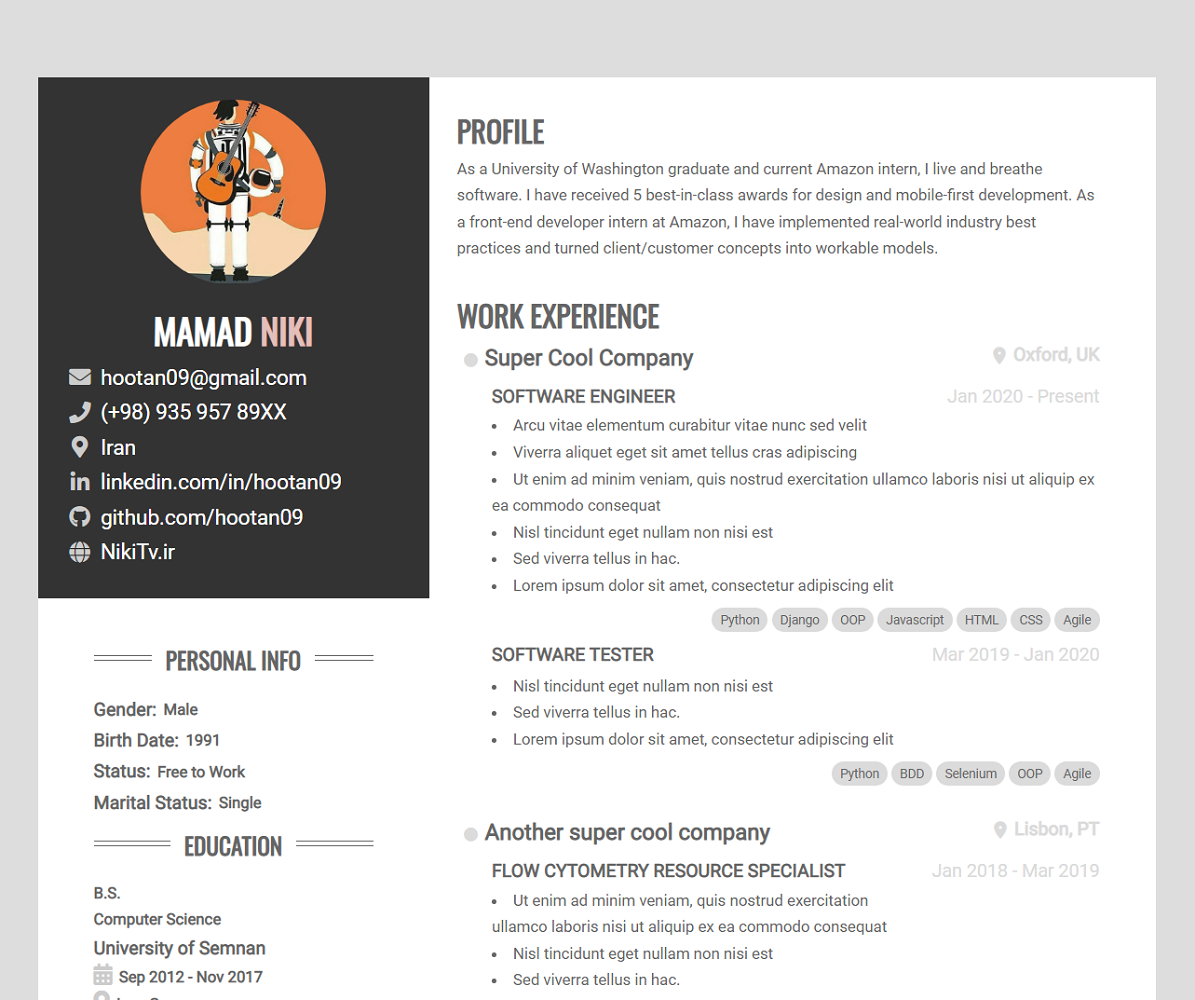
Resume-A4 is a Hugo theme that generates A4-sized, print-ready resume pages from YAML data files, deployable as a static site or exported as PDF.
What is Resume-A4?
Resume-A4 is an open-source Hugo theme that turns YAML resume content into a static website with A4-proportioned pages. You write your resume data in YAML files under the data/ folder, configure sections and layout in config.yaml, and Hugo renders a clean, print-friendly site that works when printed directly or saved as PDF from the browser. The theme is authored by mertbakir and distributed via GitHub at mertbakir/resume-a4.
What makes Resume-A4 stand out?
- A4-sized page layout — Each page is sized for A4 paper, so print and PDF output match standard paper dimensions without manual scaling.
- YAML content management — Resume text lives in YAML data files, which makes changes easy to review and track with git; no editing of HTML or markup required.
- Configurable features — Core sections (about, experience, education, languages, publications) plus user-defined sections like skills or certificates; titles can be overridden per language, and order is set by listing them in
config.yaml. - Two-column layout option — A side column can be enabled for contact info or other content; set
header.contactOnSide: trueto move contact details to the sidebar. - Two widget types —
details-listrenders entries with title, subtitle, date, markdown details, optional link and a links list;word-listrenders tag-style items as a bulleted list, compact comma-separated line, or grouped title-list. - Multiple pages — You can include as many pages as you need, each with its own header and column layout, though the theme advises keeping it simple.
- CSS customization — Copy the
assets/folder from the example site to override SCSS variables; a sample snippet shows how to print URLs after links by adding a rule tocustom.scss. - Academic citations — Built-in citation formats support listing publications, which is useful for researchers and academics.
Who should use Resume-A4?
- Job seekers who want a professional, A4-formatted resume that can be deployed on GitHub Pages or exported to PDF.
- Developers and technical writers comfortable editing YAML who want to keep their resume under version control with git.
- Academics who need to list publications with citation formatting and external links.
- Non-English speakers because section titles can be translated by setting the
titlekey, for example changing 'Experience' to 'Deneyim'.
What can you do with Resume-A4?
- Job seekers: Create a single-page resume by keeping one page in
config.yaml, then print or save as PDF directly from the browser. - Developers: Maintain resume data in YAML and track every wording change through git history, diffing versions as easily as code.
- Academics: Publish a list of publications using the built-in citation styles and attach links to paper pages via the
linksarray. - Multilingual users: Write section titles in any language by overriding the
titlevalue in the config, letting the same theme serve a resume in Turkish, German, Japanese, and more.
How does Resume-A4 work?
- Create a new Hugo site with
hugo new site my-resume. - Clone or submodule the theme into
themes/resume-a4. - Copy the example
config.yamland thedata/folder fromexampleSite/. - Edit
config.yamlto configure pages, features, and layout; update YAML files indata/with resume content. - Run
hugo serverfor local preview, then build and deploy the static output.
FAQ
How do I create a single-page resume?
Remove the second page from your config.yaml — keep only one page entry with header: true. The theme will render just that page.
How do I add a profile picture?
Set header.avatar to your photo filename in config.yaml and put the image file in your static/ folder. The avatar appears in the header area.
How do I change the order of sections?
Sections render in the order they appear in the pages configuration in config.yaml. Rearrange that list to reorder them.
Can I use markdown in my resume data?
Yes, the details field of the details-list widget supports full markdown formatting, so you can use bullets, bold, italic, and links inside entry descriptions.
How do I add custom sections?
Create a new YAML file in the data/ directory and give it the same name as your feature's collection key, or add entries to the existing features.yaml. Then reference that feature in config.yaml. The data must match the expected widget structure.