Template details
Panda
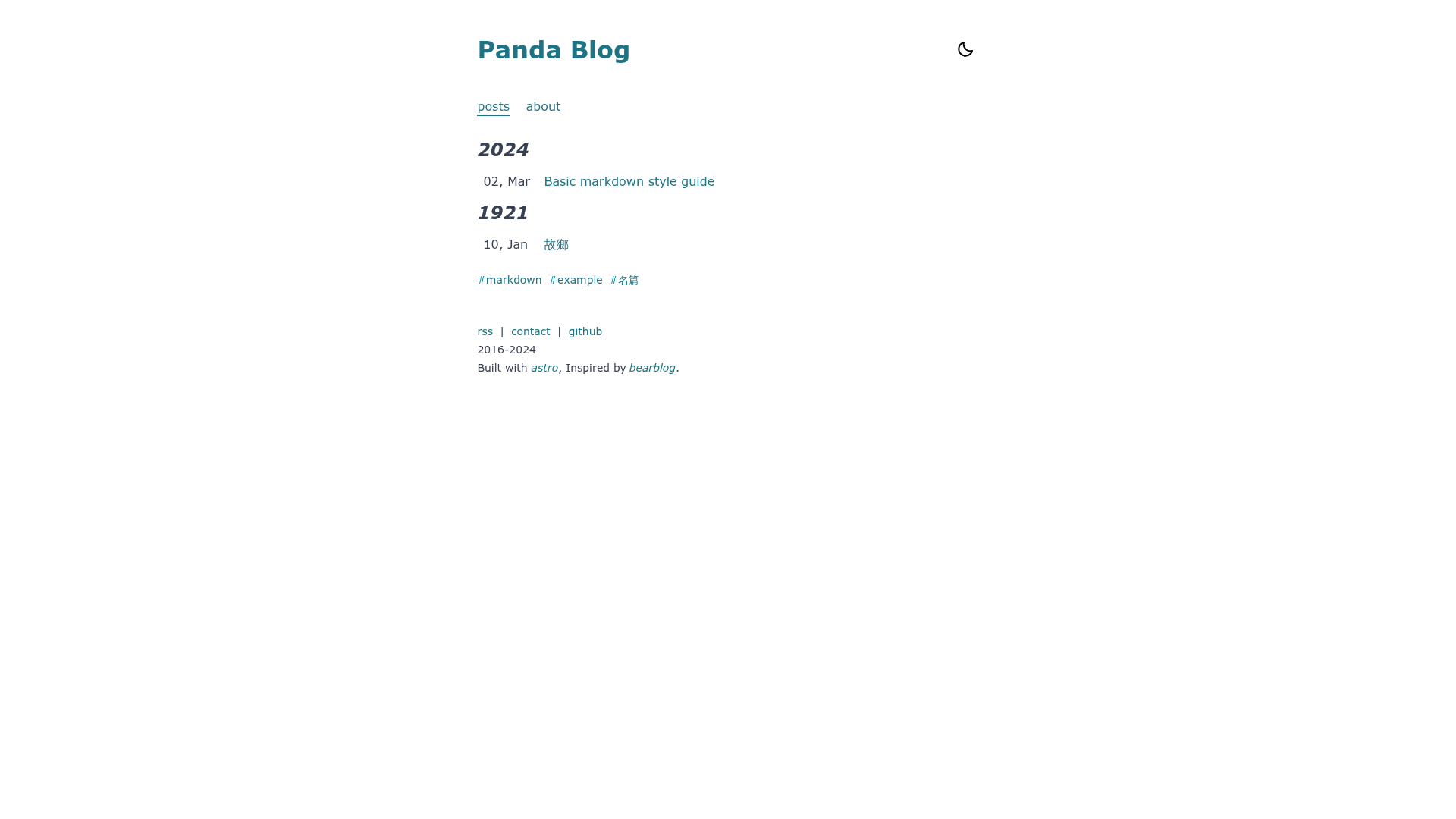
A tiny blog theme for Astro that builds fast, ~30kb static blogs from Markdown posts.
About this template
Panda is an open-source blog theme built on the Astro framework that generates a static blog from Markdown posts and a single configuration file. It takes Markdown content with frontmatter for description, publication date, tags, and categories, and outputs a pre-rendered site in ./dist/ after running the Astro build command. The theme is maintained by GitHub user yuhangch, is described as "a tiny blog theme for astro," and is distributed through a public GitHub repository from which it can be cloned directly.
What makes Panda stand out?
Panda keeps the generated site small — around 30kb of page weight — and organizes all customization through a PandaConfig object in src/config.js. That object controls the site title, description, start year, site URL, default locale, navbar links, and footer links. Content is managed as Markdown: posts live in src/content/posts/ and each frontmatter block supports description, pubDate, tags, and categories. Additional pages like an about page are created by pairing a content folder in src/content/ with an Astro page in src/pages/, using the included about example as a guide. The theme's accent colors are controlled by CSS custom properties in src/styles/index.css, specifically --color-primary-main and --color-secondary-main, which can be set separately for light and dark mode via :root and :root.dark. The site includes an RSS footer link, and the built-in locales cover English (en) and Chinese (zh), with a pathway to add more languages by creating files in src/content/lang/ and referencing src/locates/en.yml and src/utils/locale.ts.
Who should use Panda?
Bloggers who write in Markdown and want a no-CMS Astro blog can clone Panda, edit the config, and start publishing immediately. Developers learning Astro can use the compact project structure as a practical reference for content collections, pages, and configuration. Site owners optimizing for low page weight benefit from the roughly 30kb output and fully static prerendering.
What can you do with Panda?
- Publish a personal blog — write Markdown posts with frontmatter tags and dates, and the theme renders them as blog entries with RSS support.
- Create custom pages — follow the included about example to add pages like about or contact by adding a content folder and an Astro page.
- Rebrand the theme — edit
PandaConfigto change the site title, description, start year, site URL, and navigation, and adjust the CSS variables to set new theme colors. - Localize the interface — choose
enorzhas the default locale, or add a language file to support a third language.
How does Panda work?
Panda uses Astro's content collections to read Markdown from src/content/posts/ and prerenders those posts into static HTML at build time. The supported workflow is to clone the repository, run npm install, edit PandaConfig, add Markdown files, and use npm run dev for local preview at localhost:4321 or npm run build to produce the production site in ./dist/. The project's roadmap lists real i18n support as not yet implemented.
FAQ
Is Panda free to use?
Yes, Panda is open source and published in a public GitHub repository that you clone directly, so you can use and modify the theme without a license fee.
How do I add a new post?
Create a new Markdown file in src/content/posts/ and add frontmatter with description, pubDate, tags, and categories before your content. The Astro build picks up the file automatically and includes it in the blog.
Can I change the theme colors?
Yes. Edit src/styles/index.css and set --color-primary-main and --color-secondary-main for both :root and :root.dark to change the primary and secondary colors in light and dark modes.
Does Panda support languages other than English and Chinese?
Out of the box only en and zh are built in. For a different language you must add a language file in src/content/lang/ and inspect src/locates/en.yml and src/utils/locale.ts to replicate the pattern.
What commands does Panda use?
The README lists npm install, npm run dev for the local server at localhost:4321, npm run build to output to ./dist/, npm run preview to preview the build, and npm run astro for Astro CLI commands.