Template details
Minimal Mistakes Choiiis Customized
GitHub Pages blog theme based on Minimal Mistakes, pre-configured for Korean dev blogs with categories, comments, and SEO.
About this template
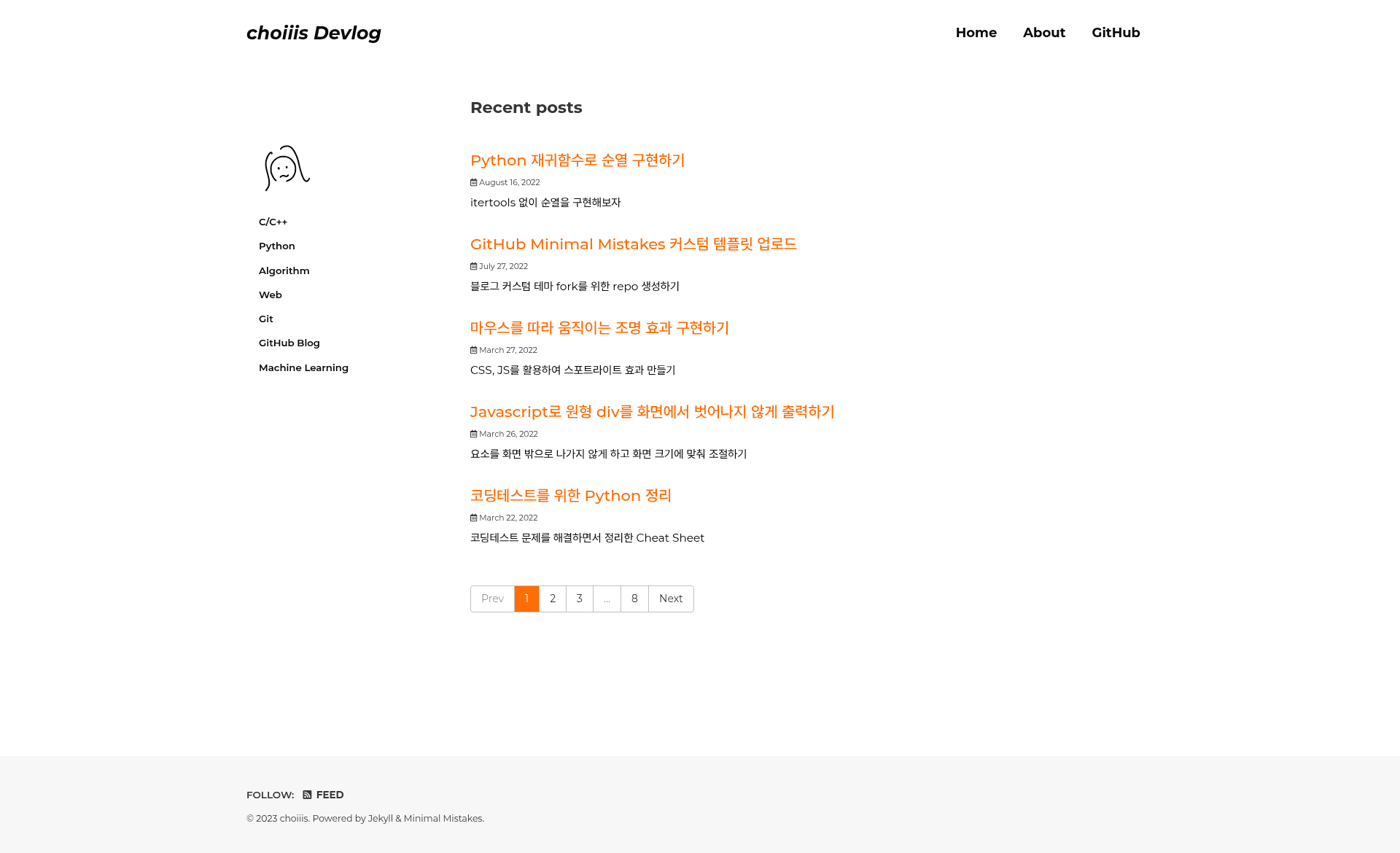
Minimal Mistakes Choiiis Customized is a GitHub Pages blog theme that forks the Minimal Mistakes Jekyll theme and adds Korean-language defaults, category navigation, utterances comments, and search-engine registration. It is a ready-to-deploy Jekyll setup: you fill in _config.yml, write Markdown posts in _posts/, and push to GitHub Pages to publish a static blog.
What is Minimal Mistakes Choiiis Customized?
This is a customized version of the Minimal Mistakes theme, built for GitHub Pages and maintained by the developer choiiis. It takes standard Jekyll inputs — _config.yml, _data/navigation.yml, and Markdown files — and generates a fully static blog with a plum color skin, category sidebar, and post table-of-contents. The theme is distributed as a GitHub repository and can be forked directly, with the README acting as a setup guide.
Key Features
- Plum skin and color customization — The default skin is set to
plumin_config.yml, and you can switch to other Minimal Mistakes skins likedefault,air, oraquaby editing theminimal_mistakes_skinvalue. - Category sidebar navigation —
_data/navigation.ymlsupports both flat category lists and nested subcategories (via thecategories-ver2branch), with sidebar links generated from_pages/categories/Markdown files. - Utterances comments — Comments are powered by the utterances GitHub app; you create a public repository, install the app, and set the repo name in
_includes/comments-providers/utterances.html. - Google Analytics and Search Console — Analytics uses the
google-gtagprovider with your tracking ID, and the README walks through addingjekyll-sitemap,robots.txt, and the Google verification file. - Naver Search Advisor registration — Instructions show how to submit the blog to Naver’s search engine by uploading an HTML verification file to the site root.
- Post front-matter defaults —
_config.ymldefaults set layout tosingle, enable author profile, date display, comments, and related posts, while per-post front matter can toggle the table of contents (toc: true) and sticky TOC. - Favicon and font setup — A step-by-step guide generates a favicon via favicon-generator.org and stores it in
assets/images/favicon/, plus font customization through Google Fonts imports and_variables.scss. - About page and blog metadata — The
Aboutnavigation item maps to_pages/about.md, and_config.ymldefines site title, name, description, URL, and repository.
Who is it for?
Korean developers who want a personal devlog on GitHub Pages without building a theme from scratch. It is also for Jekyll users who need a pre-configured category system and comment integration. Bloggers who publish technical posts in Korean will find the locale setting (ko-KR) and Naver SEO instructions directly useful.
What can you do with it?
- Personal devlog: Write posts in
_posts/YYYY-MM-DD-post-name.md, store images underassets/images/posts_img/post-name/, and publish with GitHub Pages. - Category organization: Add new categories by creating a Markdown file in
_pages/categories/and registering it in_data/navigation.yml, including nested subcategories on thecategories-ver2branch. - Comment and analytics setup: Enable utterances comments by connecting a GitHub repository, and track visitors by adding your Google Analytics tracking ID to
_config.yml. - SEO for Korean search engines: Register the site with both Google Search Console and Naver Search Advisor using the provided verification-file instructions.
How does this theme work?
Fork the repository, update _config.yml with your blog name, URL, and author info, create posts with front matter, adjust navigation, and push to GitHub Pages. The theme handles the rest. Optionally configure plugins like jekyll-sitemap for a sitemap.
FAQ
Is this theme free?
Yes, it is a public GitHub repository that you can fork and use at no cost. The developer only asks that you press the star button if you fork it.
Does it support nested categories?
Yes, the categories-ver2 branch includes subcategory menus, and you can also simply edit _data/navigation.yml to create parent-child navigation without changing pages.
How do I change the profile picture?
Set author.avatar in _config.yml to the path of your image, for example /assets/images/meee.png. The home page hides the author section by default but the profile still appears in posts.
Why isn’t my favicon updating locally?
The README notes that favicon changes may not be reflected when running the site locally, so it recommends pushing to GitHub Pages to verify the update.