Template details
paper
A minimalist Hexo blog theme inspired by newspaper print design, with dark mode, six theme colors, and comment support.
About this template
paper is a minimalist Hexo blog theme that recreates the look of printed newspapers, giving static sites a distinctive, low-clutter visual style with a one-click dark mode. Built on Hexo, the Node.js static site generator, and styled with Stylus and Pug templates, it takes Markdown blog posts as input and outputs a responsive, SEO-friendly site with configurable sidebar, social links, and optional comments. The theme is developed by GitHub user random-yang and released under the MIT license.
What is paper?
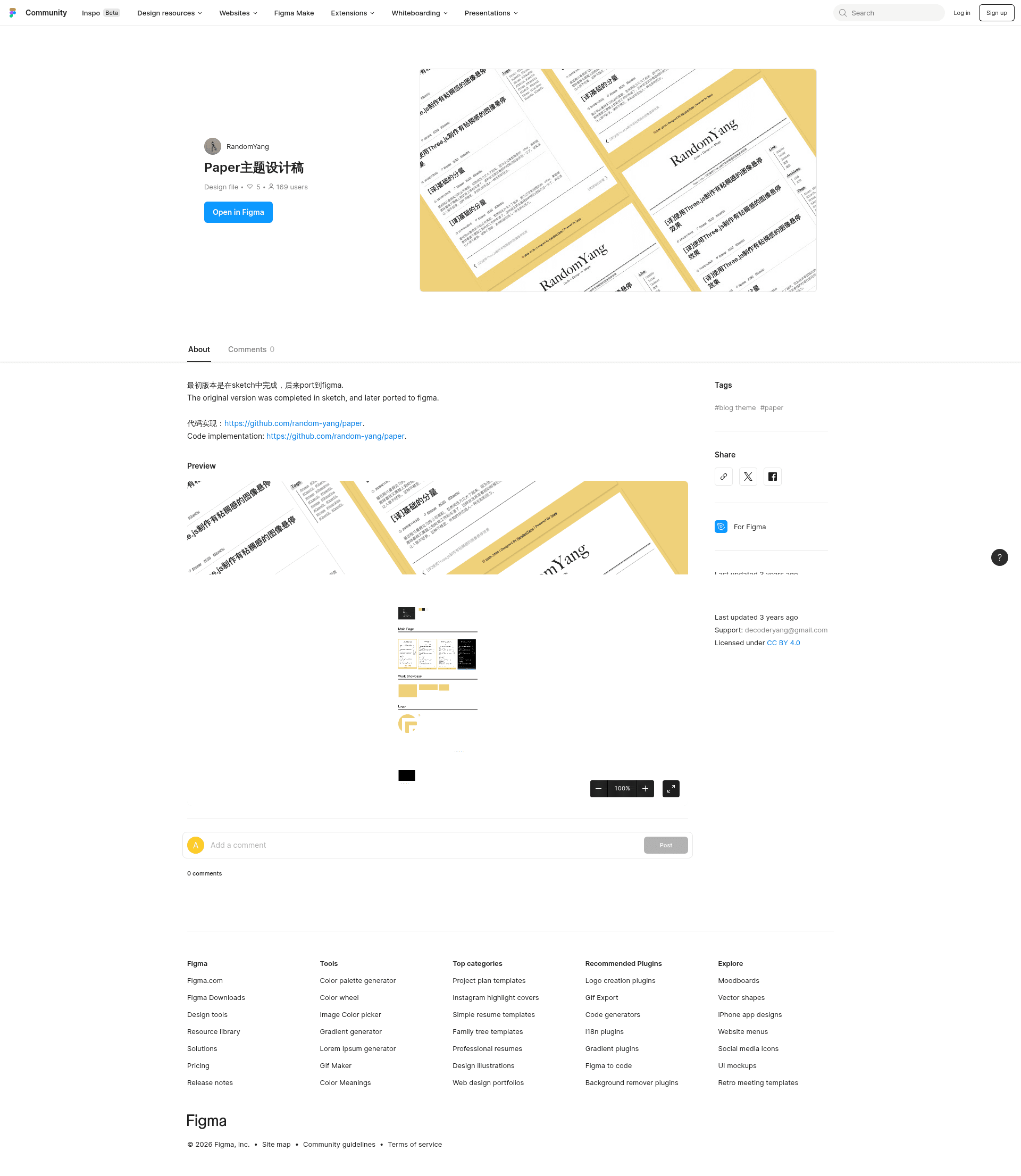
paper is a Hexo theme that turns a standard Hexo blog into a newspaper-style publication, using a simple layout and print-inspired typography. It renders Markdown posts into pages with a configurable sidebar, supports multiple theme colors, and includes a clever one-click dark mode that the README describes as extremely ingenious. The project also provides a link to a Figma design file, making it easy for designers to see the intended layout.
Key Features
- Dark Mode — A one-click dark mode toggled from the interface, implemented with a unique CSS technique highlighted in the project's pitch.
- Six theme colors — Set
main_colorinthemes/paper/_config.ymltodefault,forest,grass,sky,sun, orsea; for a custom color, editsource/css/var.styl. - Configurable sidebar — Show or hide table of contents, categories, tags, archives, and link widgets by uncommenting the corresponding lines in the theme config.
- Featured images — Use a
photoslist in post front matter to display a preview image on the home page; only the first URL is taken. - Comment systems — Choose between Valine (LeanCloud-based, needs
appIdandappKey) and Utterances (GitHub-issue-based, needsrepoandissue_term). - Math rendering — Replace
hexo-renderer-markedwithhexo-renderer-kramedand enable MathJax in_config.ymlto render LaTeX equations. - Google Analytics — Enable by setting
google_analytics_idin the theme config. - Pinned posts — Use the
hexo-generator-index-pin-topplugin and settop: truein front matter to pin posts to the top. - RSS support — Works with
hexo-generator-feedto generate anatom.xmlfile and add an RSS link via the social config.
Who is it for?
- Bloggers who value clean, print-inspired aesthetics — Use paper to present long-form writing without distracting UI elements, mimicking the feel of a paper newspaper.
- Hexo users who like to customize their site — Install the theme and adjust colors, sidebar widgets, comments, and analytics through YAML config files, then rebuild with
hexo clean && hexo s. - Developers looking for an extendable, open-source theme — Since the theme is MIT-licensed, you can modify the Stylus variables in
var.stylor edit Pug templates; the design is also portable and has been ported to Halo ashalo-theme-paper.
What can you do with paper?
- Publish a personal blog — Write Markdown posts with optional
photosandtopfront matter, and get a responsive, dark-mode-ready site. - Create a bilingual or multilingual blog — The project provides both Simplified Chinese and English README versions, and the theme's simple structure makes it language-agnostic.
- Add interactive comments — Enable Valine or Utterances to let readers share feedback without relying on a proprietary platform.
- Write technical or academic content — Enable kramed and MathJax to render LaTeX math formulas directly in posts.
How does paper work?
Installation follows the standard Hexo workflow: clone the repository into your site's themes directory, install hexo-renderer-jade and hexo-renderer-stylus, set theme: paper in the site _config.yml, and run hexo clean && hexo s to preview locally. Updates are handled with git pull inside the themes/paper folder. The README also links to a Figma design file that illustrates the original layout for designers who want to extend the theme.
FAQ
How do I install the paper Hexo theme?
Clone the repo into your Hexo themes folder, install the required renderers with npm, set theme: paper in your site config, and run hexo clean && hexo server to see the site locally.
Is paper free to use?
Yes, the theme is licensed under MIT, so you can use, modify, and redistribute it freely. The README notes that the design is reusable and has been ported to Halo, another blogging platform.
How do I change the theme color?
In themes/paper/_config.yml, set main_color to one of the six presets: default, forest, grass, sky, sun, or sea. For a unique color, edit variables in source/css/var.styl directly.
Which comment systems does paper support?
Paper supports two comment systems: Valine, which requires an appId and appKey, and Utterances, which requires a GitHub repo and issue_term. Enable one by setting comment.enable to true and choosing the desired type.
Does paper support LaTeX math?
Yes. Uninstall hexo-math and hexo-renderer-marked, install hexo-renderer-kramed, then add a math block in your site config to enable MathJax. After running hexo clean, math in posts will render correctly.