Template details
Phantom
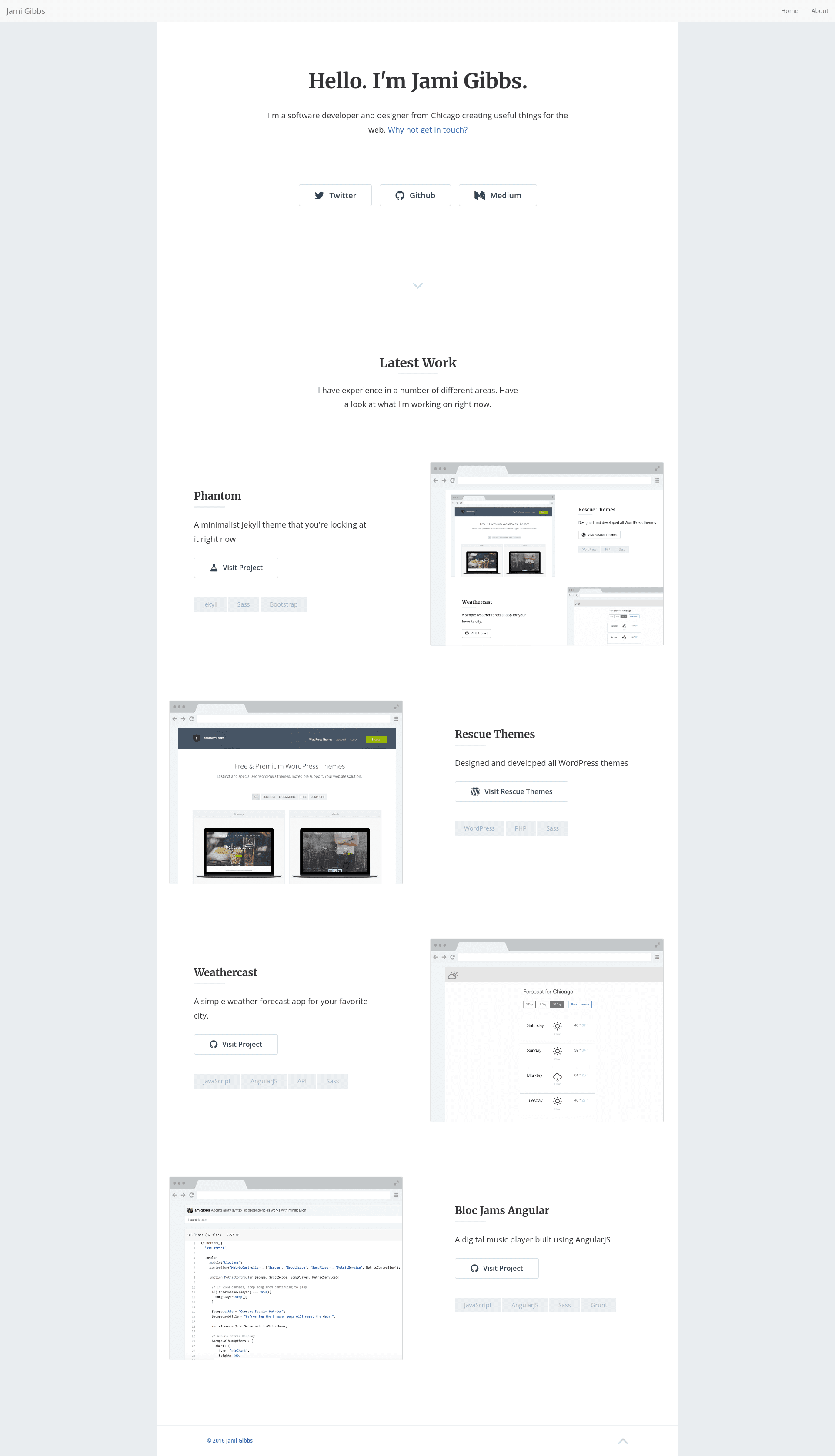
A minimalist, responsive portfolio theme for Jekyll with Bootstrap, modal contact form, animations, and pagination.
About this template
Phantom is a minimalist, responsive portfolio theme for Jekyll that uses Bootstrap for layout and ships with a modal contact form, CSS animations, and pagination out of the box. The theme is developed by Jami Gibbs and is designed to be deployed directly to GitHub Pages with minimal configuration.
What is Phantom?
Phantom is a free portfolio theme built for Jekyll, the static site generator. It takes standard Jekyll posts and pages as input and outputs a static, Bootstrap-styled website with a home page, about page, and a modal contact form. The theme is maintained on GitHub under the repository jamigibbs/phantom and works with Jekyll's built-in commands and GitHub Pages. Its configuration lives in _config.yml, where you can customize navigation and pagination settings.
What makes Phantom stand out?
The theme's key strengths come from its integrated features, all documented in the repository:
- Bootstrap framework — The layout uses Bootstrap (credited to Twitter, Inc., 2011–2016) for a responsive grid, navigation, and modal components without additional CSS frameworks.
- Customizable navigation — Edit the
nav_itemlist in_config.ymlto change menu links; setnav_enabletofalseto hide navigation entirely. - Contact form modal — A built-in modal window uses Formspree to handle form submissions; you only need to insert your email address in
/_includes/contact-modal.html. - CSS animations — The theme bundles WOW.js and Animate.css; add classes like
wow fadeInto any element to trigger scroll-based animations. - Pagination — The home page paginates automatically after 10 posts, and the limit can be changed in
_config.yml; pagination includes can be added to other layouts as well. - GitHub Pages ready — The theme works with custom domains or the default
username.github.io/repositoryURL, with no extra DNS setup for the default URL.
Who should use Phantom?
Phantom suits Jekyll users who want a clean personal portfolio or blog without building a theme from scratch. Freelance designers and photographers can use the post grid to display projects and the modal contact form to receive client inquiries. Bloggers who prefer a minimalist reading experience can publish posts and let the built-in pagination organize them on the home page.
Use cases
- Portfolio showcase: Publish each project as a Jekyll post; the home page lists them in a responsive grid with pagination after 10 entries.
- Client contact: Place the contact modal on any page so visitors can send messages through Formspree without revealing your email address.
- Personal blog: Write standard markdown posts and use the theme's built-in pagination for long-running blogs.
- Quick launch: Deploy to GitHub Pages by pushing the repository; the theme needs no databases or server-side processing.
How does Phantom work?
The setup process is command-line based: clone the repository, install dependencies with Bundler, and run a local Jekyll server. The documented steps are: clone the repo, run bundle install, then bundle exec jekyll serve, and visit http://127.0.0.1:4000. For production, commit the repo to a GitHub Pages-enabled branch or connect a custom domain.
FAQ
Is Phantom free?
Phantom is available as a free theme on GitHub. The repository does not list a specific license, but the theme can be cloned and used without payment; the bundled libraries (Bootstrap, WOW.js, Animate.css) have their own MIT or GPL licenses.
How do I customize the navigation?
Open _config.yml and modify the nav_item list with the URLs and text you want shown. To remove the navigation bar completely, set nav_enable to false.
How do I set up the contact form?
Edit /_includes/contact-modal.html and replace the email address with your own. The form already points to Formspree's submission service, so no additional backend code is needed.
Can I deploy Phantom on GitHub Pages?
Yes, the theme is designed for GitHub Pages. Clone the repo, push it to a GitHub repository, and enable Pages using the default branch; you can optionally configure a custom domain under the repository settings.
Does Phantom include pagination?
The home page activates pagination after 10 posts by default. You can change this number in _config.yml, and the pagination includes can be reused in other layouts.