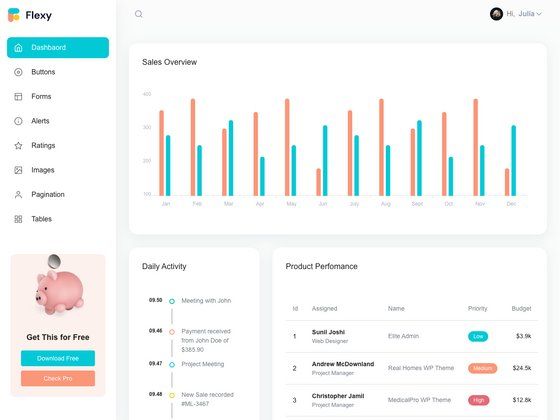
Template details
PolluxUI
Free MIT-licensed Bootstrap 5 admin dashboard template with tables, charts, forms, and authentication pages for building admin panels.
About this template
PolluxUI is a free, MIT-licensed admin dashboard template built on Bootstrap 5 with Sass, distributed on ThemeWagon by Bootstrap Dash and available as a live preview on GitHub Pages.
What is PolluxUI?
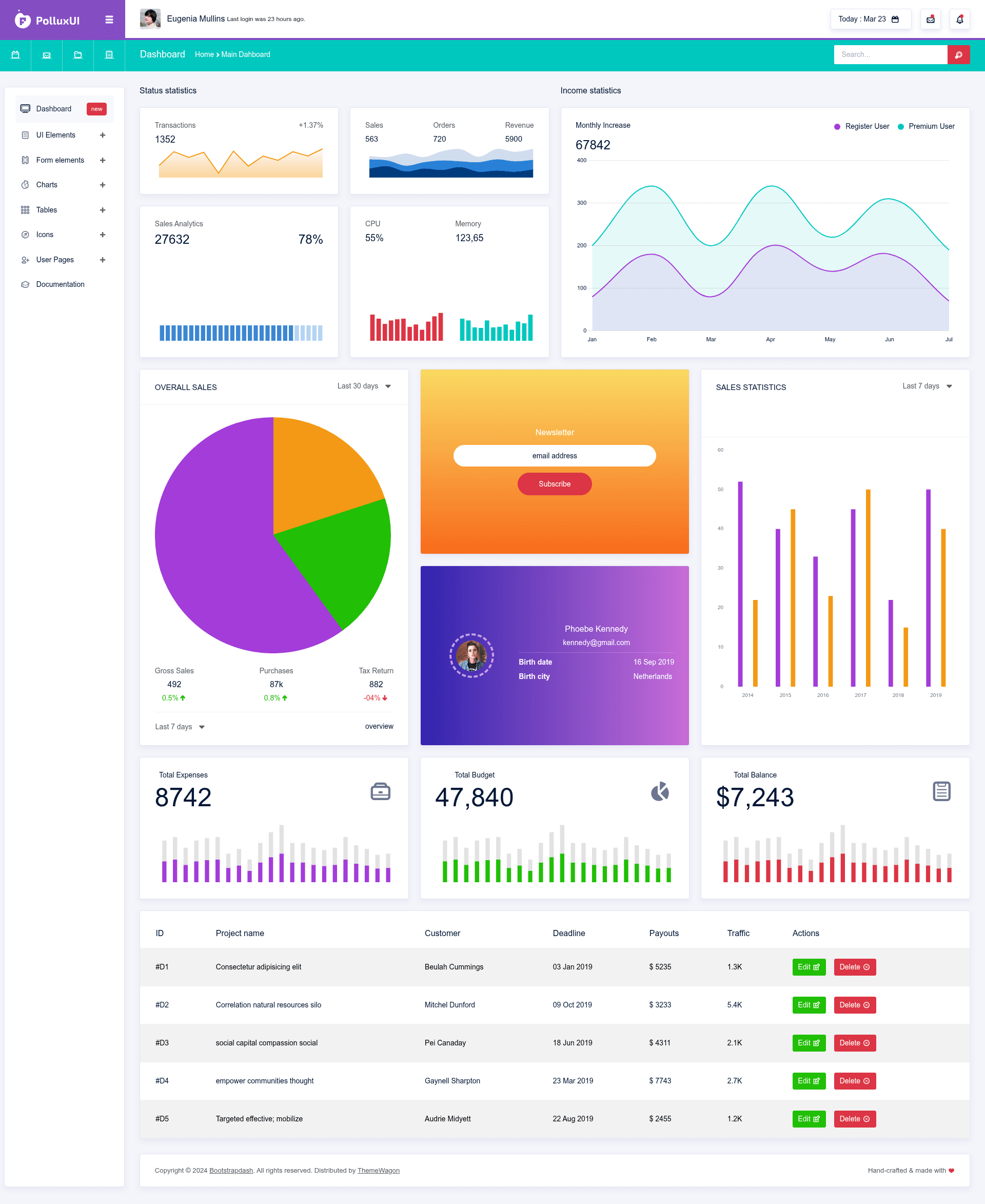
PolluxUI is a multipage admin dashboard template built for backend and management interfaces, taking Bootstrap 5 components and assembling them into ready-to-use pages for tables, charts, forms, and authentication screens. It outputs static HTML5/CSS3 files that you can open directly in a browser or wire into any backend framework. The template was created by Bootstrap Dash, the vendor behind the popular BootstrapDash themes, and is offered at v1.0.0 with a Gulp-based workflow for compilation and customization.
Key Features
- Bootstrap 5 framework — The template is built on Bootstrap 5, styled with SCSS/Sass, and includes HTML5 and CSS3 markup that you can extend or override.
- Gulp workflow — A Gulp-based build pipeline compiles Sass to CSS, which makes customizing colors, spacing, and components faster than editing raw CSS.
- Collapsible and sticky navigation — Includes both a collapsible sidebar and a fixed/sticky top navigation bar, with dropdown menu support for nested navigation.
- Multiple chart and table options — Ships with different types of tables (including DataTables-style layouts) and a variety of charts for data-heavy dashboards.
- Authentication pages — Ready-to-use login, registration, and other auth screens that you can drop into any application.
- Form elements and widgets — Contains common form controls and several widgets for stats, lists, and user cards.
- Material design icons and Font Awesome — Icon set pairs Material Design icons with Font Awesome to cover both UI and action icons.
- Cross-browser responsive layout — Compatible with Chrome, Edge, Firefox, Mobile, Opera, and Safari, so the dashboard renders consistently across devices and browsers.
Who is it for?
PolluxUI is aimed at developers and teams that need a starting point for admin panels or internal tools rather than a full design system. Frontend developers can use the HTML/Sass files to scaffold a user management app or a customer-centric dashboard without writing styles from scratch. Backend developers who work with PHP, Django, Laravel, or Node can pair the static pages with their own APIs and authentication logic. Freelancers and agencies can also reuse the MIT-licensed template across commercial client projects without paying licensing fees.
Use cases
- User management apps — Build role-based admin screens with tables, search forms, and action buttons using the provided tables and form elements.
- Customer-centric applications — Assemble a customer support or client portal dashboard by combining the widgets, charts, and card components included in the template.
- Analytics dashboards — Present metrics with the built-in chart options and responsive layout, then customize colors through the Sass variables.
- Backend administration — Use the authentication pages and multipage structure as a front-end shell for managing products, orders, or content.
Is PolluxUI free?
Yes, PolluxUI is completely free to download and use, including for commercial projects. It is distributed under an MIT license, which means you can modify, redistribute, and include it in client work without royalties. The only requirement is to keep the copyright notice and license terms with the source code.
What browsers does PolluxUI support?
The template is tested and compatible with all modern browsers: Chrome, Edge, Firefox, Opera, and Safari, plus mobile browsers. Its responsive layout adjusts the sidebar and content columns on smaller screens, so the admin interface remains usable on phones and tablets.
How do I customize PolluxUI?
You customize PolluxUI by editing the SCSS source files and then running the Gulp build process to compile the styles into CSS. The documentation included in the download explains the folder structure and available components. If you prefer a no-build approach, you can also edit the compiled CSS directly, though using Sass gives you access to variables for colors, fonts, and spacing.