Template details
Science and Technology Blog Template
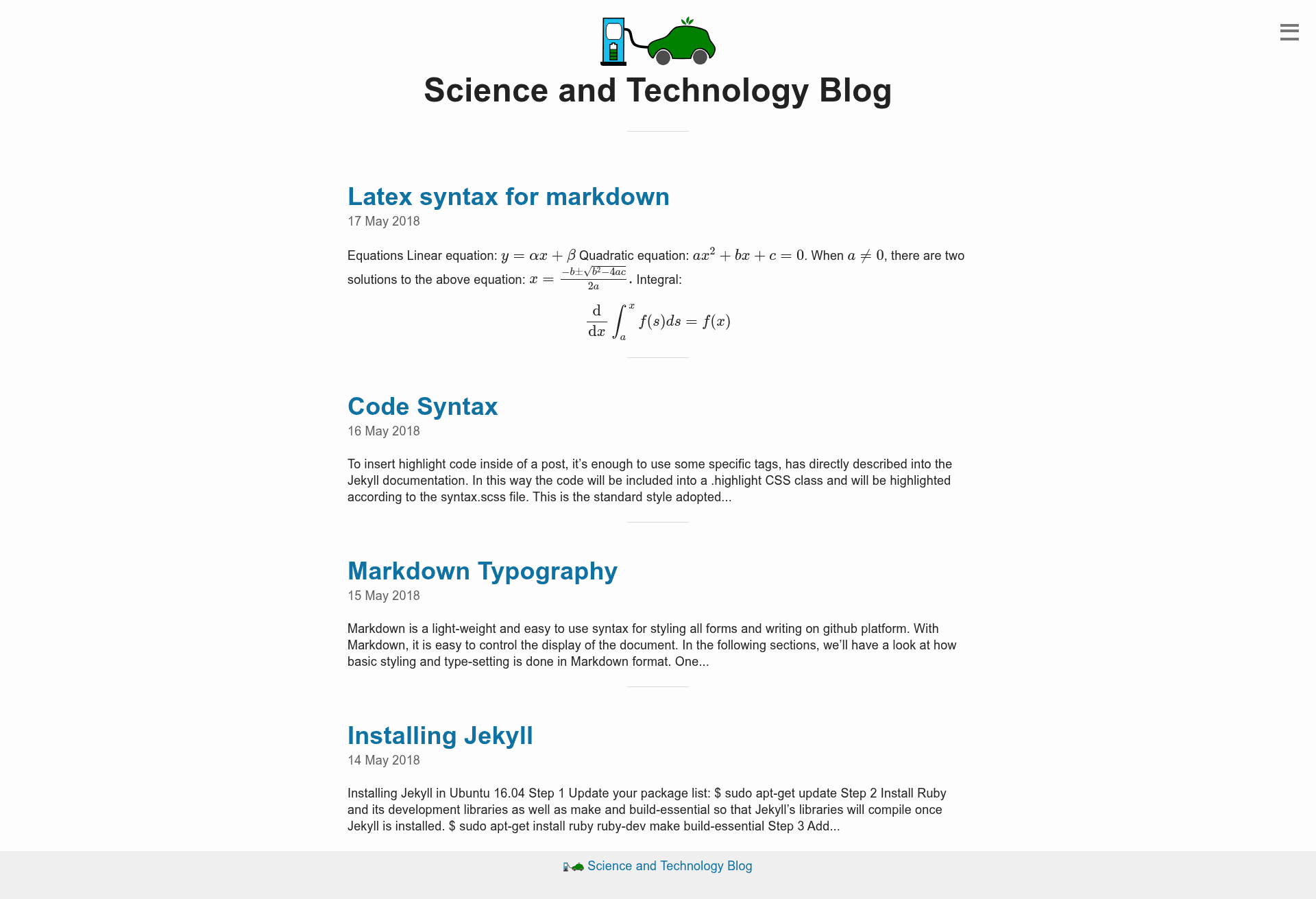
A Jekyll-based website for writing blog posts, especially optimized for scientific writers.
About this template
Science and Technology Blog Template is a Jekyll-based blog starter optimized for scientific writing, hosted for free on GitHub Pages. It converts Markdown posts into a static site with support for LaTeX equations and code blocks, making it a fast alternative to WordPress or Blogger for academic and technical bloggers.
What is the Science and Technology Blog Template?
The Science and Technology Blog Template is a Jekyll-based website template designed specifically for science and technology blogs. It takes Markdown files as input and generates static HTML pages that can be published on GitHub Pages. The template includes configurations for Disqus comments, MathJax LaTeX rendering, and code highlighting. Its codebase is inspired by the Emerald repository, and it was tested on Ubuntu 16.04.
Key Features
- Jekyll-based — Uses Jekyll to convert Markdown pages into static blog pages without writing HTML.
- Free hosting on GitHub Pages — Public GitHub repositories are free, so publishing costs nothing.
- Disqus comments — Optional comment system; enable by setting
dqs_shortnamein_config.yml. - MathJax LaTeX rendering — Type math equations in LaTeX format directly in your posts.
- Code blocks — Display code examples for programming and technical content.
- Simple configuration — Edit
_config.ymlto change baseurl, URLs, and variables. - Markdown workflows — Blogging speed comparable to online services like WordPress.
Who is it for?
- Scientific writers — Need to publish papers, research notes, or lecture notes with mathematical equations.
- Developers and engineers — Want to share code snippets, tutorials, and technical explanations.
- Academics — Host a free blog for teaching materials or public-facing research updates.
- Students — Create a personal blog for coursework or science communication without paying for hosting.
What can you do with the Science and Technology Blog Template?
- Scientists: Publish posts with LaTeX formulas for equations, proofs, or data analysis notes.
- Tech bloggers: Embed code blocks to demonstrate programming examples and API usage.
- Researchers: Set up a lab blog on GitHub Pages in minutes, with Disqus allowing reader discussion.
How does the template work?
- Install Jekyll using the instructions in the included post about installing Jekyll.
- Edit
_config.yml: changebaseurlto your folder name, update the URLs and variables, and setdqs_shortnamefor Disqus or disable comments. - Optionally adjust the URLs in
_includes/link.htmlfor your site structure. - Commit changes to the branch from which GitHub Pages publishes your site.
Pricing
The template is free. GitHub Pages hosting is free for public repositories, and Disqus offers a free basic account with most features.
FAQ
Is this template free to use?
Yes, the template is free. The hosting on GitHub Pages is free for public repositories, and Disqus's basic account is also free. You do not need to pay for domain or server costs if you use these services.
How do I enable Disqus comments?
In _config.yml, change the dqs_shortname variable to your Disqus forum shortname. If you do not want comments, set comments to false. The template includes the Disqus integration by default.
Does the template support LaTeX equations?
Yes, the site is MathJax enabled. You can type math equations in LaTeX format in your Markdown posts, and they will render as beautifully formatted equations on your blog.
Can I host this blog on GitHub Pages for free?
Yes, the template is designed for GitHub Pages. Since public GitHub repositories are free, you can publish your blog without any hosting costs. Just commit your changes to the branch from which GitHub Pages publishes.
Alternatives
- Emerald — a Jekyll theme that inspired this template and offers a similar blogging structure.