Template details
Remotion Next.js Template
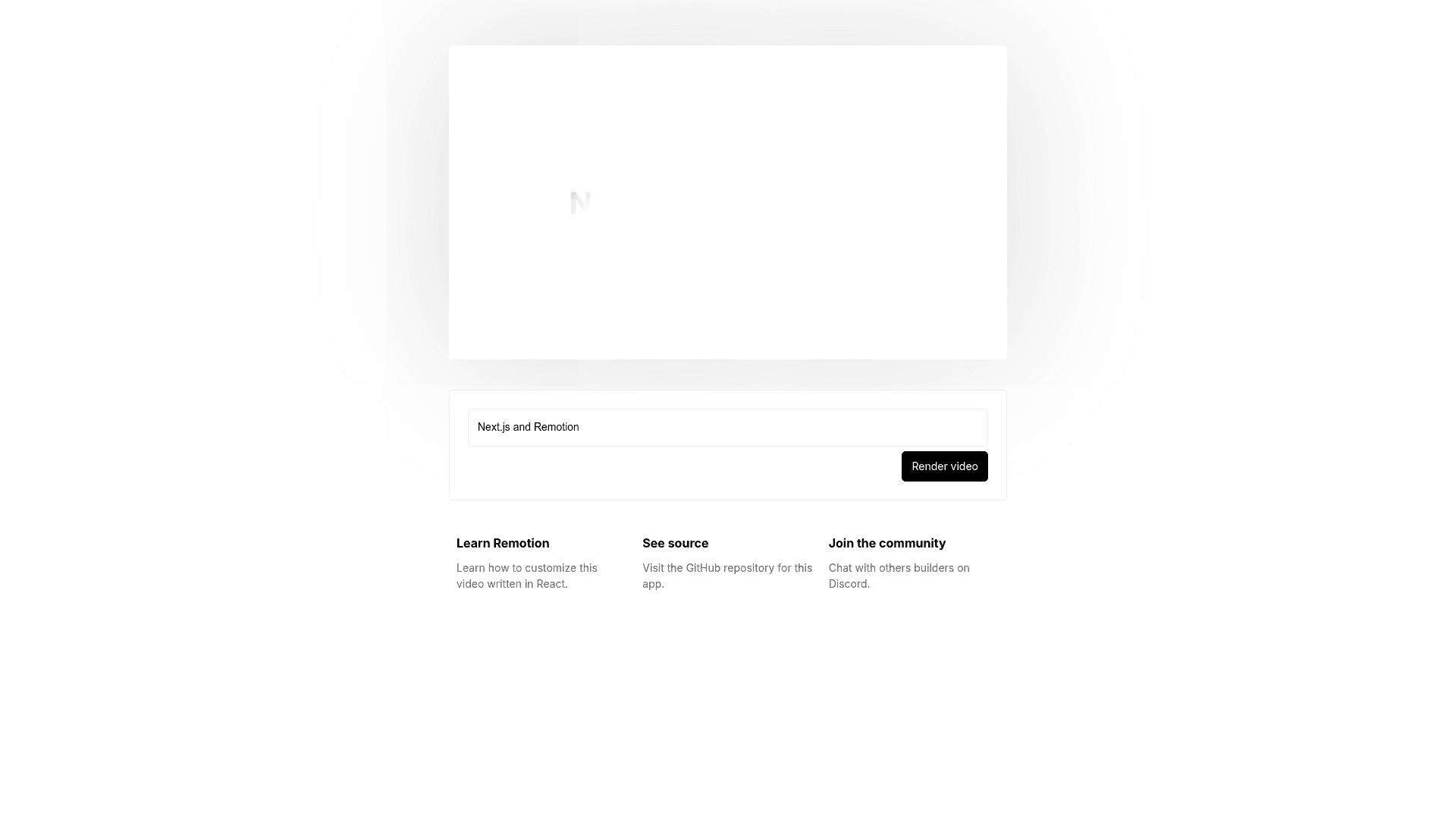
Next.js template for building programmatic video apps with Remotion Player and Lambda rendering built in.
About this template
The Remotion Next.js Template is a starter repository for building programmatic video apps, combining Next.js with the Remotion Player for in-browser playback and Remotion Lambda for server-side rendering on AWS.
What is the Remotion Next.js Template?
This template is a Next.js project that uses the Pages directory (a separate App directory version is available) and includes both the @remotion/player and @remotion/lambda packages by the Remotion team. It takes React components written as Remotion compositions as input and produces rendered video files—either locally on your machine or on AWS Lambda in the cloud. The template also ships with Remotion Studio, a visual editor for previewing and iterating on video compositions inside the Next.js app.
Key Features
- Next.js Pages Router — The template is built on the Next.js Pages directory, giving you a familiar file-based routing structure; an App directory version is maintained separately.
- @remotion/player — Embeds a video player component in your Next.js app so users can preview Remotion compositions directly in the browser.
- @remotion/lambda — Renders videos on AWS Lambda, allowing server-side, on-demand video generation without provisioning dedicated servers.
- Local rendering command — Run
npx remotion renderto render a video locally using your machine's CPU. - Remotion Studio integration — Launch
npx remotion studioto open the visual editing environment for building and tweaking video compositions. - AWS deployment script — The included
node deploy.mjsscript sets up your Remotion Bundle and Lambda function after you editconfig.mjswith your Lambda preferences. - Scaffolding commands — Start from the GitHub template link or run
npx create-video@latest --next-pages-dirto create a new project.
Who should use the Remotion Next.js Template?
Developers who want a starting point for a web app that generates videos programmatically will find the Pages Router setup ready to extend. Teams that need on-demand video rendering in a Next.js app benefit from the pre-configured Lambda deployment, which removes the need to manage render workers yourself. Remotion users looking for a reference implementation of the Player and Lambda together can treat this template as a working example.
Use cases for the Remotion Next.js Template
- Marketing teams: build a tool that creates personalized promo videos by feeding customer names or product data into a Remotion composition and rendering the result on demand.
- Content platforms: let end users customize a video template in the Remotion Studio interface and then render their version through the embedded player and Lambda pipeline.
- Agencies and freelancers: use the template as a foundation for client projects that require video generation, cutting down the boilerplate for wiring Next.js to Remotion.
How does the Remotion Next.js Template work?
You start by cloning the template via the GitHub "Use this template" button or by running npx create-video@latest --next-pages-dir, then install dependencies with npm i. During development you run npm run dev for the Next.js app and npx remotion studio for the video editor. When you're ready to render to AWS Lambda, copy .env.example to .env, follow the Remotion Lambda setup guide to get AWS credentials, edit config.mjs with your desired Lambda settings, and run node deploy.mjs to deploy the bundle and function.
FAQ
How do I scaffold a new project from this template?
Use the GitHub "Use this template" link or run npx create-video@latest --next-pages-dir in your terminal, then install the dependencies with npm i.
Does this template use the Next.js Pages or App directory?
It uses the Pages directory. The Remotion team also maintains a separate App directory version of the template, which you can find on the same GitHub repository.
Can I render videos without AWS?
Yes. Run npx remotion render to render a video locally. The AWS Lambda integration is optional and only needed for server-side or bulk rendering.
How do I deploy rendering to AWS Lambda?
Copy the .env.example file to .env, complete the Lambda setup guide to obtain AWS credentials, edit config.mjs with your Lambda preferences, and run node deploy.mjs to deploy the Remotion Bundle and Lambda function.
What is the Remotion license situation?
The template is part of the Remotion project. For some entities a company license is required; you can read the full terms in the Remotion LICENSE.md file referenced in the repository.