Template details
Reverie
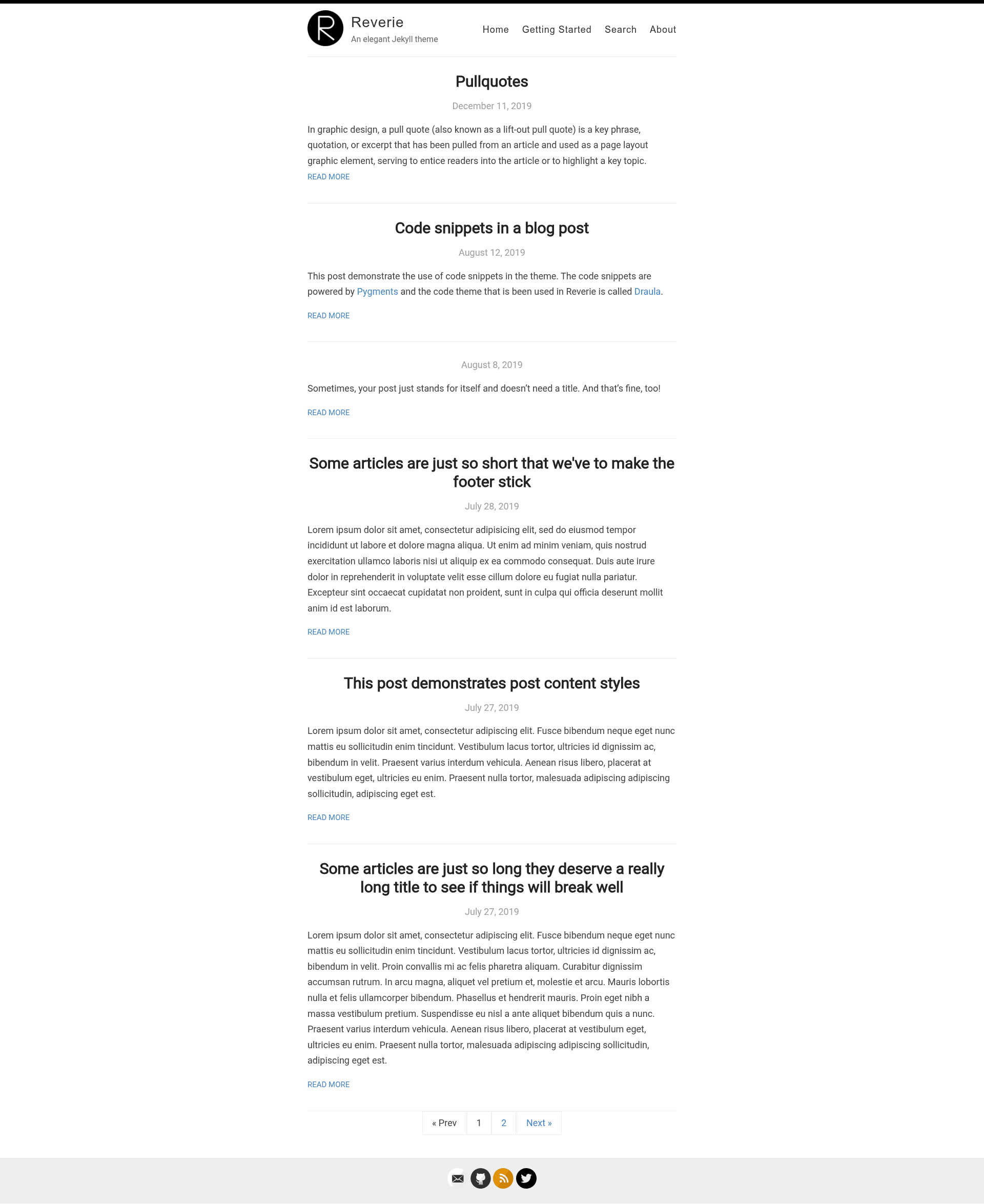
A minimal Jekyll theme for GitHub Pages blogging with fuzzy search, categories, pagination, RSS, and sitemap.
About this template
Reverie is a free, MIT-licensed Jekyll theme for GitHub Pages that turns a GitHub repository into a minimal single-column blog with fuzzy search, categories, pagination, RSS, and a built-in sitemap.
What is Reverie?
Reverie is a Jekyll-powered theme forked from jekyll-now, designed to be a plug-and-play blogging template for GitHub Pages and Cloudflare Pages. It takes Markdown posts with YAML front matter from the _posts directory and generates a fully static blog with responsive design, syntax highlighting, and built-in SEO. The theme is maintained in the amitmerchant1990/reverie repository and is released under the MIT license.
Key Features
- Minimal single-column layout — posts display in one centered column with a clean, opinionated design and full responsiveness across mobile and desktop.
- Fork-first workflow — you can customize and publish entirely on GitHub.com without setting up a local Jekyll environment; just fork the repo, edit
_config.yml, and add posts. - Fuzzy search — visitors can search across all blog posts from a built-in search interface with fuzzy matching.
- Categories out of the box — add
categoriesin front matter (single or array) and browse categorized content at the/categories/page. - Pagination — specify
paginate: 6in_config.ymlto control how many posts appear per page. - RSS feed and sitemap — a generated feed is available at
/feed(orfeed.xmlon the demo), and a sitemap is generated at/sitemap.xml. - Syntax highlighting — code blocks are highlighted with Pygments, and the Dracula syntax theme is included by default.
- Integrations — Disqus commenting, Google Analytics (including GA4), and social media icons can be enabled by editing
_config.yml. Sass and Coffeescript are supported via Jekyll 2.0.
Who is it for?
Reverie is aimed at bloggers who want a free, no-database personal site hosted on GitHub Pages. It is also suited for developers who prefer writing in Markdown with front matter and want automatic Jekyll builds without running Jekyll locally. Because the theme supports Cloudflare Pages, users who want a private repository can still deploy the site publicly.
What can you do with Reverie?
- Personal bloggers: fork the repo, rename it to
yourgithubusername.github.io, edit_config.yml, and publish a first post at/_posts/2019-2-13-Hello-World.mdto get a live blog in minutes. - Technical writers: use the built-in Pygments and Dracula syntax highlighting to publish code-heavy tutorials.
- Self-hosters: host Reverie on Cloudflare Pages to keep the source repository private while serving a public static site.
How does Reverie work?
The quickstart is a fork-first workflow: fork the repository (or use the Use this template button), rename it to your GitHub Pages user site, then edit _config.yml to set site name, description, avatar, Disqus, Google Analytics, and social links. After editing, GitHub Pages rebuilds the Jekyll site automatically; new posts are created by adding files with the year-month-day-title.md naming convention in the _posts folder.
FAQ
Is Reverie free?
Yes, Reverie is open-source under the MIT license. You can use it for personal or commercial projects without cost, and the theme includes built-in support for free hosting on GitHub Pages.
Do I need to install Jekyll locally?
No. The fork-first workflow lets you create and edit your site entirely on GitHub.com; GitHub Pages runs Jekyll automatically. A local setup is only needed if you want to test changes locally.
How do I publish a blog post?
Delete the placeholder posts in _posts, then create a new file named with the format year-month-day-title.md (for example, 2019-2-13-Hello-World.md). Include YAML front matter with title and optional categories, and commit the file to publish.
How do I fix styling issues on my site?
The most common cause is an incorrect baseurl in _config.yml. If you host at a project repository like yourusername.github.io/repository-name, set baseurl: /repository-name; for a user site, set it to /.
What does emailware mean?
Reverie is described as emailware: the author asks that if you enjoy the theme, you send an email to bullredeyes@gmail.com with any feedback. That is the only payment requested, and the theme itself remains MIT-licensed and free.