Template details
Sapper Kontent Café
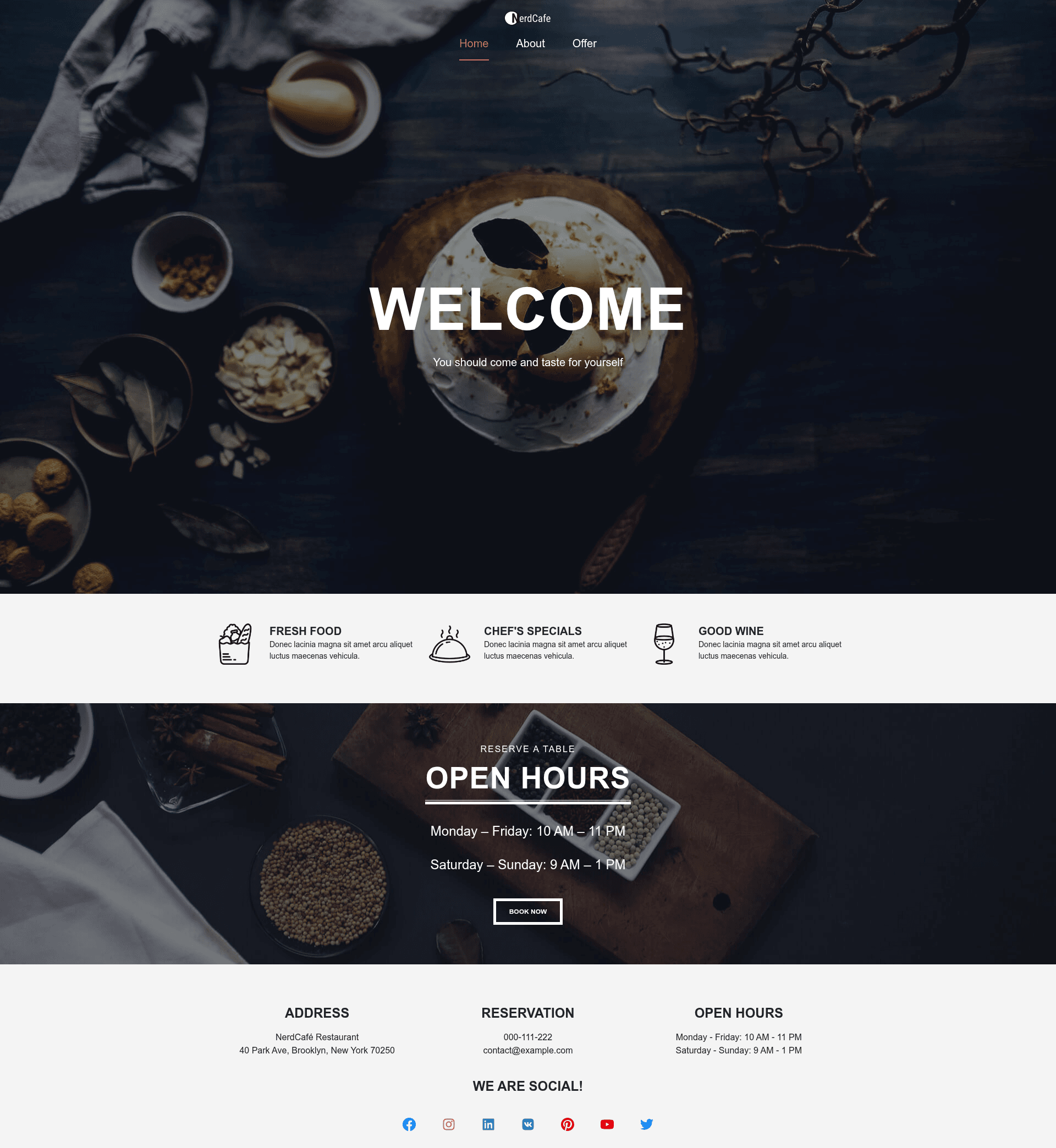
Sample Svelte and Sapper website for a fictional café, with menu content managed in Kentico Kontent headless CMS.
About this template
Sapper Kontent Café is a sample Svelte and Sapper website for a fictional café that demonstrates how to build a site on the Kentico Kontent headless CMS. This working repository began as a workshop for ReactiveConf 2019 in Prague, led by Social Bakers, and builds on the now-sapper-demo project by Antony. The result is a static website that can be deployed to ZEIT Now.
What is Sapper Kontent Café?
Sapper Kontent Café is an open-source sample application that pairs the Svelte component framework with Sapper, a framework for server-rendered and statically exported Svelte apps. It takes menu content stored in Kentico Kontent and renders it on an /offer page, while the rest of the site's text is hard-coded. The project runs on Node 10 or later and npm 6 or later, and it ships with a content.zip file so you can import the exact content model into your own Kentico Kontent project.
Key Features
The repository comes with tooling that covers development, testing, formatting, and deployment, all configured out of the box.
- Svelte and Sapper stack — Uses Svelte components with Sapper for server-side rendering and static site export, with a familiar page-based routing structure.
- Kentico Kontent headless CMS integration — The /offer section pulls food items and their categories from Kentico Kontent through the Content Management API; everything else is hard-coded.
- Static export workflow — Run
npm run buildfollowed bynpm run exportto generate a fully static site ready for hosting anywhere. - ZEIT Now deployment — Deploy the exported site with Now, which offers GitHub integration for continuous deployment.
- End-to-end testing with Cypress — Test files live in /cypress; run them with
npm run test. - Code formatting with Prettier — Executing
npm run prettierformats the entire source tree consistently.
Who should use Sapper Kontent Café?
Developers learning Svelte and Sapper can use this repository as a complete reference for setting up a static-exported site. Teams evaluating Kentico Kontent can see exactly how to fetch structured content and render it in a component-based front end. Workshop instructors and conference attendees can follow the documented setup steps, which include creating a Kontent project, enabling the Content Management API, and importing the provided content.zip with the Template manager.
What can you do with Sapper Kontent Café?
This sample supports several practical workflows beyond simply browsing the finished café site.
- Svelte developers: Study a working example of Sapper routing, static export, and component structure to speed up your own project setup.
- Kentico Kontent users: Learn how to wire a Kontent project to a Svelte front end using the Content Management API and a minimal configuration file (src/cms.js).
- Workshop leaders: Run through the same ReactiveConf 2019 workshop flow, cloning the repo, importing content, and deploying to ZEIT Now as a class exercise.
- Café or local business demo builders: Replace the hard-coded copy and the Kontent menu data with your own items to create a small promotional site.
How does Sapper Kontent Café work?
The repository ships with clear steps: clone it, run npm install, register on Kentico Kontent, create an empty project, enable the Content Management API, import content.zip, and place your project ID into src/cms.js. After that, npm run dev serves the site locally at localhost:3000, and building for production uses npm run build followed by npm run export.
FAQ
What are the prerequisites for running Sapper Kontent Café?
You need Node 10 or newer, npm 6 or newer, and the Now CLI installed globally if you plan to deploy. The README also assumes you can create a Kentico Kontent account and project, which is required to load the /offer menu data.
How do I set up my Kentico Kontent project?
After registering and creating an empty project, enable the Content Management API under project settings. Then download content.zip from the repository and import it using the Kentico Template manager, supplying your project ID and Content Management API key.
Why does only the /offer page use Kontent?
The sample keeps most of the site copy as static code; only the food data and its categories are stored in Kentico Kontent, demonstrating a realistic partial integration with a headless CMS.
Can I deploy this site to a platform other than ZEIT Now?
Yes, because Sapper exports a static site. You can host the output of npm run export on any static hosting service, though the README only documents deployment via ZEIT Now with its GitHub integration.