Template details
SB Admin Jekyll
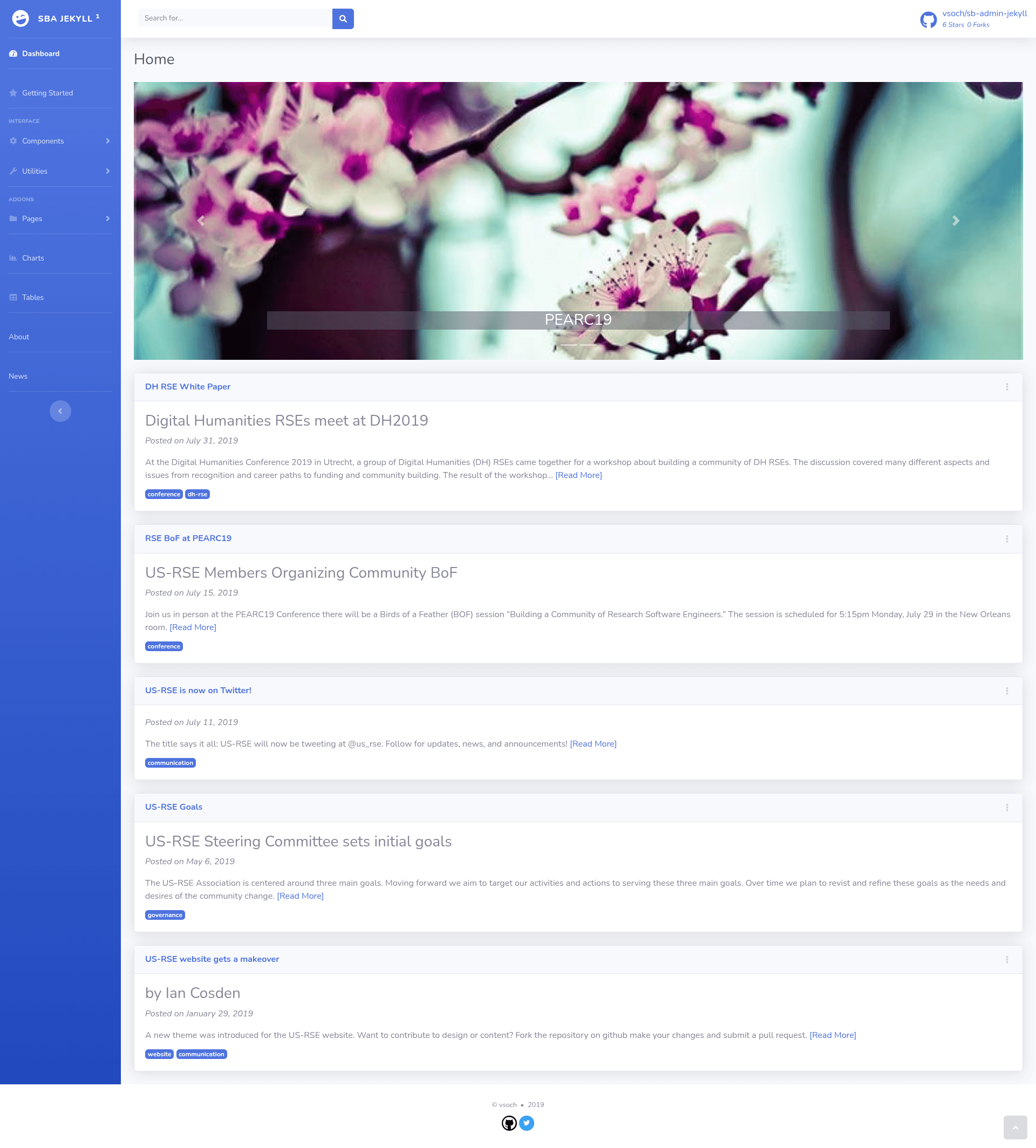
A Jekyll port of the Bootstrap 4 SB Admin dashboard theme, with data-driven charts and post support.
About this template
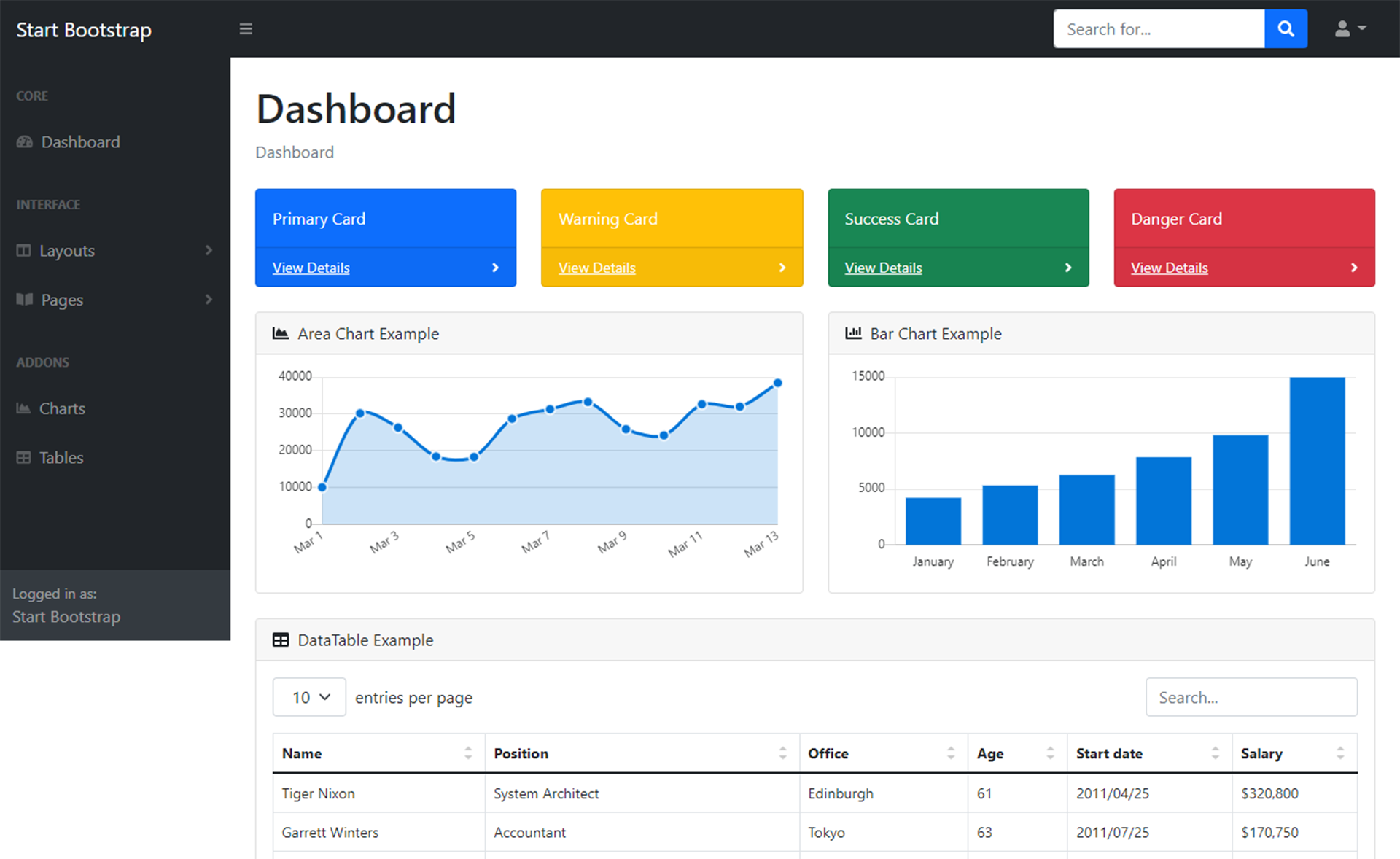
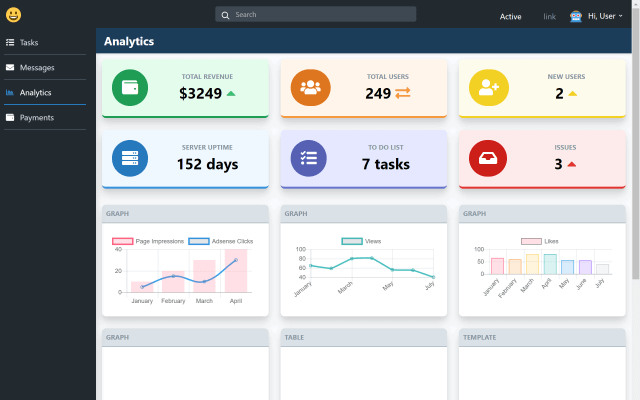
SB Admin Jekyll is a Jekyll-powered port of Start Bootstrap's SB Admin 2 theme, adapting the Bootstrap 4 admin dashboard into a static-site template with data-driven charts and post support.
What is SB Admin Jekyll?
SB Admin Jekyll is a Jekyll version of the SB Admin Bootstrap 4 admin dashboard theme originally provided by Startbootstrap and developed by Blackrock Digital. As a Jekyll site, it takes data files and Markdown posts as input and produces a static HTML dashboard ready to host anywhere. The theme keeps the Bootstrap 4 CSS framework while replacing hardcoded chart markup with graph generation from data. The Jekyll port and customizations were made by GitHub user @vsoch.
Key Features
- Bootstrap 4 styling — Uses the Bootstrap 4 CSS framework from the original SB Admin theme.
- Data-driven charts — Graphs are generated from data files rather than hardcoded values, so updating charts means editing data.
- Jekyll post support — The content area is set up for Jekyll posts, enabling blog-style or changelog pages inside an admin layout.
- Local preview with Jekyll — Run
jekyll serveorbundle exec jekyll servefrom the repository root and browse tohttp://localhost:4000. - Documented troubleshooting — The README suggests deleting the
_sitedirectory, runningbundle update, and then serving again if build problems occur. - Original license included — The BLACKROCK-LICENSE from Blackrock Digital is bundled, preserving the base theme's licensing terms.
Who is it for?
- Jekyll developers who want a ready-made Bootstrap 4 admin dashboard without porting the static SB Admin theme themselves.
- Static-site maintainers who need a dashboard interface for project metrics, with charts refreshed by editing data files.
- Developers building lightweight admin panels who want content organized as Jekyll posts and a local preview workflow.
What can you do with SB Admin Jekyll?
- Build a project dashboard — Set up a Jekyll site that renders graphs from data files, giving you a static dashboard that is easy to regenerate.
- Add post-based content — Use Jekyll post support to include announcements, release notes, or documentation within the admin theme.
- Customize the Bootstrap 4 UI — Modify the theme's components as a starting point for a custom admin interface.
How does SB Admin Jekyll work?
The repository is designed to be run locally with Jekyll. From the top-level directory, you run jekyll serve or bundle exec jekyll serve and open http://localhost:4000 in a browser. If the site fails to build, the README recommends removing the _site folder, running bundle update, and then serving again.
FAQ
How do I preview SB Admin Jekyll locally?
From the repository's top-level directory, run jekyll serve or bundle exec jekyll serve, then open http://localhost:4000.
What if the site doesn't build with jekyll serve?
Delete the _site directory, run bundle update, and then try bundle exec jekyll serve again. This is the troubleshooting sequence described in the README.
How are graphs handled in SB Admin Jekyll?
Graphs are generated from data rather than hardcoded in the HTML, so updating chart values means editing the associated data files rather than markup.
Who created SB Admin Jekyll?
The Jekyll version and customizations were made by @vsoch, while the original SB Admin theme was developed by Blackrock Digital for Startbootstrap.