Template details
Simple Grid
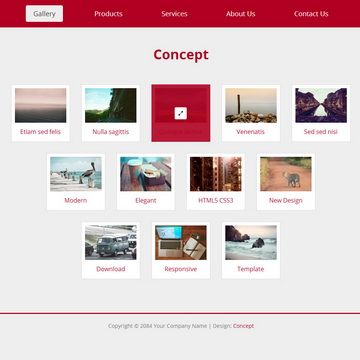
Simple Grid is a free one-page HTML/CSS template with jQuery vertical scrolling transitions and a 2-column grid background in slategray or steelblue.
About this template
Simple Grid is a free one-page HTML and CSS website template from Templatemo that uses jQuery vertical scrolling transitions to move between sections on a 2-column grid background.
What is Simple Grid?
Simple Grid is a one-page layout template built with HTML, CSS, and jQuery, published on Templatemo as template 354. It presents all content on a single page and uses a jQuery vertical scrolling effect to transition between sections. The design features a grid background rendered in slategray or steelblue tones, and the page is organized into two columns. According to Templatemo, the template was added on 01 July 2012 and has been viewed over 213,000 times and downloaded more than 36,000 times. It is distributed as a ZIP file that anyone can download, edit, and use for free.
Key Features
- Free for any use — The template is 100% free to download, edit, and use for commercial or non-commercial websites, with no licensing fee.
- One-page layout — All content is arranged on a single page rather than multiple HTML files, making it easy to manage.
- jQuery vertical scrolling — The template uses jQuery to animate vertical scrolling between page sections, providing a smooth navigation experience.
- 2-column grid design — Content is split into two columns, and the page is tagged as a 2-column layout on Templatemo.
- Slategray or steelblue background — The background grid uses slategray or steelblue colors, giving the template a distinct visual identity.
- Simple HTML/CSS structure — The template is built with standard HTML and CSS, so it can be customized with basic web development skills.
- Live preview and full-size screenshot — Templatemo provides a live view and a full-size screenshot so users can see the template before downloading.
Who is it for?
- Freelance web designers — A simple one-page portfolio site where they can display their work in a two-column layout with scrolling transitions.
- Small business owners — A single landing page to introduce their business, services, and contact information without maintaining multiple pages.
- Students learning web development — A clear example of how to combine HTML, CSS, and jQuery to create a smooth-scrolling single-page site.
What can you do with Simple Grid?
- Portfolio owners: Showcase photographs or project thumbnails in the two-column grid and let visitors scroll smoothly through each project section.
- Event organizers: Build a single-page informational site for an event, with sections for schedule, speakers, and registration, all on one scrolling page.
- Product teams: Present a product overview, features, and call-to-action on one page, using the grid background and vertical transitions to guide the visitor.
How does Simple Grid work?
Simple Grid works by placing all sections on one page and using jQuery to handle vertical scrolling transitions when the visitor navigates. The page is structured as a 2-column layout, and the background grid pattern is styled with slategray or steelblue. Because it is a static HTML/CSS template, it can be hosted on any web server without server-side processing.
Pricing
Simple Grid is completely free. Templatemo offers the template at no cost, and users are allowed to download, edit, and use it for commercial or non-commercial projects. There is no mention of paid tiers or premium versions.
FAQ
Is Simple Grid free?
Yes, Simple Grid is 100% free to download and use. Templatemo states that anyone is allowed to download, edit, and use this template for commercial or non-commercial sites.
Can I use Simple Grid for commercial projects?
Yes, you can use Simple Grid for commercial websites. The license permits editing and using the template without any fees.
Does Simple Grid require a server-side language?
No, Simple Grid is built with HTML, CSS, and jQuery. It runs entirely in the browser, so it can be hosted on any static web server.
What colors are used in the background?
The background grid design uses slategray or steelblue colors, giving the template a cool, technical look.
How many columns does the layout have?
The layout is a 2-column design, as indicated by the Templatemo tag. This structure works well for content that needs a sidebar or complementary columns.