Template details
Simple HTML Invoice Template
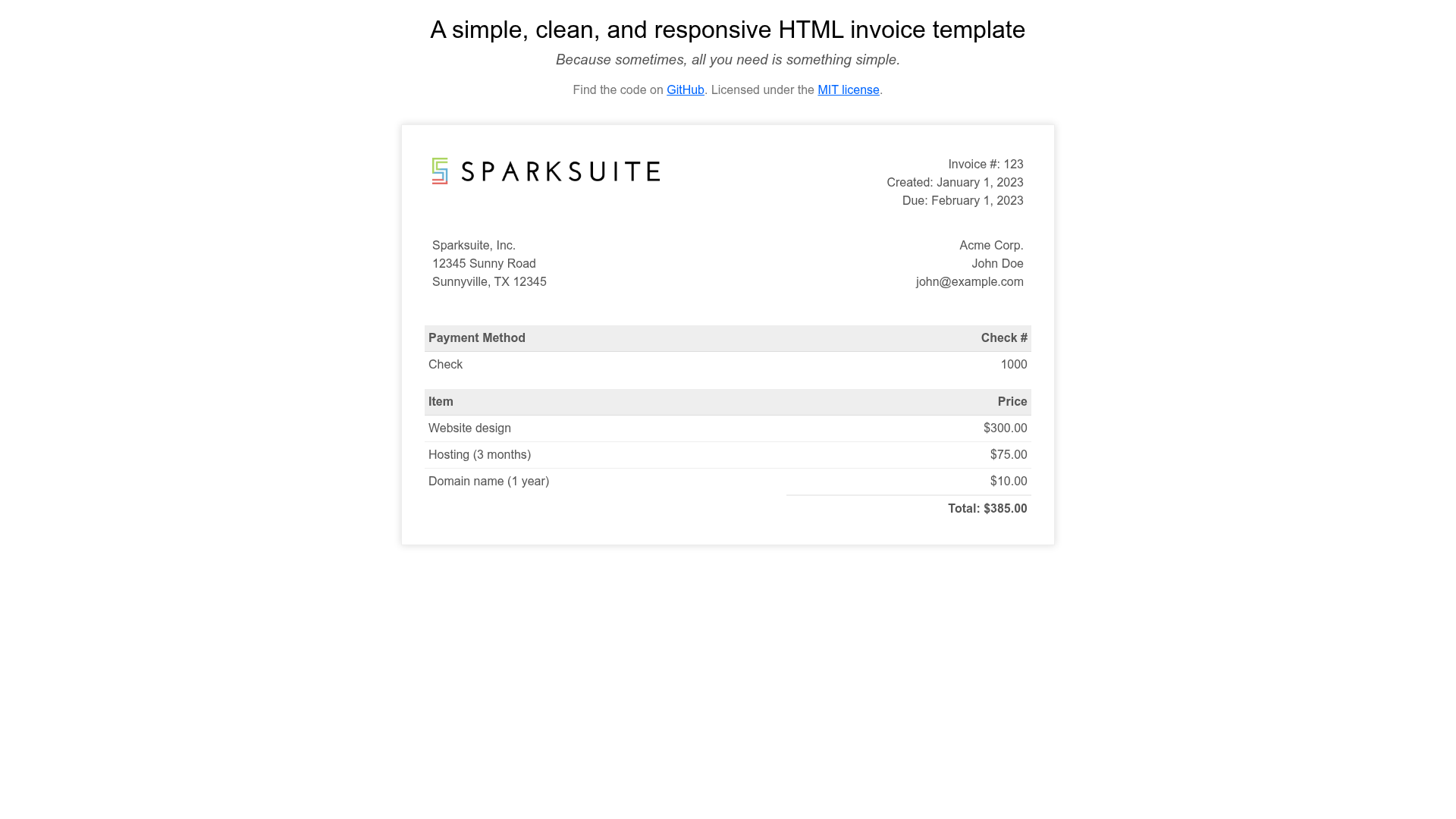
A modern, clean, and very simple responsive HTML invoice template
About this template
Simple HTML Invoice Template is a free, MIT-licensed, single-file HTML/CSS invoice template from Sparksuite that turns raw invoice data into a clean, responsive, printable invoice in any browser. The template lives in a single invoice.html file with embedded CSS, so there are no frameworks, dependencies, or build steps to install.
What is Simple HTML Invoice Template?
Simple HTML Invoice Template is a pure HTML and CSS template for creating professional-looking invoices. You edit invoice details directly in the markup — company name, client information, line items, quantities, prices, tax, and totals — and the browser renders them into a styled invoice ready for printing or PDF export. It is maintained by Sparksuite and available on GitHub under the MIT license, with a live demo hosted on GitHub Pages.
Key Features
- Single-file implementation — everything needed to render an invoice is contained in one
invoice.htmlfile; copy it into your project and edit the HTML and CSS directly. - Responsive layout — the invoice scales cleanly across desktop, tablet, and mobile screen widths without a framework.
- RTL support — switch the container element's class from
invoice-boxtoinvoice-box rtlto produce a right-to-left invoice layout. - Printer-friendly styling — the printed output matches the screen by default; use the provided
@media printCSS snippet to remove the box-shadow and border and let the invoice span the full page width. - W3C validated — the template passes the W3C markup validator, with a validation badge linked in the README.
- Prettier-formatted code — the source follows Prettier formatting rules for consistent, easy-to-read markup.
- MIT license — the template is free to use, modify, and redistribute, with the license file included in the repository.
Who is it for?
Simple HTML Invoice Template suits anyone who needs a lightweight, no-dependency way to produce invoices. Web developers can lift the HTML and CSS into their own apps as a starting point for billing views. Freelancers can edit the file in a text editor and print or save a PDF in seconds. Small businesses that need occasional invoices without subscribing to invoicing software can use it as a standalone alternative. It's also a useful teaching example for people learning hand-written HTML and CSS.
Use cases
- One-off invoicing — replace the placeholder company and client details in
invoice.html, fill in line items and amounts, then print to PDF from the browser. - Embedding in a web app — copy the invoice markup and styles into a server-rendered or client-side view to display invoices without pulling in a UI library.
- RTL invoicing — apply the
rtlclass to generate invoices written right-to-left for Arabic, Hebrew, or other RTL languages. - Learning HTML/CSS — study the single-file structure and
@media printtechniques as a minimal, real-world example.
How does it work?
Open the invoice.html file in any browser to see the default demo invoice. To customize, edit the HTML with your own company and client details, line-item rows, and totals, as well as the embedded CSS to change colors and spacing. When you're ready to send the invoice, use the browser's print dialog to save it as a PDF; if the invoice is the only element on the page, add the provided print CSS to remove the surrounding border and shadow.
Pricing
Simple HTML Invoice Template is free and open source under the MIT license. There are no paid tiers, registration, or usage restrictions.
FAQ
Is Simple HTML Invoice Template free?
Yes, it is released under the MIT license, so it is free to use, modify, and distribute for personal or commercial projects, as long as the license notice is retained.
Does the template require a framework or build tool?
No, the invoice is plain HTML and CSS in a single file. You only need a web browser to view and print it; there is no Node.js, npm, or bundler required.
How do I make the invoice print without the border and shadow?
Add the @media print CSS block from the README — it sets max-width: unset, box-shadow: none, and border: 0 on the .invoice-box element so the printed invoice spans the full page width.
How do I enable RTL support?
Change the invoice container's class from invoice-box to invoice-box rtl. That class flips the layout to right-to-left for languages that read from right to left.
Where can I see a live demo?
A live demo is hosted on GitHub Pages at sparksuite.github.io/simple-html-invoice-template.