Template details
SimpleDash
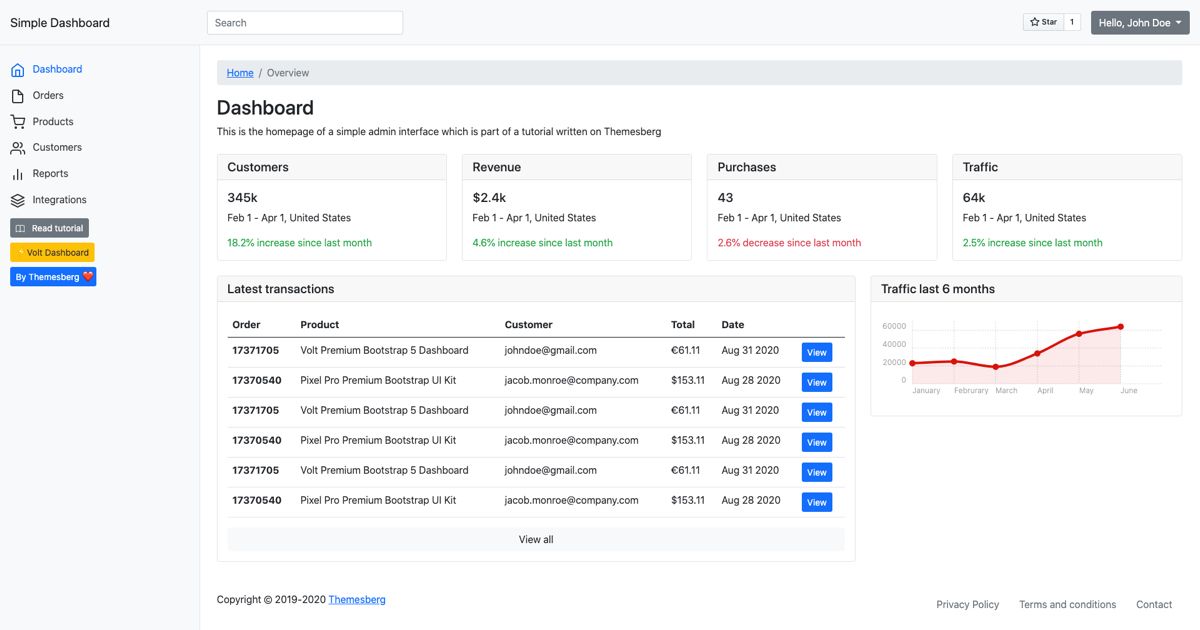
SimpleDash is a clean Twitch dashboard that shows your streaming data in a simple UI.
About this template
SimpleDash is a GitHub-hosted dashboard web app that lets you log in with Twitch and view your channel data in a clean, minimal interface, built with Next.js. It is bootstrapped from create-next-app, uses Chakra UI for styling, NextAuth for Twitch OAuth, and is deployed on Vercel at dash.matwebsites.com.
What is SimpleDash?
SimpleDash is a Next.js web application that serves as a data dashboard for Twitch, currently the only supported service. Users sign in with their Twitch account and then navigate to a Dashboard page that displays various channel variables in a simple and clean format. The codebase is a standard create-next-app starter with Chakra UI components and NextAuth authentication, and the live demo runs on Vercel.
The repository metadata describes it as "a simple and clean way to view data from services such as Twitch (Currently only Twitch)." Its GitHub topics include "begginer-friendly," "beginner," "simple," "nextjs," "chakra-ui," "nextauth," and "twitch," signaling that it was built as a learning-friendly project.
Key Features
- Twitch login via NextAuth — Users authenticate with their Twitch account through NextAuth (nextauthjs), so there is no separate user registration system.
- Chakra UI dashboard — The interface uses Chakra UI, a React component library, to present data in a clean, readable layout.
- Create Next App foundation — Bootstrapped with create-next-app, so it follows the standard Next.js project structure familiar to most React developers.
- Beginner-friendly code — The repository is explicitly tagged as beginner-friendly and simple, making it a candidate for developers learning Next.js, OAuth, and API data fetching.
- Vercel deployment — The project is deployed on the Vercel Platform, and the README includes standard deployment instructions for Next.js apps.
- Focus on Twitch data only — As of the current version, the dashboard reads data exclusively from Twitch; future integrations like YouTube and AI are mentioned in the author's dev note.
Who is SimpleDash for?
- Twitch streamers who want a straightforward dashboard to see their channel metrics after a quick Twitch login, without navigating Twitch's full analytics suite.
- Beginner developers looking for a small, real-world example of Next.js with NextAuth and a third-party API integration (Twitch) that they can read and deploy.
- Next.js users who want a Vercel-ready starter — because it is deployed on Vercel, anyone can clone the repo and follow the create-next-app deployment steps to run their own instance.
What can you do with SimpleDash?
- Streamers: Log in with your Twitch account and view various channel data points in one clean dashboard view.
- Learners: Explore how NextAuth can be configured with the Twitch provider, and see how a dashboard page can display data fetched from an external service.
- Contributors: Fork the repository to add new data sources; the author's notes mention a planned rebuild with Remix, Tailwind, NextUI, TypeScript, and possible YouTube API and AI integration.
How does SimpleDash work?
Visit the live site at dash.matwebsites.com, click to log in with Twitch, and then head over to the Dashboard page to see the data. The README gives these three steps directly, and after authentication the dashboard displays the various Twitch variables in the clean Chakra UI layout.
FAQ
What services does SimpleDash support?
Currently, SimpleDash supports only Twitch. The repository description explicitly says "Currently only Twitch," though the developer's note mentions a possible future YouTube API integration.
Does SimpleDash require a Twitch account?
Yes, logging in is done through Twitch OAuth via NextAuth, so you must have a Twitch account to access the dashboard data.
How do I deploy SimpleDash myself?
The project is bootstrapped with create-next-app and deployed on Vercel. You can deploy it using the Vercel Platform and follow the standard Next.js deployment documentation, as the README suggests.
Is SimpleDash beginner-friendly?
Yes, the GitHub topics include "begginer-friendly," "beginner," and "simple," and the project uses a standard create-next-app structure with NextAuth and Chakra UI.