Template details
Slack Agent Template
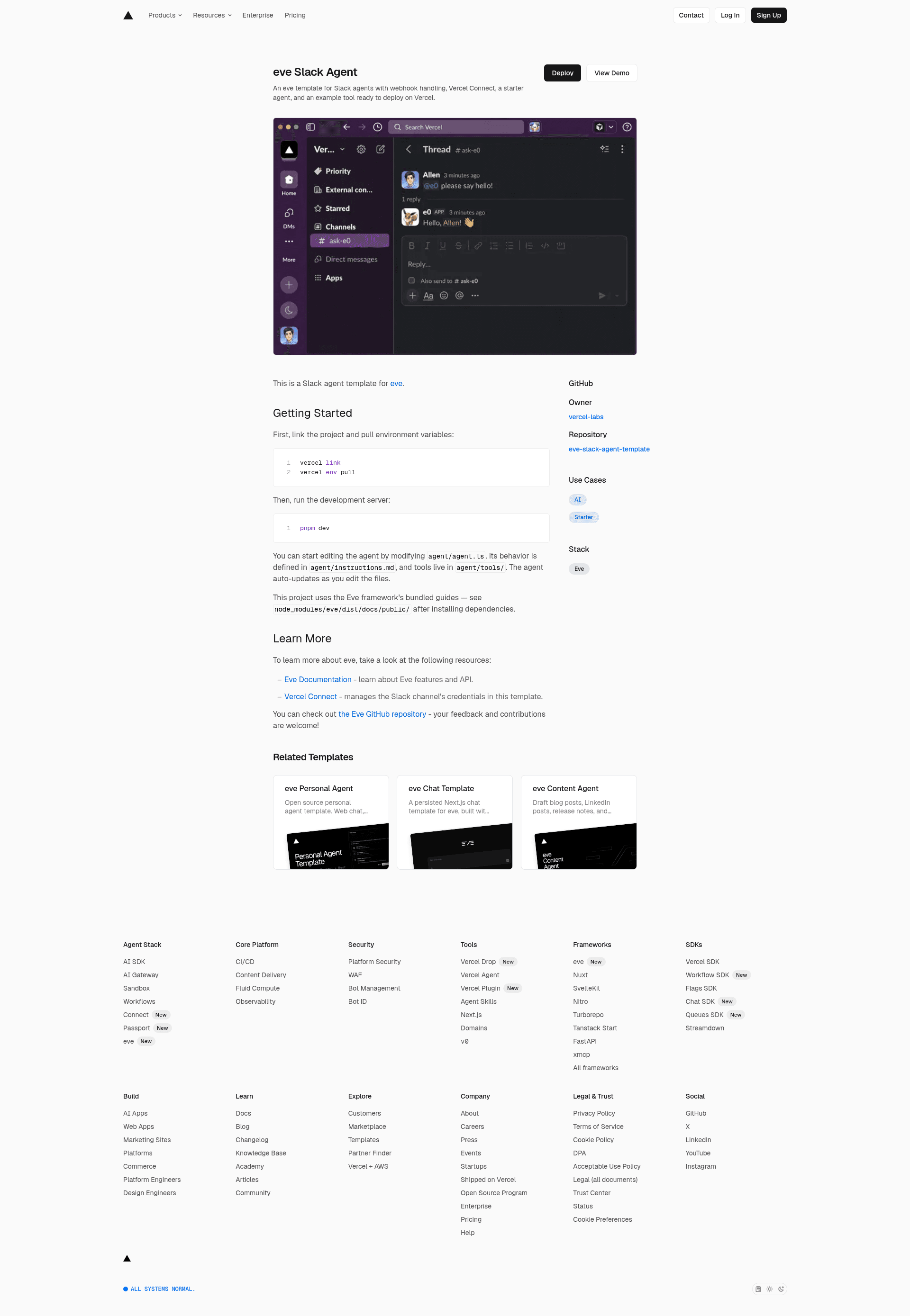
Deprecated Slack Agent template using Workflow DevKit, AI SDK, and Bolt for JavaScript to build AI agents with human-in-the-loop approvals.
About this template
The Slack Agent Template is a deprecated Boilerplate repository from Vercel Partner Solutions that demonstrates how to build an AI-powered Slack assistant on Nitro, Bolt for JavaScript, the Vercel AI SDK, and Workflow DevKit, with durable agent execution and human-in-the-loop approvals.
What is the Slack Agent Template?
The Slack Agent Template is a complete starter for a Slack bot that responds to mentions and DMs through Slack's Assistant API. It takes a Slack user message as input and produces a streamed, tool-assisted answer in the thread, using agents that can read channel messages, read thread messages, search channels, and join channels (with approval). The template runs on Node.js via the Nitro server framework, is deployable to Vercel, and is written in TypeScript with Bolt for JavaScript handling Slack events. The repository is no longer maintained; Vercel now directs users to the official Eve Slack Agent template.
Key Features
The Slack Agent Template ships with a durable execution layer, AI SDK tooling, Slack Assistant streaming, and an approval workflow for sensitive actions.
- Durable agent execution — the chat workflow uses Workflow DevKit's DurableAgent so tool calls run in steps ("use step") with automatic retries and observability; the agent can suspend and resume without losing state.
- AI SDK tool calling — tools are defined with the AI SDK's
toolfunction and Zod schema validation; switching AI providers is a one-line change. - Vercel AI Gateway — agents access hundreds of models through a single endpoint with intelligent failovers and no rate limits.
- Slack Assistant integration — listens to Slack Assistant events (thread started, user message, context changed) and streams responses in real time.
- Human-in-the-loop approval — the joinChannel tool triggers an approval workflow that posts Approve/Reject buttons and pauses execution until a user responds.
- Built-in Slack tools — getChannelMessages, getThreadMessages, searchChannels, and joinChannel are pre-wired.
- Nitro server routing — inbound Slack events hit
/api/slack/events, and the project uses Nitro's file-based routing. - One-command Vercel deployment — the production app builds and deploys automatically on commit after environment variables are set.
Who is it for?
The Slack Agent Template is aimed at developers who need a working Slack AI agent and a reference for durable, approved-gated tool use.
- Developers building Slack AI assistants — use the template as a reference for wiring the Slack Assistant API to AI SDK tools and streaming responses.
- Teams deploying an AI agent into Slack — get a working bot that answers in channels/DMs with real-time streaming and a governance layer via approval buttons.
- Engineers evaluating durable workflows — see a production pattern for pausing and resuming long-running agent work with Workflow DevKit hooks.
What can you do with the Slack Agent Template?
The template can be used as a production baseline for several Slack agent scenarios beyond its default behavior.
- Enable a Slack workspace AI assistant — deploy the bot so members can tag it in channels or DM it; it fetches channel and thread context to answer.
- Add custom tools — extend the tools file with a new tool definition and add it to the slackTools export; the agent automatically learns to call it if the system prompt describes it.
- Add approvals to any sensitive action — reuse the hook pattern from channels/hooks.ts to gate sending messages, modifying data, or making external API calls.
How does the Slack Agent Template work?
When a user sends a message, the assistantUserMessage listener gathers thread context and starts a durable chat workflow. That workflow creates a DurableAgent from Workflow DevKit, calls agent.stream() with the messages, and streams response chunks back to Slack via chatStream(). For sensitive actions, the joinChannel tool creates a hook that posts Approve/Reject buttons; when the user clicks, the action handler resumes the workflow, and the agent continues with the approval decision.
FAQ
These are common questions about the deprecated Slack Agent Template's status, stack, and local setup.
Is the Slack Agent Template still maintained?
No. The repository is deprecated and no longer maintained. Vercel recommends using the official Eve Slack Agent template, which replaces it.
What tech stack does the Slack Agent Template use?
It uses Nitro as the server framework, Bolt for JavaScript (TypeScript) for Slack API interactions, the Vercel AI SDK for tool calling and model switching, Workflow DevKit for durable execution, and the Vercel AI Gateway for model access.
Can I run the Slack Agent Template locally?
Yes. After cloning, installing dependencies with pnpm, creating a Slack app from the manifest, and setting SLACK_BOT_TOKEN, SLACK_SIGNING_SECRET, AI_GATEWAY_API_KEY, and NGROK_AUTH_TOKEN, you run slack run to start a local server.