Template details
Split Landing
A clean Hugo theme that splits a landing page to redirect visitors to multiple sites.
About this template
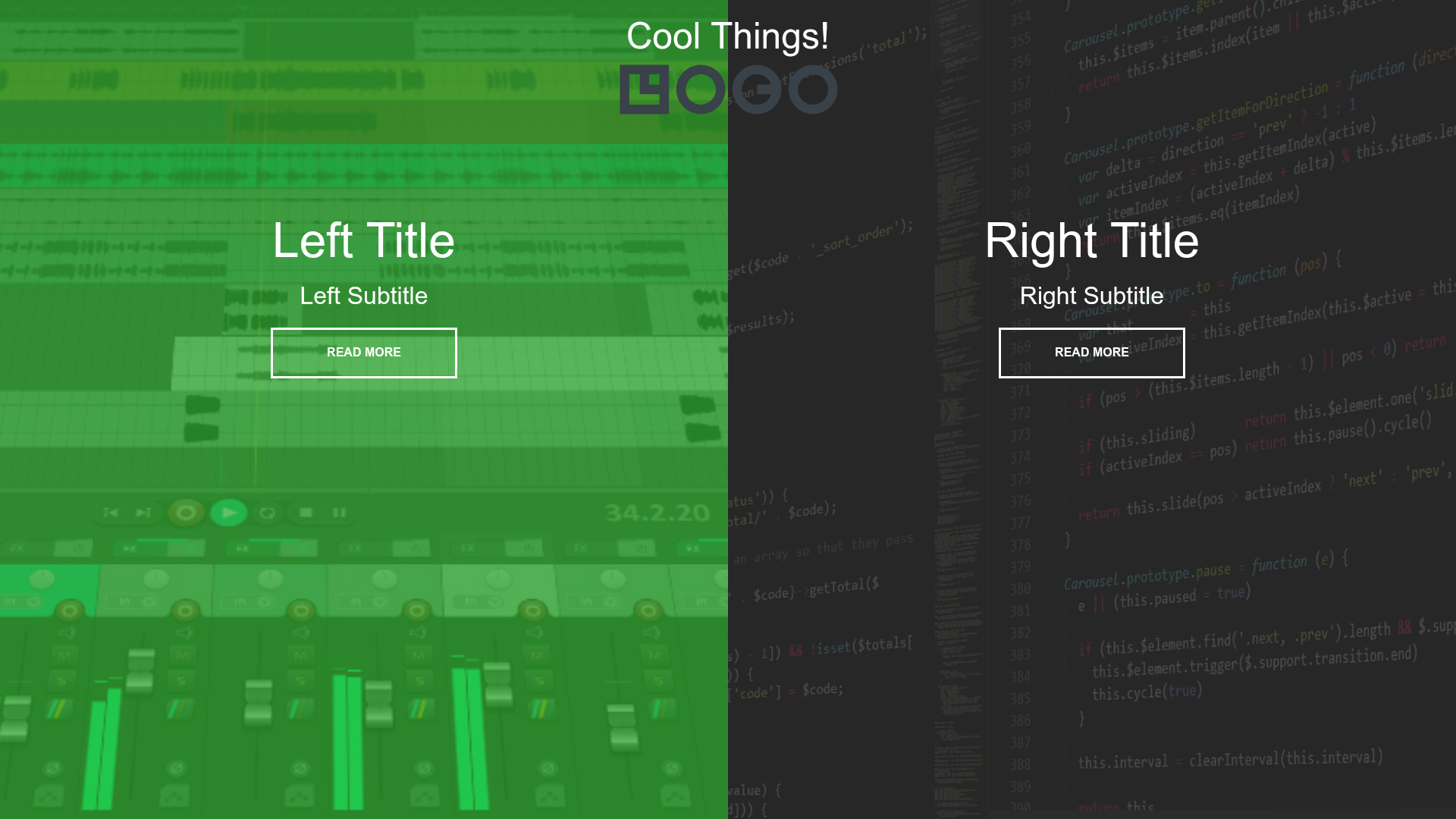
Split Landing is a minimal Hugo theme that presents a split-screen landing page with two clickable panels, allowing visitors to choose between multiple destination sites.
What is Split Landing?
Split Landing is a lightweight Hugo theme designed to redirect visitors to multiple sites from a single landing page. It takes an Hugo project configured through config.toml and produces a static page with two visually distinct panels, each linking to a separate URL. The theme is maintained by katamarijr on GitHub and is directly inspired by a CodePen example and YouTube tutorial by Brad Traversy, which demonstrates the split-screen interaction.
Key Features
- Split-screen interface — A full-viewport layout with two panels that split the screen, each clickable and linking to a different destination.
- Hugo integration — Built specifically for the Hugo static site generator, following Hugo's theme conventions with an exampleSite directory.
- Config-driven setup — All customization happens in config.toml: you set the panel titles, destination URLs, and any other theme parameters there.
- Quick start with make — The repository includes a makefile; running
make examplestarts a local demo before you configure anything. - Minimal stack — Uses only HTML, CSS, and vanilla JavaScript; no front-end frameworks or build step required.
- Demo and source references — The demo site is hosted at
https://katamarijr.github.io/split-landing/, and the original UI is from Brad Traversy's CodePen.
Who is it for?
Split Landing suits developers and site owners who need a simple, low-friction way to route visitors to two different destinations.
- Developers setting up an open-source project can use it to split visitors between the documentation site and the GitHub repository.
- Creative freelancers can link half the page to their portfolio and the other half to a contact or booking page.
- Product managers running an A/B test can point each panel at a different landing page to see which gets more clicks.
What can you do with Split Landing?
- Launch a two-way gateway — Put two main links side by side, so each visitor chooses which site to visit next.
- Rebrand a common redirect page — Use the clean split design instead of a plain list of links, giving the welcome page a more intentional look.
- Study a simple usage pattern — Since the theme is minimal and based on a famous CodePen, it works as a starting point for learning how to structure a two-panel Hugo theme.
How does Split Landing work?
The workflow is straightforward: create a new Hugo project, create a /themes directory, and git clone this repository into it. Then copy config.toml from /themes/split-landing/exampleSite to your project root and edit the parameters (such as destination URLs and titles) to match your needs. For a quick preview, clone the repo and run make example to spin up the demo locally.
FAQ
Is Split Landing free to use?
The repository is publicly available on GitHub with a star count of 5, and no licensing restrictions are stated on the page. Since it's a Hugo theme hosted openly, you can clone and use it in your own projects.
What does Split Landing do?
Split Landing generates a landing page split into two halves, each acting as a large link to a different site. It's a simple way to present visitors with a choice between two destinations rather than a traditional navigation menu.
How do I change the destination links?
Edit the values in the config.toml file at the root of your Hugo project. The theme reads these parameters to populate the panel titles and link URLs; the exampleSite directory shows all available settings.