Template details
Starlight Starter Kit: Basics
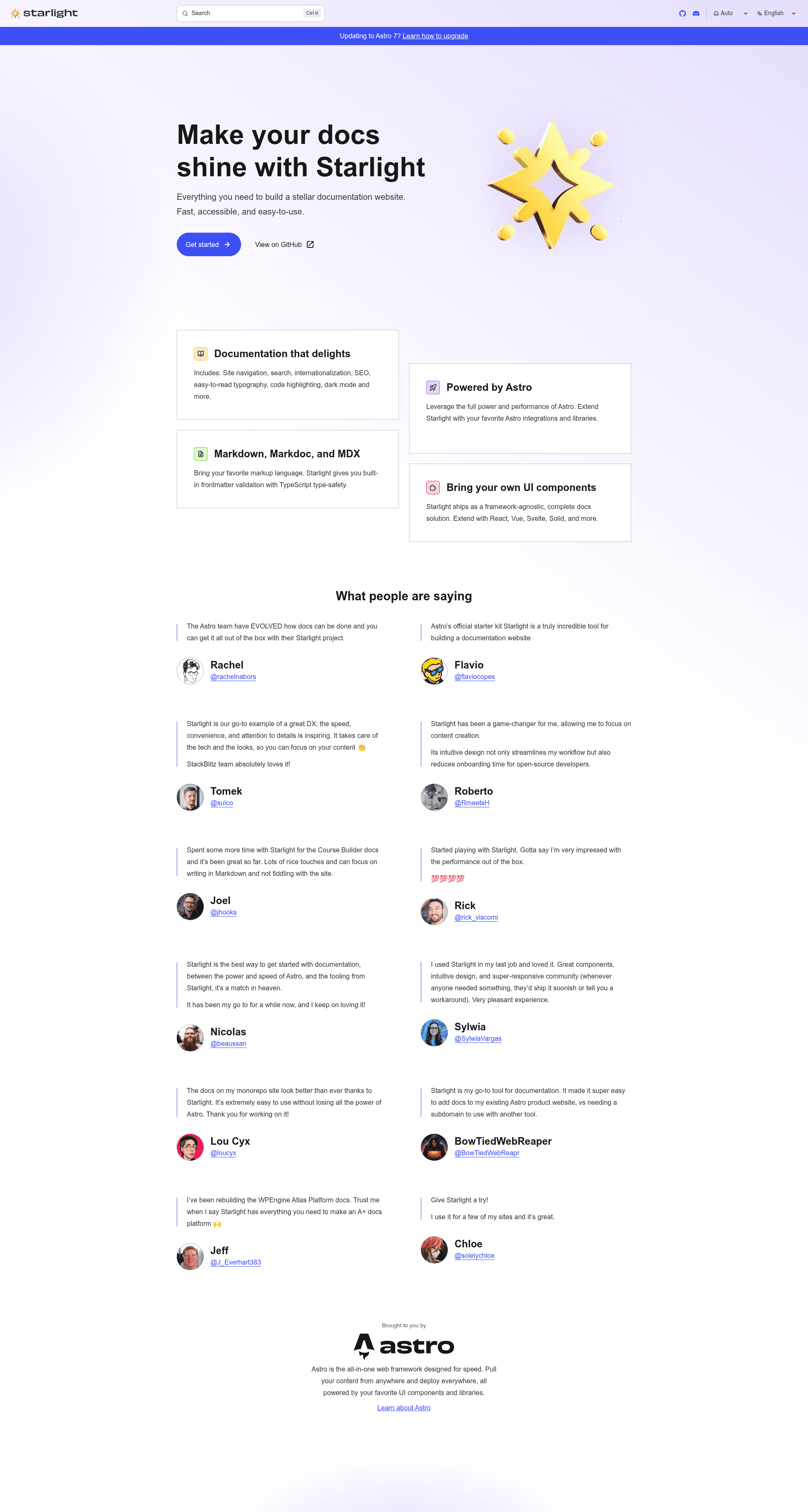
Build beautiful, accessible, high-performance documentation websites with Astro and Starlight.
About this template
Starlight Starter Kit: Basics is an official Astro starter template for building documentation websites with the Starlight documentation framework, turning Markdown/MDX files into a static, accessible site.
What is Starlight Starter Kit: Basics?
The Starlight Starter Kit: Basics is a minimal starting point for a documentation website built on Astro and Starlight. It takes Markdown or MDX files placed in src/content/docs/ and generates a static site where each file becomes a route based on its filename. The template is maintained as part of the withastro/starlight repository and is the basis for Starlight's official examples.
Key Features
- Content-based routing — Every
.mdor.mdxfile added tosrc/content/docs/is automatically exposed as a route whose URL matches the file name, so documentation pages are organized by folder structure. - Asset handling — Images placed in
src/assets/can be embedded in Markdown via relative links, keeping media colocated with content. - Static assets folder — Files like favicons and other non-processed assets go in
public/, where they are copied verbatim to the built site. - Local development server — Run
npm run devto start a dev server atlocalhost:4321with hot reload for instant preview. - Production build —
npm run buildoutputs a fully static site to./dist/, ready for hosting anywhere. - Astro CLI integration — The Astro CLI is available through
npm run astro ..., enabling commands likeastro addandastro checkto extend the project. - One-click deployment — The template includes deploy buttons for Netlify, Vercel, StackBlitz, and CodeSandbox, letting you launch or iterate on the project in a browser.
- Official Starlight foundation — The repo description emphasizes that it builds "beautiful, accessible, high-performance documentation websites," and it is maintained by the Astro team under
withastro/starlight.
Who should use Starlight Starter Kit: Basics?
- Documentation engineers — Stand up a documentation site structure with content collections and routing preconfigured.
- Open-source maintainers — Create project docs that can be deployed to Netlify or Vercel with a single click from the template.
- Technical writers — Write documentation in Markdown or MDX inside
src/content/docs/and preview changes live onlocalhost:4321. - Teams starting an Astro project — Use this template as a baseline when building any site that needs a docs section, since it already wires up the Astro config and content layer.
What can you do with Starlight Starter Kit: Basics?
- Publish product documentation: Write guides and API references as Markdown files and get a static, navigable documentation site.
- Build a knowledge base: Organize content into folders under
src/content/docs/to create structured routes. - Deploy a docs site in minutes: Use the included Netlify or Vercel deploy buttons to go from template to live site without local setup.
- Extend the project: Add integrations via the Astro CLI (
npm run astro add) or customize the Starlight theme.
How does Starlight Starter Kit: Basics work?
This template is a standard Astro project preconfigured for Starlight. Content lives in src/content/docs/; when you run npm run build, Astro processes the Markdown/MDX files and outputs a static site to ./dist/. The astro.config.mjs file contains Starlight integration settings, and src/content.config.ts defines the content collection schema.
FAQ
What is Starlight?
Starlight is a documentation framework built on Astro. It provides the theme and routing conventions that turn Markdown/MDX content into a docs website, and this starter kit comes with Starlight preinstalled.
How do I add a new page?
Create a new .md or .mdx file under src/content/docs/. Starlight automatically exposes it as a route based on the file name, so src/content/docs/guide.md becomes /guide.
Can I deploy this template to Netlify or Vercel?
Yes. The template includes one-click deploy buttons that connect to Netlify and Vercel. You can also run npm run build to produce static files in ./dist/ and host them on any static hosting service.
Is this template free to use?
The template is part of the open-source withastro/starlight repository, so it is available under an open-source license and free to use.