Template details
Tale-Zola
A minimal, SEO-ready Zola blog theme ported from the Jekyll theme Tale, with customizable config and templates.
About this template
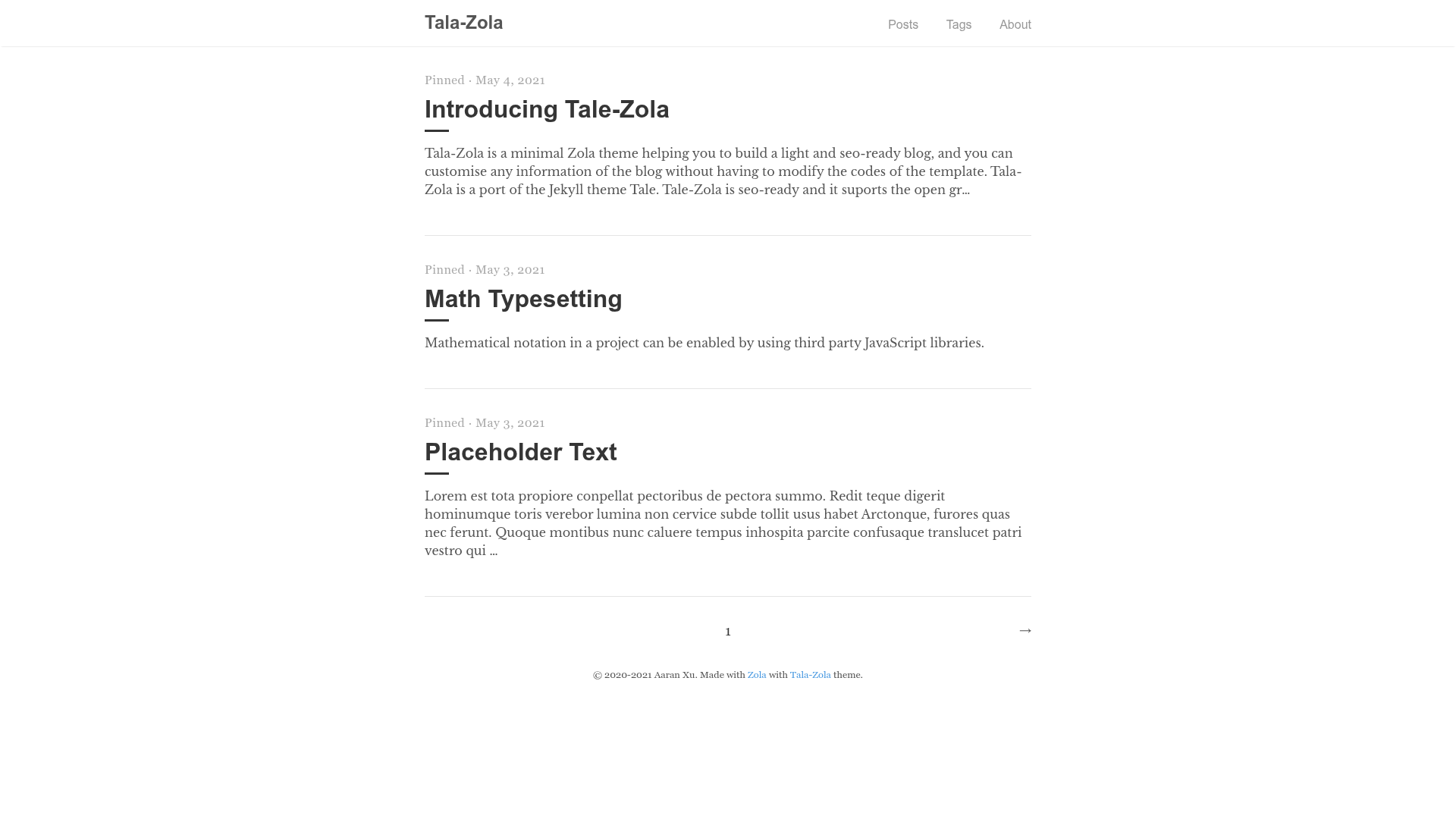
Tale-Zola is a minimal Zola blog theme, ported from the Jekyll theme Tale, that generates a lightweight, SEO-ready static blog when run through the Zola static site generator (version 0.13.0 or newer).
What is Tale-Zola?
Tale-Zola is a port of the Jekyll theme Tale, built for the Zola static site generator. It takes Markdown content files placed in Zola's content directory and a config.toml file as input, and outputs a static HTML blog with pagination, tags, and a 404 page. The theme is developed by Aaran Xu and distributed under the MIT license from its GitHub repository.
What makes Tale-Zola stand out?
- SEO-ready setup — Includes Open Graph and Twitter Card metadata configuration, plus a global fallback image, locale, and social account settings.
- Customizable without coding — Most blog information — menus, footer, author, date format, and even UI expressions — can be changed through config.toml, so you never edit templates for typical adjustments.
- Tag taxonomy and pagination — Supports a tags taxonomy and configurable post pagination (for example, five posts per page via the
paginate_bysetting). - Third-party integrations — Options for Google Analytics, Disqus comments (globally or per post), and KaTeX math rendering are all built into the configuration.
- Syntax highlighting — Uses Zola's built-in Markdown highlighting with themes such as base16-ocean-light.
- Custom CSS — You can add your own styles to the
sass/_custom.scsspartial. - Full localization — The theme exposes a set of expression strings (home, pinned, written by, tags, 404 text, and more) so you can translate the interface into your language.
Who should use Tale-Zola?
- Personal bloggers — want a fast, minimal blog without JavaScript frameworks.
- Technical writers / developers — comfortable with Markdown and Git, and already using or willing to adopt Zola for their static site.
- Designers / creators — need a clean, typography-focused layout, and want to customize colors and styles via Sass without touching template logic.
What can you do with Tale-Zola?
- Launch a personal blog — Publish Markdown posts with front-matter for title, date, tags, and author, and get a live-reloaded dev server at
http://127.0.0.1:1111withzola serve. - Set up a multilingual blog — Use the expression options to translate navigation labels, post metadata, and the 404 page into your own language.
- Integrate comments and analytics — Enable Disqus for discussion and Google Analytics for traffic measurement by adding your IDs in
config.toml. - Write posts with math — Turn on KaTeX per site or per post to render LaTeX-style equations in your articles.
How does Tale-Zola work?
Installation is a five-step process: create a new Zola site with zola init, clone the repository into the themes directory (or add it as a submodule), enable it in config.toml with theme = "tale-zola", add a content folder with an _index.md file, and run zola serve to start the development server with live reload. The theme also ships an example config.toml that you can copy to your project root.
FAQ
Is Tale-Zola free to use?
Tale-Zola is open source and distributed under the MIT license, so it is free to use, modify, and redistribute, including for commercial projects.
Does Tale-Zola require a specific Zola version?
Yes, Tale-Zola requires Zola version 0.13.0 or newer. The development server runs by default at http://127.0.0.1:1111 and supports live reload.
Can I change the wording in the theme without editing templates?
Yes. The theme includes an extra.expressions configuration block in config.toml where you can change strings like 'Home', 'Written by', 'Tags', and the 404-page text. For custom styling, you can add CSS in sass/_custom.scss.
How do I enable Disqus or Google Analytics?
Set disqus = true and disqus_id with your Disqus identifier, and set google_analytics with your tracking ID in the [extra] section of config.toml. Disqus can also be enabled per post via the extra.disqus front-matter option.
Does Tale-Zola support math notation?
Yes, you can set katex = true in [extra] to enable KaTeX math rendering site-wide, or add it in the front matter of an individual page to enable it for just that page.