Template details
Tekyll
Jekyll template for building online documentation sites, forked from the Chirpy theme.
About this template
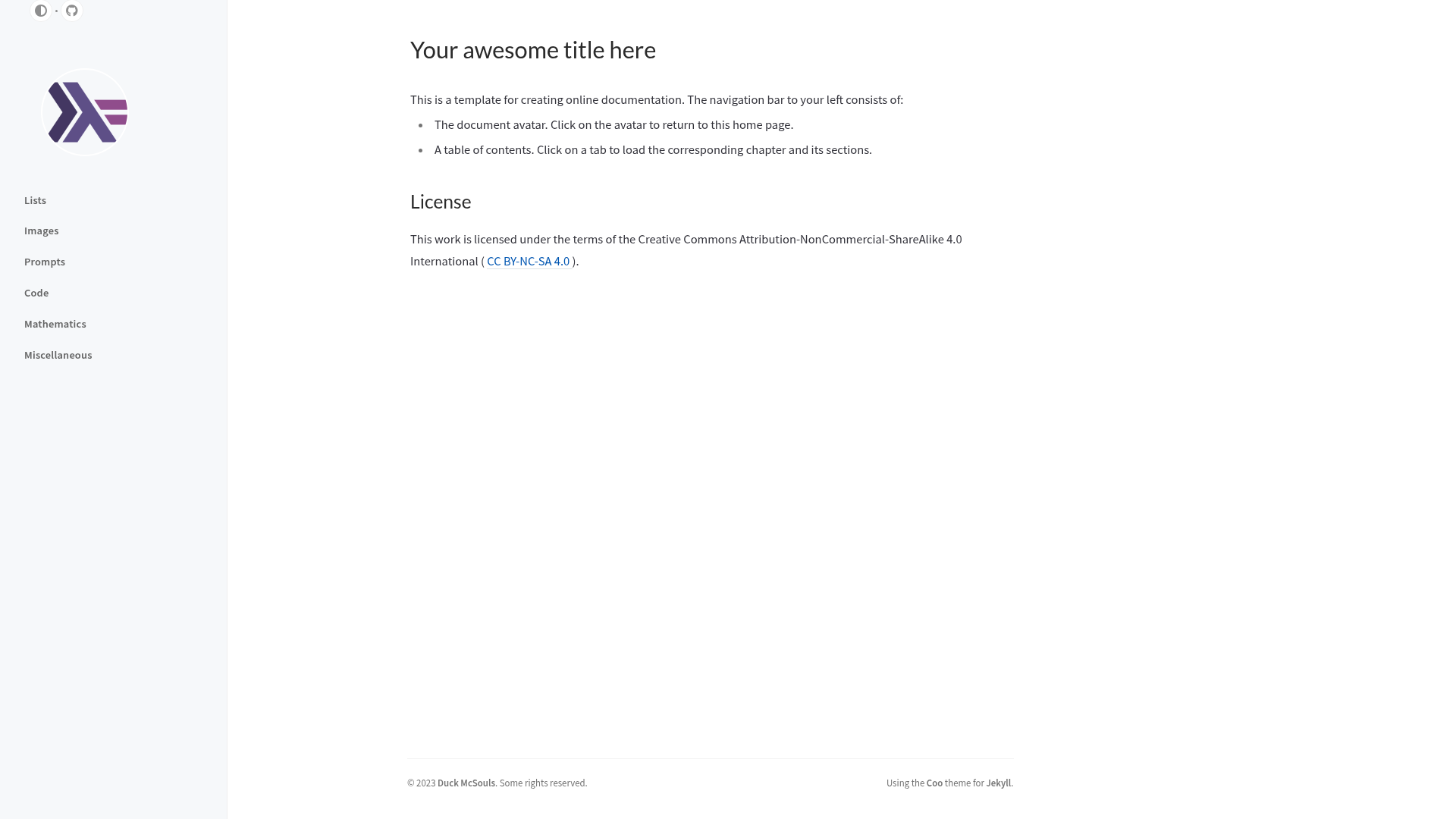
Tekyll is a Jekyll template for building online documentation sites, forked from the Coo theme (itself a fork of Chirpy) and maintained by Duck McSouls. It takes Markdown files and a YAML summary and generates a static documentation website with a sidebar table of contents.
What is Tekyll?
Tekyll is a Jekyll-based template (Ruby) that scaffolds an online documentation site. It takes Markdown content stored in a doc/ directory, a _data/summary.yml file that defines chapter order, and images from assets/img/ (or a CDN), and produces a complete static HTML website. It is built on the Coo theme, a fork of the popular Chirpy Jekyll theme, and derives from the Chirpy starter template. The project is maintained by Duck McSouls (GitHub user quacksouls).
Key Features
- Markdown content organization — All documentation chapters live as separate Markdown files under the
doc/directory. - Sidebar table of contents — The
_data/summary.ymlfile defines both the ordering and location of each section, and Jekyll renders that structure as a sidebar TOC. - Flexible image handling — Images can be placed in
assets/img/or served via a content delivery network by setting theimg_cdnproperty in_config.yml. - Make-based build automation — The included
Makefileprovidesmake build(local build),make clean(junk-file cleanup),make pretty(run Prettier on Markdown files underdoc/), andmake view(build and serve locally athttp://127.0.0.1:4000). - Prettier formatting — Optional npm integration:
npm updateinstalls Prettier, which automatically indents and formats Markdown files. - MIT licensed — Based on work by Cotes Chung (Chirpy) and modified by Duck McSouls; the template itself is MIT-licensed.
Who is it for?
- Technical writers — Need a structured Markdown workflow and a clean, Chirpy-derived visual style for publishing documentation.
- Open-source maintainers — Want to publish project documentation as a GitHub Pages site with minimal setup.
- Development teams — Need a self-contained docs site with a sidebar TOC, local preview, and scriptable builds via Make.
What can you do with Tekyll?
- Publish API or user manuals — Write each chapter as a Markdown file in
doc/, declare order insummary.yml, and build a static site that's ready to host on GitHub Pages or any static host. - Set up a fast local preview — Run
make viewto build the full site and serve it athttp://127.0.0.1:4000so you can review drafts in the browser. - Keep formatting consistent — Use
make pretty(Prettier) to automatically indent and format all Markdown files underdoc/. - Serve images from a CDN — Configure the
img_cdnproperty in_config.ymlto prepend a CDN URL to all image paths that start with/.
How does Tekyll work?
Start by clicking "Use this template" on the GitHub repository to create a new repository. Clone it locally, then run bundle (or bundle config set --local path 'vendor/bundle' followed by bundle install without root access) to install Ruby and Jekyll dependencies. Write your documentation under doc/, update _data/summary.yml, then run make build to generate the site or make view to preview it locally.
Pricing
Tekyll is free and open source under the MIT license. There are no paid tiers or hidden costs; you only need your own hosting (GitHub Pages works) and a Ruby environment.
Alternatives
- Chirpy — The Jekyll theme that Coo (and therefore Tekyll) is forked from; it is a general-purpose blog/portfolio theme with a different focus than pure documentation.
- Just the Docs — Another well-known Jekyll documentation theme.
FAQ
Is Tekyll free?
Yes, Tekyll is fully free and open source under the MIT license. You can use it for commercial or personal documentation projects without paying any fees, and you can modify the source code.
What are the prerequisites for using Tekyll?
You need Ruby and Jekyll (see the official Jekyll installation instructions), Git (optionally GitHub Desktop), and Make if you want to use the built-in Makefile targets. Node.js is optional and only required if you want Prettier formatting.
How do I add a new section to my documentation?
Create a new Markdown file under the doc/ directory, then add a reference to it (with its title and path) in the _data/summary.yml file. The file's position in that YAML list determines where it appears in the sidebar table of contents.
Can I use a CDN for images?
Yes. Set the img_cdn property in _config.yml to a URL, and that URL will be prepended to all image paths that start with /, including the site avatar and page images.
Does Tekyll come with a local preview server?
Yes. Running make view builds a local copy of the entire site and starts a local web server at http://127.0.0.1:4000. Open that address in a browser to see your documentation.