Template details
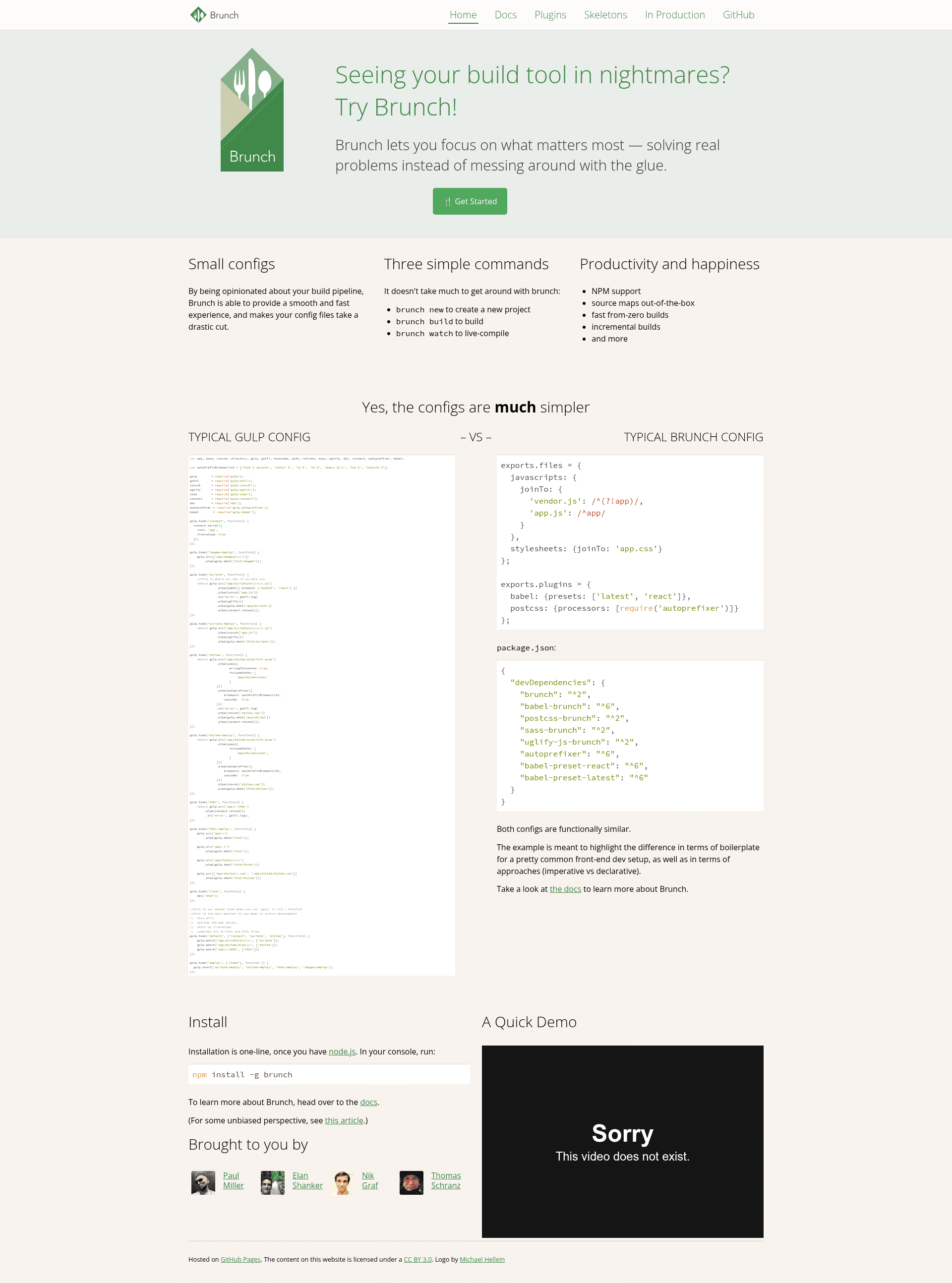
Brunch.io Site
MIT-licensed source for the official Brunch.io website, built with Brunch and auto-deployed to GitHub Pages via Travis CI.
About this template
Brunch.io Site is the MIT-licensed source repository behind the official Brunch build tool website — a static site template built with Brunch and auto-deployed to GitHub Pages by Travis CI.
What is Brunch.io Site?
Brunch.io Site is the source code repository for the website at http://brunch.io, published by the Brunch project and released under the MIT license. It takes editable source files from the app directory on the source branch and generates a public directory that Travis CI deploys to GitHub Pages without manual release steps. On GitHub the repository is described as "The website" and carries the topics brunch, gh-pages, site, and static-site.
Key Features
- Brunch-powered static build — all files in the
publicdirectory are generated by Brunch from the source files, so the published site is static HTML with no server backend. - Automatic Travis deployment — the repository's Travis build, tracked at Travis CI, compiles the site and deploys the
publicdirectory automatically on every commit. - Separate source and output directories — hand-written templates live in
appon thesourcebranch, while machine-generated output is committed topublic, preventing accidental edits to published files. - npm-based local workflow — running
npm installfollowed bynpm startserves the site locally for previewing changes before deployment. - GitHub Pages hosting — the
gh-pagestopic on the repository indicates publication through GitHub Pages, which needs no separate hosting infrastructure. - MIT license — the full site source can be reused and adapted freely, with the license notice preserved.
Who is it for?
- Brunch users — inspect the source of the official site to see how the Brunch project documents its tool, using a real production Brunch configuration as a reference.
- Static site developers — model a new project on this repository's layout of an
appsource directory, a generatedpublicdirectory, and automated GitHub Pages deployment. - Open-source maintainers — adopt the repository's workflow of committing to a source branch and letting Travis publish docs to GitHub Pages without manual build commands.
What can you do with Brunch.io Site?
- Learn Brunch from a production codebase: clone the repository, check out the
sourcebranch, and study theappdirectory to see exactly how a real website structures its templates and styles with Brunch. - Reuse the deploy pipeline: copy the combination of Brunch for building, Travis for automation, and GitHub Pages for hosting to publish your own static project site with no infrastructure to manage.
- Fork and adapt the site: because the repository is MIT-licensed, you can fork it and reshape the pages for your own tool's documentation while keeping the same build and deployment flow.
How does Brunch.io Site work?
The README's Run section defines the complete workflow: clone the repository, check out the source branch, run npm install to install dependencies, then run npm start to serve the site locally. When changes are pushed, Travis runs the Brunch build, regenerates the public directory, and deploys it automatically to GitHub Pages.
Pros and cons
- Pro: publishing is fully automated — commits on the source branch become live site updates with no manual build or upload steps.
- Pro: the MIT license permits free reuse and adaptation of the entire site source.
- Con: edits made directly to the
publicdirectory are overwritten by the next Brunch build, so all source changes must go through theappdirectory on thesourcebranch.
Pricing
Free — the site is open source under the MIT license, and the repository documentation mentions no paid tiers or hosted subscription plans.
FAQ
Is the Brunch website free to use?
Yes. The repository is licensed under the MIT license, which permits anyone to copy, modify, and reuse the site source for their own purposes, including commercial projects, as long as the license notice is preserved.
How do I run the Brunch site locally?
Clone the repository, switch to the source branch, run npm install, and then run npm start — these are the exact steps documented in the README. The generated site is written to the public directory rather than being served by a separate server.
Where should I make edits?
All edits belong in the app directory on the source branch. The public directory contains files generated by Brunch and is redeployed automatically by Travis, so any changes made directly there will be lost on the next build.
How does the site get deployed?
Every push to the source branch triggers a Travis build that runs Brunch, regenerates the public directory, and deploys it to GitHub Pages automatically. That continuous flow is why the repository carries the gh-pages topic and needs no manual release step.