Template details
TinyWorks
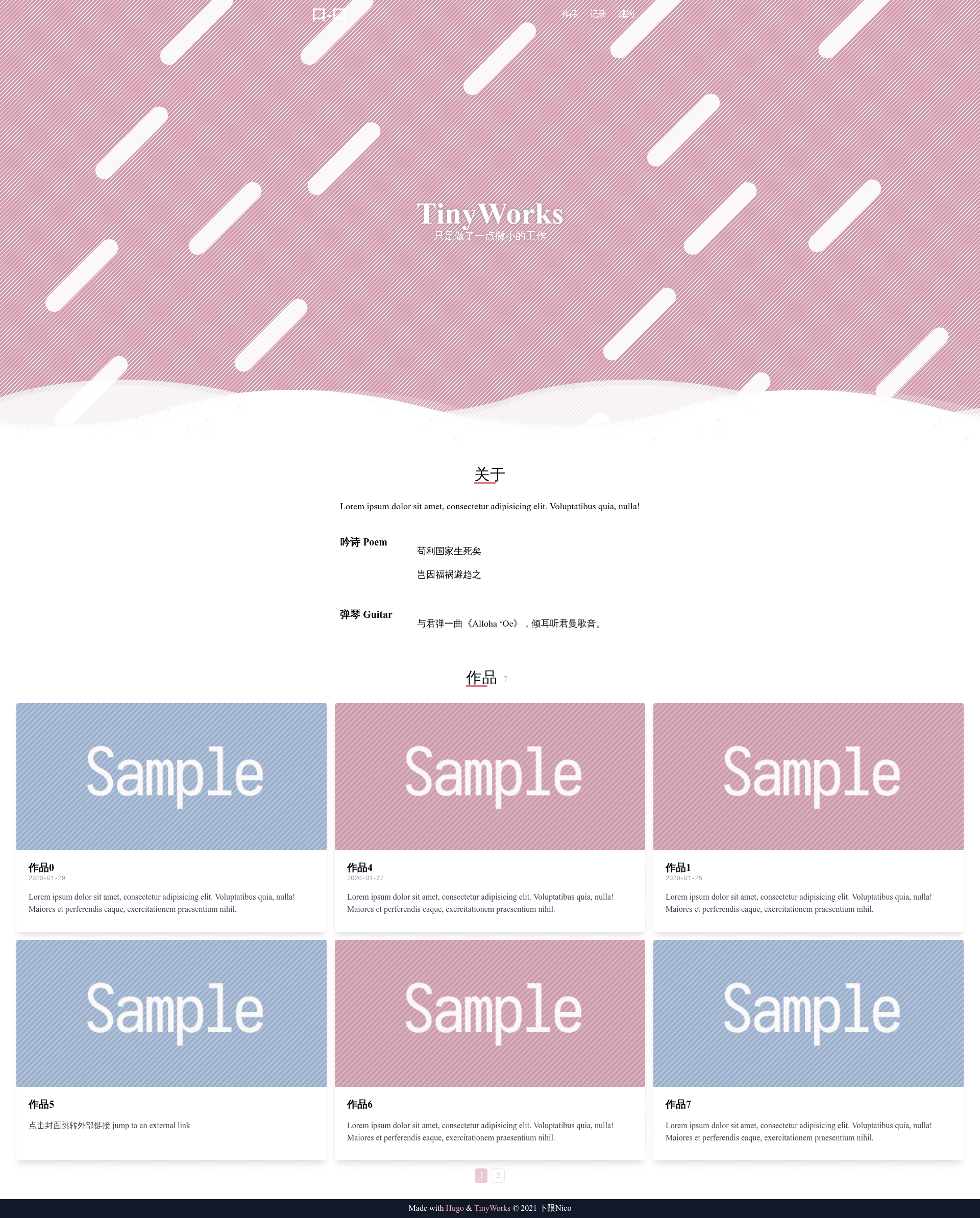
A minimal Hugo theme with tabbed sections, pagination, and post front matter for portfolios or personal sites.
About this template
TinyWorks is a lightweight Hugo theme that builds a tabbed portfolio or personal site from markdown files, with pagination, multipage support, and an about/info section style.
What is TinyWorks?
TinyWorks is an open-source Hugo theme, inspired by and modified from the SimpleIntro theme. It takes markdown content organized into tabbed sections and renders a static website with a clean intro-style layout. The theme is developed by Nigh and available on GitHub, with a live demo at https://nigh.github.io/tinyworks. It supports multiple tabs/pages, each defined by an _index.md file, and individual posts with front matter fields for title, image, date, link, external link, and description.
Key Features
- Tabbed layout — Content is split into tabs (tab1, tab2, tab3 in the file tree), each tab is a section with its own
_index.mddefiningidandweightto control display order. - Pagination — The theme includes a built-in paginator, listed as a completed item in the development plan.
- Multipage support — Multiple pages are supported; the plan marks "multipage" as done, allowing sites with several tabbed sections.
- About and info styles — The theme provides custom styles for "about" and "info" sections, both listed as completed rewrite/feature items.
- Post front matter — Each post can define
title,image,date,link,extlink, anddescription;extlinksuggests posts can link out to external URLs. - Simple installation — Install as a Git submodule and run with
hugo server --minify --theme tinyworks; no build tools or npm dependencies mentioned. - Actively planned roadmap — The plan lists future items like innerpage style, single page style, and navbar style updates, indicating ongoing development.
Who is it for?
- Developers building a personal homepage — Use the tabbed sections to separate blog posts, projects, or profile info, then deploy the static output anywhere Hugo deploys.
- Designers wanting a clean intro-style site — The theme is a simplified take on SimpleIntro, suited for showing a short intro plus tabbed content.
- Hugo users who prefer minimal themes — With few front matter fields and no listed external dependencies, it fits lightweight static-site workflows.
What can you do with TinyWorks?
- Personal portfolios: Organize projects into tabs, each with posts that link out to live demos via
linkorextlink. - Blogs: Use the paginator to split a tab's posts across pages, and the
datefield to order entries. - Experiment with a theme: Because it's a small Hugo theme with visible source and roadmap, you can fork it and add features like the planned innerpage and single-page styles.
How does TinyWorks work?
Install the theme as a Git submodule, create content folders for each tab, and define an _index.md with id and weight for ordering. Posts live inside each tab folder as markdown files; the theme reads their front matter and renders them within the tabbed layout. Run hugo server --minify --theme tinyworks to preview locally.
Alternatives
- SimpleIntro — The Hugo theme that TinyWorks is inspired by and modified from.
FAQ
Is TinyWorks free to use?
The GitHub repository is public and the theme is listed with a description in Chinese ("只是做了一点微小的工作" meaning "just doing a little tiny bit of work"), and it does not mention any paid licensing, so it can be considered free and open source.
How do I install TinyWorks?
Add it as a submodule with git submodule add https://github.com/Nigh/tinyworks themes/tinyworks, then update submodules and run hugo server --minify --theme tinyworks. The repo includes a demo site at https://nigh.github.io/tinyworks.
What front matter fields does TinyWorks support?
_index.md files accept id and weight; post files accept title, image, date, link, extlink, and description. No other fields are mentioned in the documentation.
Can TinyWorks display external links?
Yes, posts include an extlink front matter parameter, which suggests the theme can render posts that point to external URLs.