Template details
Soot Spirits
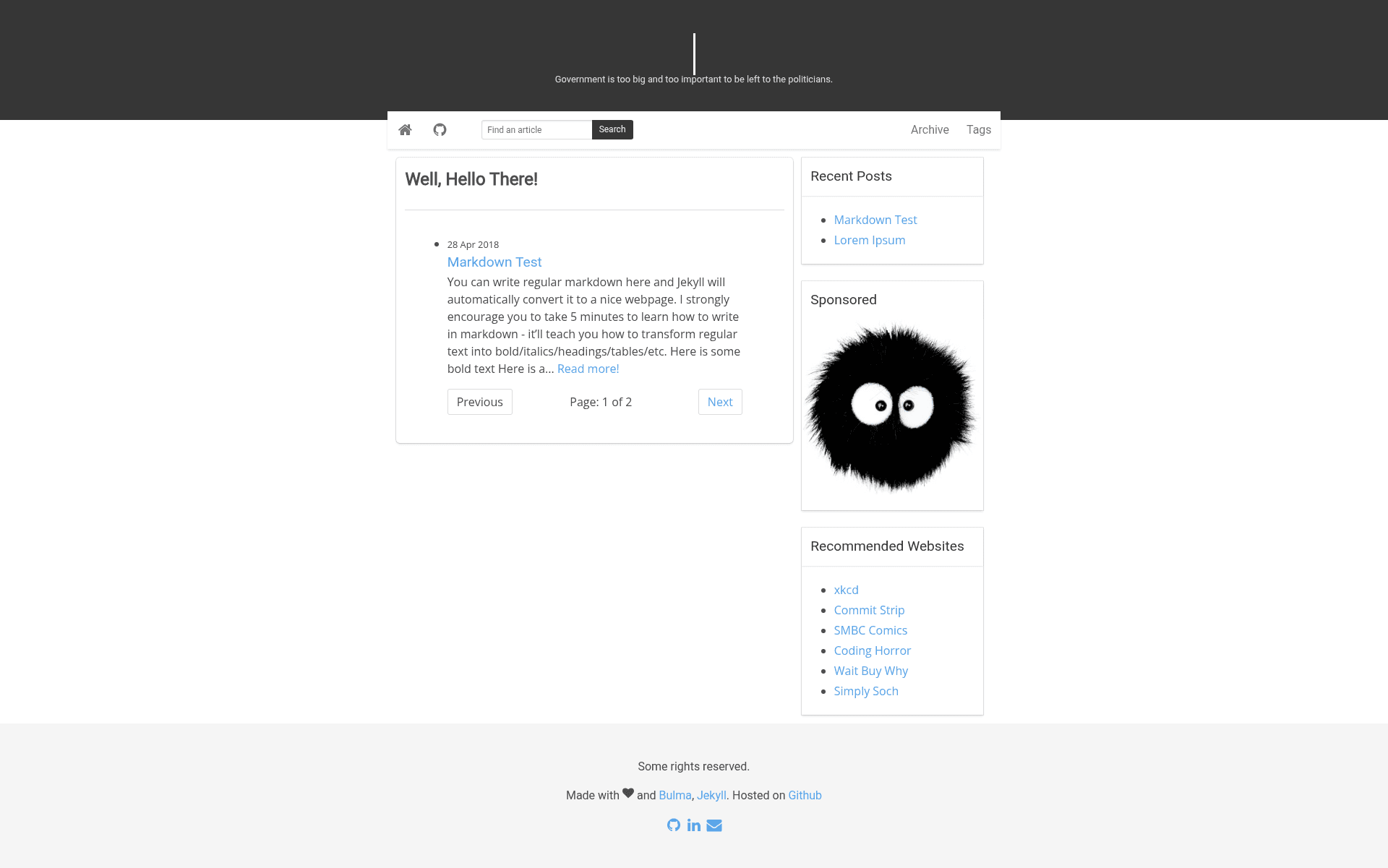
A simple responsive two-column Jekyll theme for personal blogs and basic portfolio websites.
About this template
Soot Spirits is a lightweight two-column Jekyll theme for personal blogs that focuses on clean typography and mobile responsiveness. Built with Bulma CSS, it turns Jekyll projects (Markdown posts and a _config.yml) into a static site ready for GitHub Pages.
What is Soot Spirits?
Soot Spirits is a responsive two-column Jekyll theme styled with Bulma CSS, designed for personal blogs and basic portfolio websites. It takes standard Jekyll content — Markdown posts, pages, and configuration in _config.yml — and outputs a static HTML site that runs on any Jekyll-compatible host, including GitHub Pages. The theme puts typography first, combining League Gothic, Roboto, and Open Sans fonts loaded from Font Squirrel and Google Fonts.
Key Features
- Two-column layout — A main content column alongside a sidebar, suitable for different blogging styles.
- Fully mobile ready — Responsive design that scales from desktop full width to 320px mobile screens, with a hamburger menu toggle for navigation.
- Customizable typography — Uses League Gothic for headings, Roboto for body text, and Open Sans for accents; all are free from Google Fonts and Font Squirrel.
- Customizable sidebar widgets — The "hello" typewriter text, quotes, navigation items, and sidebar widgets can all be edited without touching core templates.
- Disqus comments — Built-in Disqus integration; set your username in _config.yml or remove it entirely.
- Simple setup — Clone or download the project, delete the tmp/ directory and sample posts, add your own content, and run Jekyll.
- MIT license — Free for personal and commercial use, with attribution not required.
Who is it for?
Soot Spirits suits bloggers who want a clean, typography-focused design without heavy JavaScript or complex styling. Developers learning Jekyll can use it as a minimal starting point with clear file structure. Portfolio owners can repurpose the two-column layout to present projects and contact links via the sidebar and footer.
What can you do with Soot Spirits?
- Personal bloggers — Publish essays, notes, and photo posts using Markdown; the typography makes long-form text pleasant to read.
- Portfolio builders — Display work samples on the homepage and link to social profiles through editable footer links in _layouts/default.html.
- Jekyll learners — Explore how a minimal Bulma-based theme organizes layouts, includes, and assets, then customize variables for your own site.
How does Soot Spirits work?
Install Jekyll on your machine, download the theme zip or clone the repository, then remove the tmp/ directory and any sample posts. Edit _config.yml with your site details, set the Disqus username, replace footer links, and update the site address in assets/js/custom.js. Run jekyll build or jekyll serve to generate the static site, or push the repository to GitHub Pages for automatic building.
FAQ
Is Soot Spirits free?
Yes, it is released under the MIT license, so you can use, modify, and redistribute it freely, even for commercial projects.
What fonts does Soot Spirits use?
The theme loads League Gothic, Roboto, and Open Sans from Google Fonts and Font Squirrel. These are free to use and are selected for readable, attractive text.
Can I use Soot Spirits on GitHub Pages?
Yes, Soot Spirits is a standard Jekyll theme, so it works out of the box with GitHub Pages. The repository metadata lists 'github-pages' as a topic.
Does Soot Spirits include comments?
Disqus is integrated as the comment system. You must set your Disqus username in _config.yml, or you can delete the Disqus block if you don't need comments.
How do I customize the sidebar?
The sidebar widgets, including the 'hello' text, quotes, and navigation, are customizable through configuration and layout files. The theme's README explains that all these elements can be adjusted.