Template details
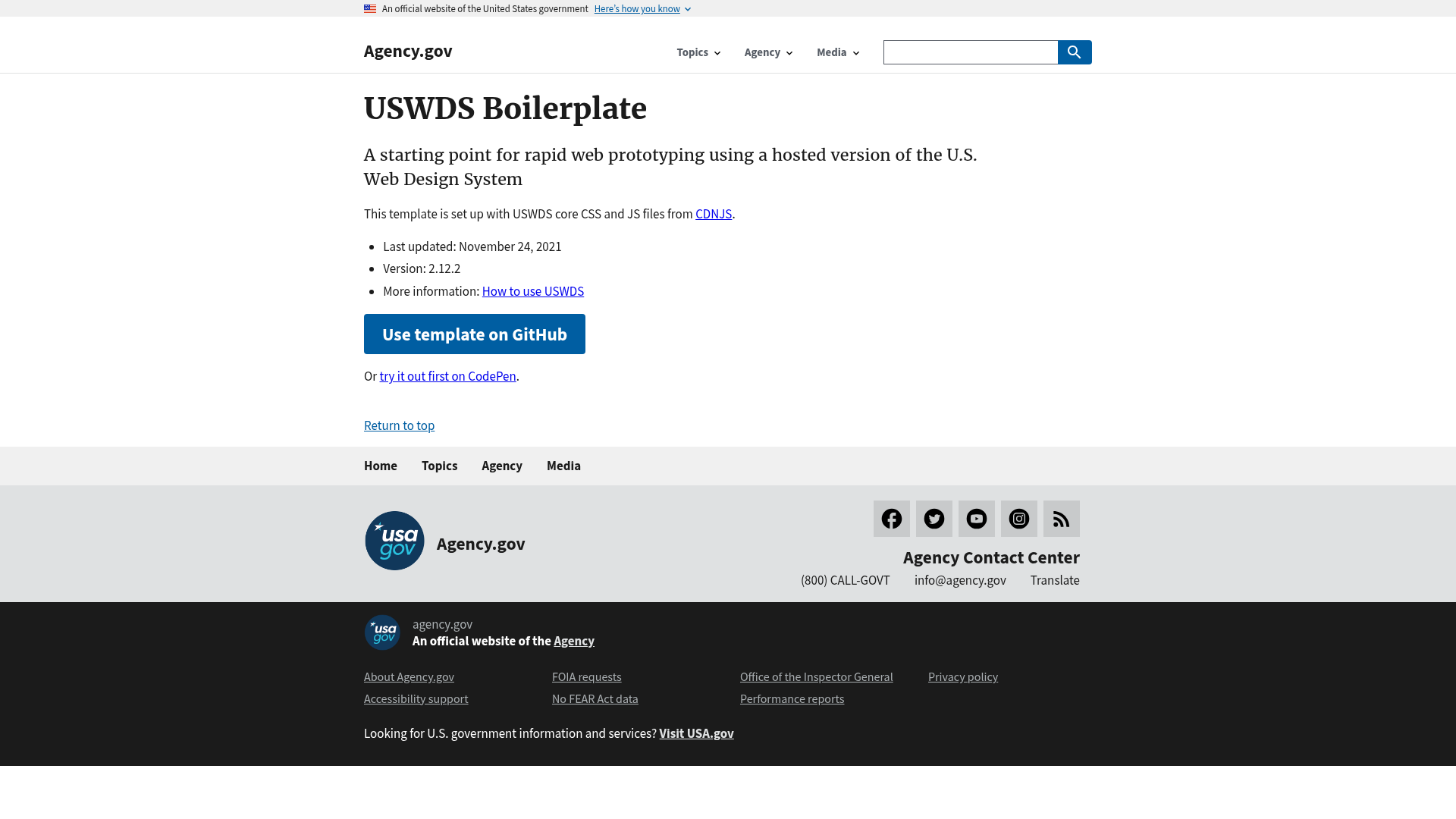
USWDS Boilerplate
A starting point for rapid web prototyping using a hosted version of the U.S. Web Design System
About this template
USWDS Boilerplate is a free Jekyll-based GitHub repository template that scaffolds static sites styled with the U.S. Web Design System (USWDS) by loading its CSS and JavaScript from CDNJS.
What is USWDS Boilerplate?
USWDS Boilerplate is a starting point for rapid web prototyping using a hosted version of the U.S. Web Design System. It is a GitHub template repository that runs on Jekyll through GitHub Pages; you write pages as Markdown files and the template automatically renders them as HTML pages with USWDS 2.12.2 styling. The project is maintained by Bixal on GitHub and is licensed under The Unlicense, so you can copy, modify, and repurpose it without restrictions. Input is markdown content committed to the repository's main branch; output is a public static website served from a GitHub Pages URL.
Key Features
- Hosted USWDS assets — The template loads USWDS core CSS and JavaScript from CDNJS at version 2.12.2, so no local install of the design system is required.
- Markdown-to-HTML workflow — Create a file with a .md extension, commit it, and Jekyll generates a corresponding .html page (e.g., first-page.md becomes first-page.html).
- GitHub Pages publishing — After enabling GitHub Pages with source set to the main branch, each commit triggers an automatic build and deployment.
- One-click template generation — Pressing the "Use this template" button on the GitHub repository creates a new repo preconfigured with the boilerplate structure.
- CodePen preview — A live CodePen demo is linked from the README so you can experiment with USWDS in the browser before creating a repo.
- Component snippet support — You can copy ready-made USWDS component code from the official components overview and paste it directly into your Markdown files.
- Unlicense dedication — The template is released into the public domain, allowing all use with no warranty obligations.
Who is it for?
- Government and civic technologists — Quickly stand up USWDS-styled prototype pages for user research or stakeholder demos without configuring a front-end toolchain.
- Front-end developers — Use the boilerplate to spin up throwaway test pages or to validate USWDS component behavior in a Jekyll context.
- Design system evaluators — Set up a sample site to assess whether USWDS meets a project's accessibility and visual requirements before committing to a full build.
What can you do with USWDS Boilerplate?
- Build a multi-page static prototype — Create several Markdown pages on the Code tab and link them together with standard Markdown links to form a navigable website.
- Test USWDS components — Insert code snippets from the USWDS components overview into a page and publish it to see the component rendered with the full design system stylesheet.
- Customize the homepage — Overwrite index.md with your own content to turn the default landing page into a custom start page for your project.
How does USWDS Boilerplate work?
The workflow is documented step by step in the README. First, click "Use this template" to create a copy of the repository, then enable GitHub Pages by selecting the main branch as the source. Next, add a Markdown file with a .md extension, commit it, and wait for the deployment to finish. The finished page appears at your site URL with the .html extension — for example, https://pglevy.github.io/uswds-boilerplate/first-page.html. Advanced users can also run the site locally by installing Jekyll.
Pricing
The template is free to use. It is released under The Unlicense, which permits everything and promises nothing — you can use it commercially, modify it, and redistribute it without crediting the author.
FAQ
How do I create a page with USWDS Boilerplate?
Go to the Code tab of your GitHub repository, press Add File, then Create new file. Name the file with a .md extension (for example, first-page.md), write content using Markdown, and press Commit new file. After GitHub Pages builds the site, the page will be available at your base URL with the .html extension.
How do I enable GitHub Pages for this template?
Open the Settings tab of your new repository, scroll to the GitHub Pages section, set the Source to main, and press Save. The README notes that a URL appears immediately but the live site takes a few minutes to build.
Can I run the site locally?
Yes, advanced users can run the site on their own computer. You need to install Jekyll first and then follow the official Jekyll installation instructions. The README links to the Jekyll installation docs for the exact steps.
Does the repository include the full USWDS code?
No. The template references USWDS core CSS and JavaScript from CDNJS at version 2.12.2, so the GitHub repository stays small and the design system assets are loaded from the CDN when a visitor opens the site.
What should I do if the site doesn't work?
The README suggests starting over with a new repository and repeating the steps, since most problems come from missing a configuration change. If that doesn't help, you can create an issue in the original Bixal repository and the maintainer says they will try to help.