Vercel x Groq Chatbot is an open-source Next.js chatbot starter template maintained by the Vercel team that streams text responses from Groq models through the AI SDK by Vercel, with a one-click deploy path to Vercel.
What is the Vercel x Groq Chatbot?
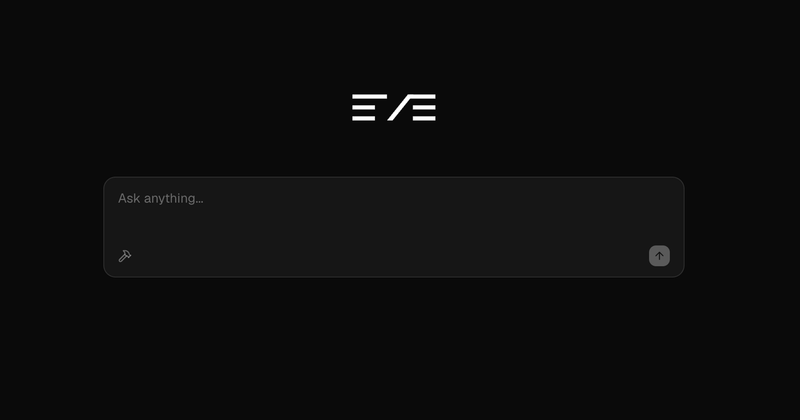
Vercel x Groq Chatbot is an open-source AI chatbot template that runs on Next.js with the App Router and streams generated text from Groq-hosted models using the AI SDK by Vercel. A user types a chat message as input, and the app returns a streamed text response; when tools are configured, the model can also call them during a turn. The repository lives in the vercel-labs GitHub organization, is maintained by the Vercel team plus community contributors, and its README records 51 stars. It is a starter, not a hosted product: you clone it, connect a Groq API key, and deploy your own instance.
What makes the Vercel x Groq Chatbot stand out?
- AI SDK provider swapping — The AI SDK by Vercel is used for streaming text responses, so multiple AI providers can be exchanged with just a few lines of code rather than a rewrite.
- Built-in tool calling — Tool integration extends model capabilities, demonstrated in the template with a weather tool example.
- Reasoning model support — The template accommodates models that expose reasoning output, not only plain completion models.
- shadcn/ui component layer — The chat interface is assembled from shadcn/ui components for a responsive UI.
- Tailwind CSS styling — Styling is handled by Tailwind CSS utility classes rather than a separate design system.
- Next.js App Router — Built on the latest Next.js with the App Router, so routing, server components, and route handlers follow current Next.js conventions.
- One-click Vercel deploy — A deploy link clones the repository, names the project, and provisions the Groq integration through the Vercel Marketplace.
- Local Vercel CLI workflow — Local setup uses the Vercel CLI to link the project and pull environment variables into a
.env.localfile.
Who should use the Vercel x Groq Chatbot?
- Next.js developers who want a working chat UI (input box, message list, streamed output) already wired to a real model provider, so they can start from a running app instead of an empty route.
- Teams evaluating Groq who need to test model latency and streaming behavior inside a real front end before committing engineering time.
- Developers building tool-calling agents who want a reference implementation of the weather-tool pattern they can adapt to their own functions.
- Tutorial followers and students learning the AI SDK who want a small, readable codebase instead of a production app with authentication and database layers.
What can you do with the Vercel x Groq Chatbot?
- Ship a chat prototype: deploy the template to Vercel with a Groq API key and get a public chatbot URL that streams answers, without writing the streaming glue yourself.
- Swap model providers: because the AI SDK abstracts the provider, replace Groq with another supported provider by changing a few lines rather than rebuilding the request handling.
- Add your own tools: follow the weather tool example to register a function the model can call, then extend it to internal APIs or data lookups.
- Benchmark reasoning models: enable a reasoning-capable model and compare its streamed output against a standard chat model in the same interface.
How does the Vercel x Groq Chatbot work?
Deployment is a single click on the Vercel deploy button, which clones the repository and attaches the Groq integration from the Vercel Marketplace. To run it locally, clone the repo and install dependencies with npm, yarn, or pnpm; install the Vercel CLI globally, run vercel link to connect the project, then vercel env pull to write the environment variables into .env.local; finally run the dev script and open http://localhost:3000.
Alternatives
Vercel's AI Chatbot template (ai-chatbot) is the heavier sibling in the same family, adding authentication and saved chat history that this template leaves out.
FAQ
Is the Vercel x Groq Chatbot free?
Yes. It is an open-source repository in the vercel-labs GitHub organization that you clone and deploy yourself. You still need a Groq API key, and model usage on Groq plus Vercel hosting are billed by those providers according to your own accounts and plans.
Does it include authentication or saved chat history?
The README lists streaming responses, tool integration, reasoning model support, shadcn/ui components, and the Next.js App Router. Authentication, a database, and persisted chat history are not among those listed features, so you would add them yourself if your project needs them.
Which models and providers can I use?
The template is wired to Groq through the AI SDK by Vercel, but the SDK lets multiple AI providers be used interchangeably with only a few lines of code changed, so the provider layer is not locked to a single vendor.
Do I need the Vercel CLI to run it locally?
The documented local workflow uses the Vercel CLI: install it globally, run vercel link to link the local project, then vercel env pull to create a .env.local file with the necessary environment variables before starting the dev server.
What is the weather tool example?
It is a built-in demonstration of tool integration included with the template. It shows how to register a callable function that the model can invoke during a chat turn, giving you a pattern to copy when connecting your own APIs or data sources.