Template details
Yudish
A minimal, super-fast Jekyll theme
About this template
Yudish
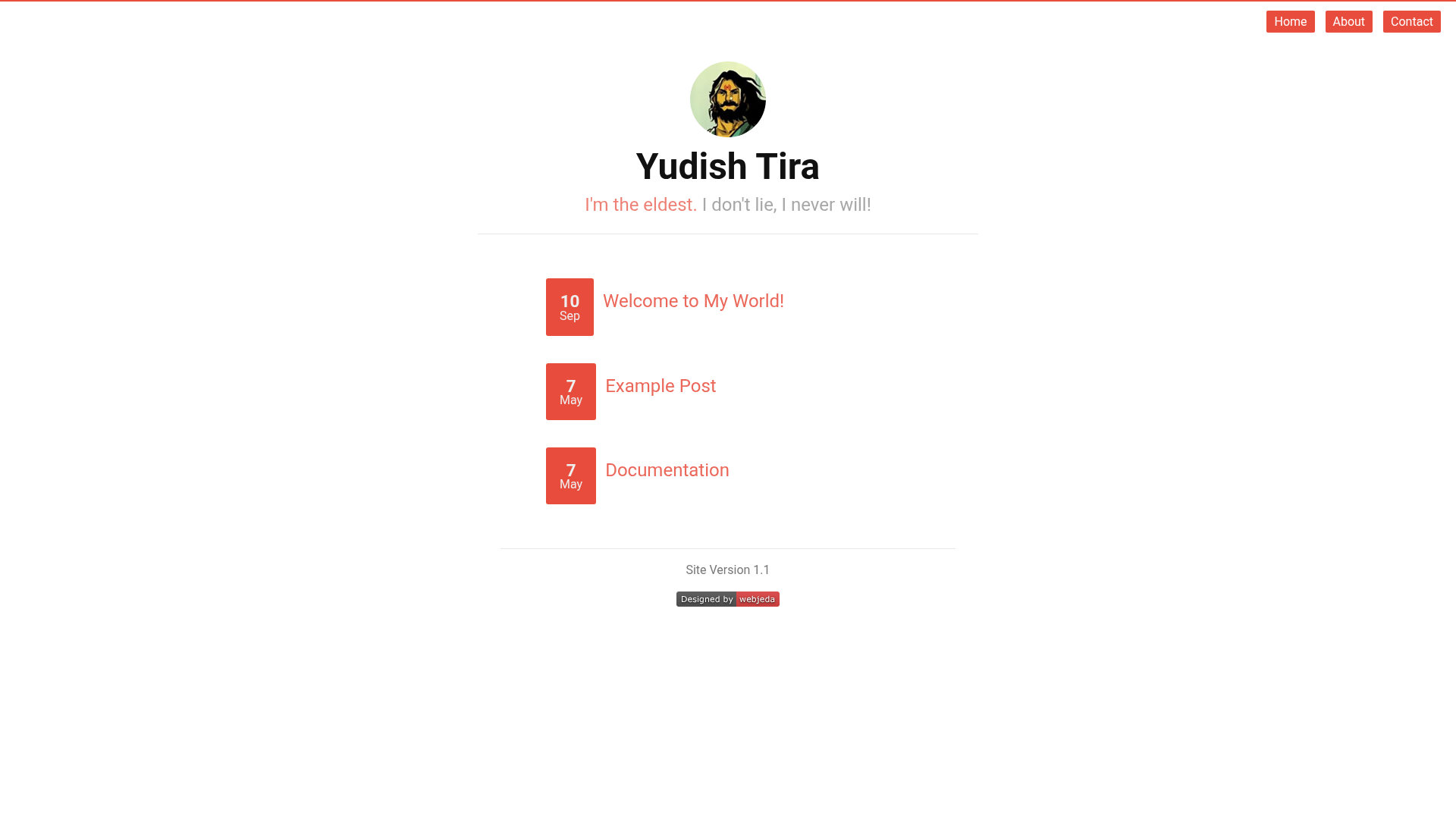
Yudish is a minimal, super-fast Jekyll theme built for GitHub Pages by Webjeda, designed to turn standard Jekyll posts and pages into a static, responsive blog with built-in commenting.
What is Yudish?
Yudish is a free and open-source Jekyll theme that scopes itself to a single goal: creating a lightweight personal blog or website that loads quickly on GitHub Pages. It takes Markdown content from the conventional Jekyll structure (the _posts folder for articles and standard pages for static content) and outputs compressed HTML with inlined CSS, eliminating an extra HTTP request and reducing page weight. The theme is developed by Webjeda, as indicated by the repository and demo links, and is distributed under the MIT License, meaning it can be used, modified, and redistributed without licensing fees.
Key Features
- Customizable theme: Change the brand color and other display variables directly in the _config.yml file, without touching CSS files.
- Inline CSS: The theme inlines style rules to save a request and speed up website loading; general styles live in main.css while post-specific styles are isolated in post.css.
- Prose editing ready: Blog posts can be authored or edited online through Prose, a web-based editor for Jekyll content.
- Pre-installed Disqus comments: Disqus is integrated out of the box; you only need to sign up for a Disqus shortname and enter it in _config.yml.
- Responsive design: Screen layouts adapt to mobile and desktop devices, as shown in the theme's demonstration screenshots.
- GitHub Pages ready: Installation is as simple as forking the repository and setting the master branch as the source under Settings > Pages.
- Super-fast UI: The theme compresses HTML and keeps CSS intentionally small, as described in the changelog for version 0.8.
Who is it for?
Yudish is suited for developers and bloggers who want a no-frills Jekyll site hosted on GitHub Pages without paying for hosting. It fits personal bloggers who want a fast reading experience and the ability to leave comments via Disqus. It also works for developers who prefer editing configuration from one file (_config.yml) rather than maintaining separate style overrides. Because the theme is minimal, it is also a reasonable starting point for building a custom Jekyll site, since the codebase is small and MIT-licensed.
What can you do with Yudish?
- Personal bloggers: Set up a blog on GitHub Pages with a responsive layout and integrated Disqus comments; posts are written in Markdown and can be edited via Prose.
- Portfolio websites: Use the clean, minimal presentation to showcase projects or work samples, and customize the brand color to match your identity.
- Lightweight documentation: Publish a small knowledge base or FAQ using Jekyll's built-in page system, benefiting from the fast-loading inline CSS.
How does Yudish work?
To install, you fork the theme repository, then in the GitHub repository settings enable Pages and set the source to master. Locally, you run jekyll serve to preview; any change to _config.yml requires restarting the Jekyll serve process to take effect. The theme uses Jekyll's standard build process: content in _posts and pages is rendered into static HTML, and Disqus comments load via the shortname you provide.
Pricing
Yudish is completely free. It is released under the MIT License, which also allows commercial use and modification.
FAQ
Is Yudish free?
Yes, Yudish is open source under the MIT License. You can use it for personal or commercial projects without paying a license fee.
Does Yudish work with GitHub Pages?
Yes, it is designed for GitHub Pages. The recommended installation is to fork the repository and set master as the source in the Pages settings.
How do I change the theme color?
Set the brand-color property in the _config.yml file. Changing this value updates the site's primary color without needing to edit CSS.
Do I need to configure Disqus?
Disqus is pre-installed. You need to create a Disqus account, obtain a shortname, and add it to the _config.yml file for comments to appear.
What font does Yudish use?
The default font is Robota, as stated in the theme documentation.