Template details
Zola
Open-source, self-hostable AI chat interface supporting OpenAI, Claude, Gemini, Mistral, and local Ollama models.
About this template
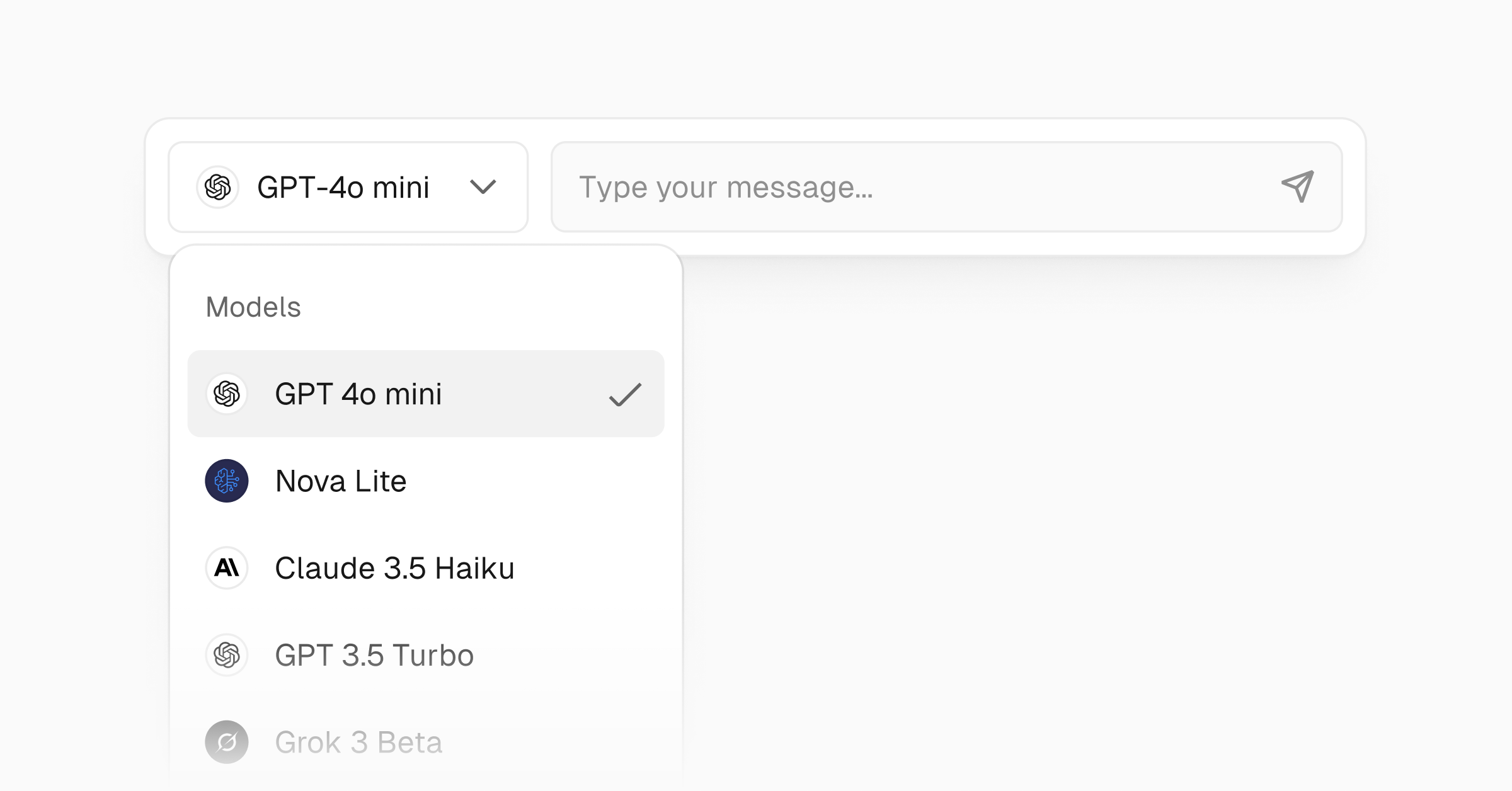
Zola is an open-source, self-hostable AI chat interface that connects to OpenAI, Mistral, Claude, Gemini, and local Ollama models from a single Next.js web app. Published on GitHub as ibelick/zola under the Apache License 2.0, it lets you clone the repo, set a provider API key, and run a multi-model chat UI locally, in Docker, or on Vercel.
What is Zola?
Zola is a chat front end rather than a model of its own: it accepts text prompts and uploaded files as input and returns responses from whichever AI provider you configure. It is distributed as Next.js and TypeScript source code on GitHub (ibelick/zola), and the page states it is currently a beta release whose codebase is still evolving. You can run it on your own machine, in Docker alongside Ollama, or deploy it to Vercel with a one-click clone button.
What makes Zola stand out?
- Multi-model support — one interface for OpenAI, Mistral, Claude, Gemini, and Ollama local models, so you do not switch apps per provider.
- Bring your own key via OpenRouter — supply your own API credentials through OpenRouter instead of a hosted subscription.
- Local AI with Ollama — run models on your own hardware; Zola automatically detects installed Ollama models with no manual model list entry.
- File uploads — attach files to a conversation, though the page notes auth and uploads require extra setup in INSTALL.md.
- Customizable chat behavior — set a user system prompt and pick between multiple layout options.
- Light and dark themes — a responsive chat UI with both themes built in.
- Self-hostable and open source — Apache License 2.0, runnable via npm or Docker Compose with Ollama.
- MCP support (work in progress) — Model Context Protocol support is listed as in progress, not finished.
The stack behind it is Next.js with TypeScript, Tailwind CSS and shadcn/ui for core components, prompt-kit for AI components, motion-primitives for animation, the Vercel AI SDK for model integration, and Supabase for auth and storage.
Who should use Zola?
- Developers who want a ready front end to build a custom AI chat product on, instead of writing message threading, provider switching, and theming from scratch.
- Privacy-focused users who want conversations to stay on their own hardware by running Ollama models locally.
- Teams holding provider API keys who want BYOK access to several vendors behind one interface.
- Hobbyists who want an open-source chat UI they can deploy free to Vercel and modify.
What can you do with Zola?
- One-click deploy: clone the repository to Vercel and set a provider API key to get a hosted multi-model chat UI.
- Local run with Ollama: install Ollama, pull a model such as llama3.2, then run npm run dev and Zola auto-detects your local models.
- Docker plus Ollama: bring up the stack with docker-compose -f docker-compose.ollama.yml up.
- Cloud API use: point Zola at OpenAI or another supported provider by writing OPENAI_API_KEY into .env.local.
How does Zola work?
Getting started is a clone-and-run flow: clone github.com/ibelick/zola, run npm install, write your provider key into .env.local, then npm run dev. For local models you install Ollama and pull a model first, and Zola detects the available models automatically. Docker users can bring up the Ollama compose file instead of installing Node dependencies manually.
Pricing
Zola is free and open source under the Apache License 2.0. There is no paid Zola tier on the page; any cost comes from the model provider you connect (for example OpenAI) or from your own hardware when running Ollama locally.
FAQ
Is Zola free?
Yes. Zola is released as open-source software under the Apache License 2.0, so it can be self-hosted at no cost. Any spending comes from the AI provider you connect, or from your own hardware if you run local Ollama models.
Which AI providers does Zola support?
Zola supports OpenAI, Mistral, Claude, and Gemini as cloud providers, plus Ollama for local models. It also supports bringing your own API key through OpenRouter, which can route requests to additional models.
Can I run Zola entirely locally?
Yes. Install Ollama, pull a model such as llama3.2, then start Zola and it automatically detects your local Ollama models. A docker-compose.ollama.yml file launches Zola and Ollama together in containers.
Which features need extra setup?
Auth and file uploads are gated behind additional configuration described in INSTALL.md rather than working out of the box. MCP support is listed as work in progress, and the project is a beta release whose codebase may change.
What is Zola built with?
Zola is a Next.js and TypeScript application styled with Tailwind CSS, using shadcn/ui for core components, prompt-kit for AI components, motion-primitives for animated components, the Vercel AI SDK for model integration, and Supabase for auth and storage.