Template details
Provider Registry with Vercel AI SDK
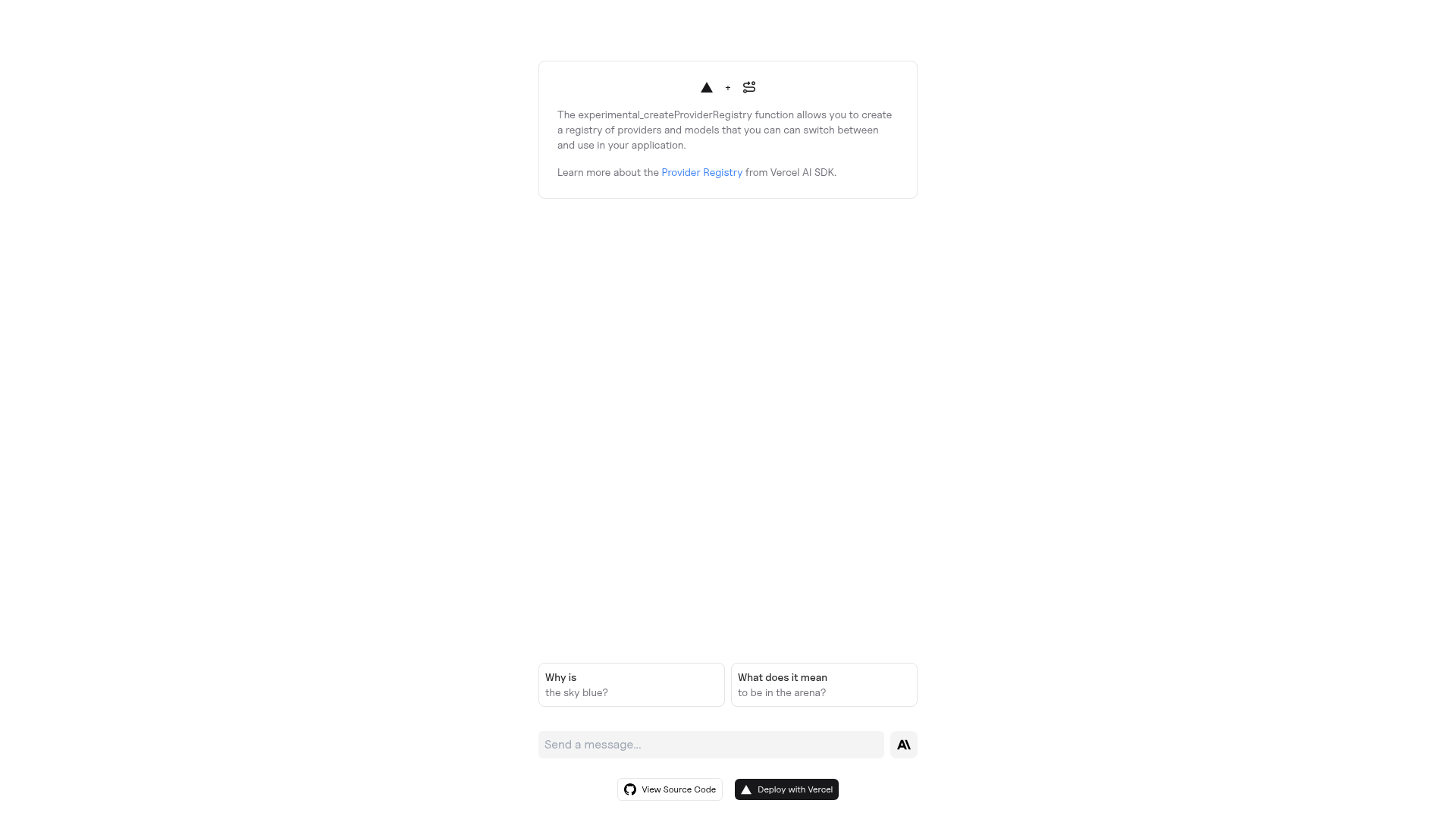
A Next.js example that uses the Vercel AI SDK provider registry to switch between OpenAI, Anthropic, and Google models in one chat app.
About this template
Provider Registry with Vercel AI SDK is a Next.js starter from Vercel Labs that registers several AI model providers through the AI SDK's experimental_createProviderRegistry function, letting a single chat interface switch between OpenAI, Anthropic, and Google Generative AI models.
What is Provider Registry with Vercel AI SDK?
It is an example application published under the vercel-labs GitHub organization that combines Next.js with the Vercel AI SDK to demonstrate multi-provider model selection. The app takes a user prompt plus the currently selected provider and model as input, and returns a streamed text response generated by the chosen provider. Configuration is driven by three environment variables — OPENAI_API_KEY, ANTHROPIC_API_KEY, and GOOGLE_GENERATIVE_AI_API_KEY — so all three vendors can be registered and swapped at runtime from the same codebase.
What makes it stand out?
- Provider registry pattern —
experimental_createProviderRegistrymaps provider identifiers to model instances so one lookup resolves the active model instead of hardcoding a single SDK client. - Three providers wired in — OpenAI, Anthropic, and Google Generative AI are configured through the environment variables listed in
.env.example. - Next.js front end — the project is a Next.js app bootstrapped with
create-next-app, using the same scaffolding command developers already know. - Streamed chat responses — the Vercel AI SDK's
streamTextfunction streams tokens back to the UI rather than returning one blocking response. - One-click deployment — a Deploy with Vercel button clones the
vercel-labs/ai-sdk-preview-provider-registryrepository and prompts for the three API keys during setup. - Runnable in three package managers — the README gives matching install commands for npm, Yarn, and pnpm.
- Small reference codebase — the repository has around 24 stars, so it is a compact reading exercise rather than a large application.
Who is it for?
- Next.js developers: start a chatbot that talks to more than one vendor without writing separate integration code for each SDK.
- Teams evaluating models: flip between OpenAI, Anthropic, and Google models inside one running app to compare output on the same prompt.
- AI SDK learners: read a working example of the provider registry API in context rather than from documentation alone.
What can you do with Provider Registry with Vercel AI SDK?
- Prototype a model picker: drop the registry into a chat product so end users can choose which provider answers their prompt.
- Compare provider output side by side: send the same prompt to each configured model and observe the differing responses.
- Ship a hosted demo: deploy the clone to Vercel with the three API keys and share a live URL.
How does it work?
- Sign up with the AI providers you plan to use, such as OpenAI and Anthropic, and obtain an API key for each.
- Create a
.envfile using the variables shown in.env.example. - Run
npm install, thennpm run devto start the development server.
FAQ
Is Provider Registry with Vercel AI SDK free?
The example code is a free, open-source Vercel Labs repository you can clone and modify. You still pay each AI provider for the tokens your app consumes, and you supply your own API keys.
Which AI providers does it support?
Out of the box the environment template covers OpenAI, Anthropic, and Google Generative AI. Because models are resolved through the provider registry, adding another AI SDK-compatible provider means registering it in the same place.
Do I need API keys to run it locally?
Yes. At least one provider key is required, and the deployment flow asks for all three — OPENAI_API_KEY, ANTHROPIC_API_KEY, and GOOGLE_GENERATIVE_AI_API_KEY — so any model you select in the UI has credentials available.
How do I scaffold the project?
Run npx create-next-app --example with the vercel-labs/ai-sdk-preview-provider-registry repository URL, or use the equivalent Yarn and pnpm create next-app commands documented in the README.