Template details
alexa-portfolio
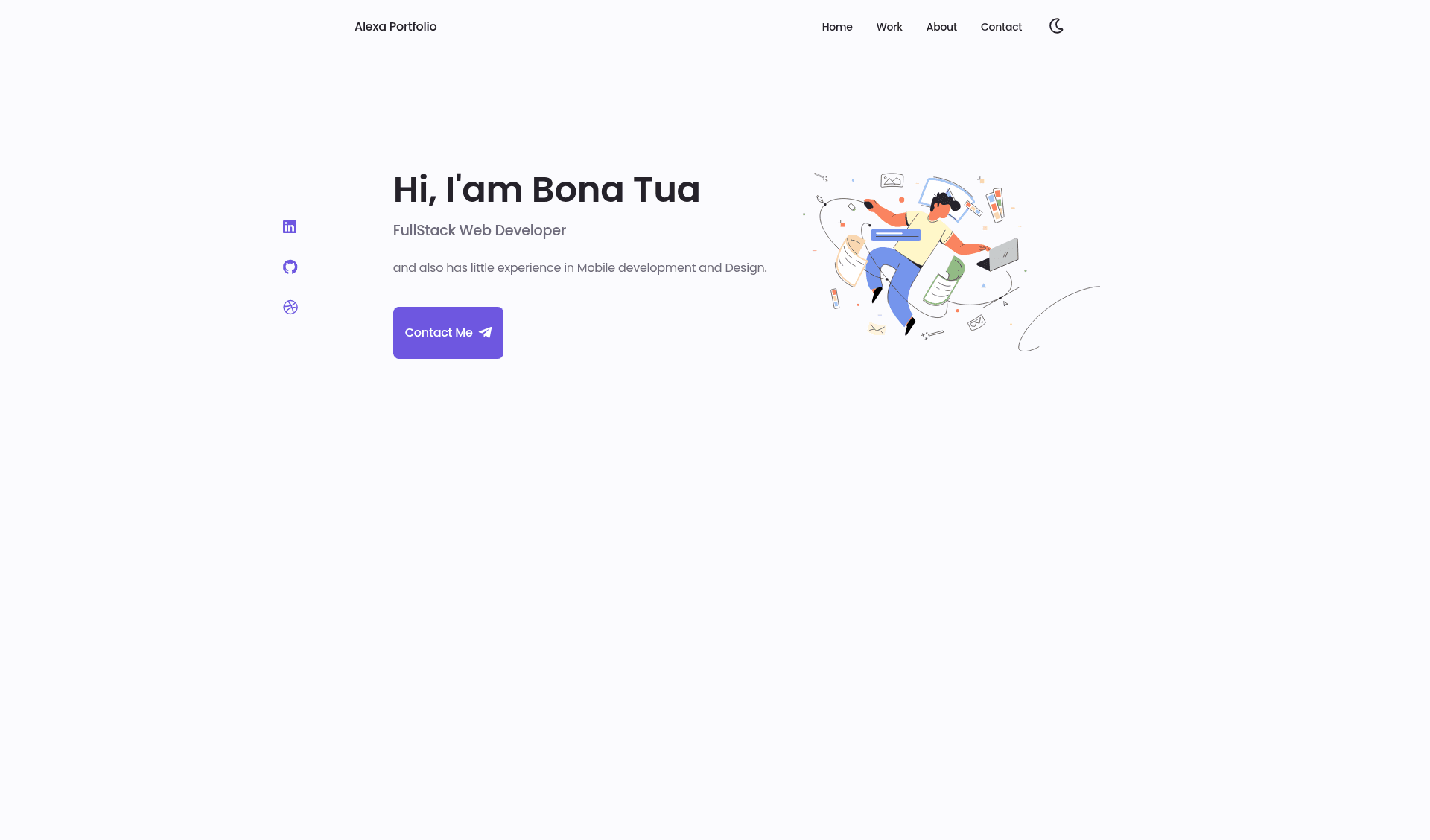
A mobile-first, highly customizable Hugo template for personal portfolio websites, with Netlify and GitHub Pages deployment support.
About this template
alexa-portfolio is a mobile-first Hugo theme for personal portfolio websites, converted from a Bedimcode HTML design and distributed under the MIT license. It takes a Hugo site configuration and content and outputs a static site to a public folder, and it supports deployment to Netlify and GitHub Pages out of the box.
What is alexa-portfolio?
alexa-portfolio is a Hugo template for personal portfolio sites. It takes a config.toml file and content files, and outputs a static website into a public folder when you run hugo. The template was created by Bonzdev and is based on a design by Bedimcode, with the original design credit requested. It requires Hugo version 0.68.3 or higher and includes a live demo hosted at hugo-alexa-portfolio.netlify.app.
Key features
- Mobile-first layout — The template's design prioritizes mobile screens, so portfolio content reflows naturally on phones and tablets before scaling up to desktop widths.
- Static site performance — Because Hugo generates plain HTML with no runtime JavaScript framework, the portfolio can load quickly on slow connections.
- Config-file customization — You control the site's personal data and settings by editing config.toml, using the example configuration in the website folder as a starting point.
- Netlify deployment — Connecting a fork or template copy to Netlify gives you automatic builds and deploys on every push to the repository.
- GitHub Pages via Actions — A GitHub Action inside the repo builds the site and pushes the output to a demo branch; you only need to select that branch in your GitHub Pages settings.
- Local development with live reload — Running
hugo servein the cloned repository starts a local server so you can preview changes instantly. - MIT license — The theme is free to use and adapt, with a request to credit the original Bedimcode design when you publish.
Who is alexa-portfolio for?
- Hugo developers who need a ready-made portfolio theme and want to understand how a theme is organized, from config to deployment.
- Freelancers and job seekers who want a personal portfolio site that is fast, mobile-friendly, and easy to host on free static platforms like Netlify or GitHub Pages.
- Designers who want a clean starting point and are comfortable editing HTML and config files to match their personal brand.
What can you do with alexa-portfolio?
- Developers: deploy a personal portfolio by forking the repo, editing config.toml with your own name and social links, and letting Netlify or the GitHub Action handle builds.
- Designers: showcase work samples and project descriptions using the single-page portfolio layout, with no ongoing server costs because the site is static.
- Open-source learners: study how the theme converts a static HTML design into Hugo partials, and contribute improvements through issues and pull requests.
How does alexa-portfolio work?
The template works like any standard Hugo site. To use it as a theme, you create a new Hugo site, clone the repo into the themes directory, and copy the example config.toml into your site root. For direct use, clone the repo itself, run hugo serve to develop locally, and run hugo to generate the public folder for production. The repo's GitHub Action automates this by building on every push and publishing to a demo branch.
FAQ
Is alexa-portfolio free?
Yes. The project is licensed under MIT, so you are free to use, modify, and distribute it. The author asks that you give credit to the original Bedimcode design if you use it.
What Hugo version do I need?
Hugo version 0.68.3 or higher is required. The template relies on features available in that release and later.
How do I deploy to GitHub Pages?
Fork the repository or create a new repo from the template button. A GitHub Action will automatically build the site and push the output to a demo branch. Then go to your repository's Pages settings and select that branch as the source.
How do I deploy to Netlify?
Connect the repository (either a fork or a template copy) to Netlify. Netlify will detect the Hugo site, build it, and deploy the public folder every time you push changes. No extra configuration is needed beyond the repository connection.
Can I change the design?
Yes. The theme is a Hugo conversion of an HTML design, so you can edit the HTML partials and CSS directly. The README also shows a base config file you can adapt, and the MIT license allows modifications.