Template details
Astro Photography Portfolio
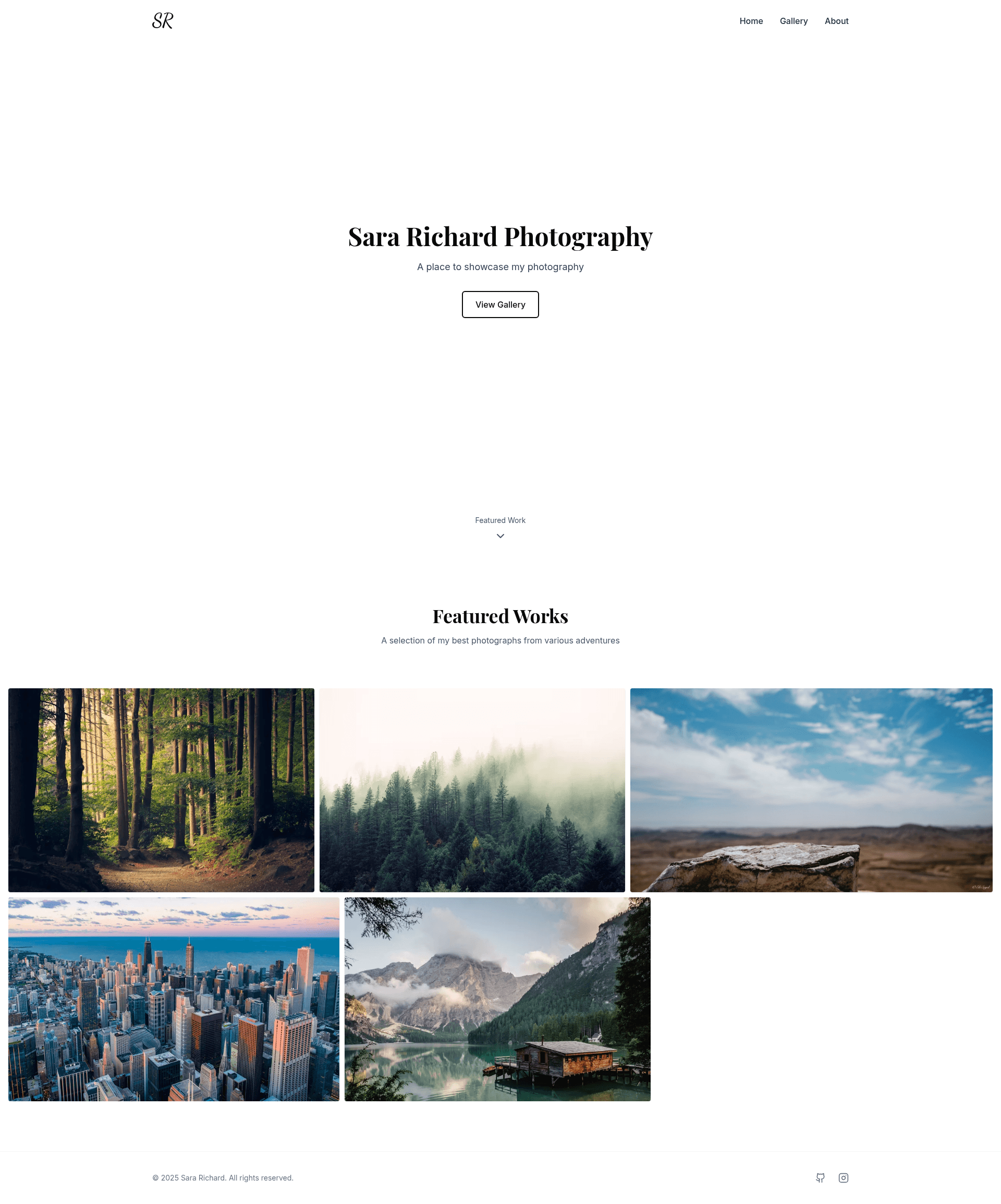
A fast, customizable photography portfolio template built with Astro, featuring YAML-driven galleries, lightbox zoom, and automatic GitHub Pages deployment.
About this template
Astro Photography Portfolio is a free, open-source (MIT) photography portfolio template for Astro that turns a folder of images plus a YAML gallery file into a fast, fully responsive static website, with automatic image optimization and one-command GitHub Pages deployment.
What is Astro Photography Portfolio?
Astro Photography Portfolio is a modern portfolio template built on the Astro web framework and styled with TailwindCSS. The input is your photos, stored in src/gallery/<album> directories, and gallery metadata in src/gallery/gallery.yaml; the output is a static, performant photography site with multiple album pages, a responsive lightbox, and an About page. It is created by rockem and includes a live demo at https://rockem.github.io/astro-photography-portfolio. The template relies on Sharp for build-time image optimization and GLightbox for full-screen image zoom.
Key Features
- YAML-defined galleries — Organize images into multiple albums by editing
src/gallery/gallery.yaml; the built-in generator script (npm run generate) can create this file automatically from the images in each album folder. - Automatic image optimization — Sharp compresses and processes images during the Astro build, so originals are optimized for the web without manual editing.
- Responsive lightbox — GLightbox provides zoom, navigation, and full-screen viewing across mobile and desktop.
- GitHub Actions workflows — Three preconfigured workflows: Build & Test, Quality (pre-commit checks), and Deploy Astro Site, which publishes to GitHub Pages on push.
- Two configuration files —
astro.config.tssets the site URL and base path for GitHub Pages;site.config.mtsdefines owner name, title, favicon, and profile image for the About page. - Featured collection — A built-in "featured" collection lets you highlight selected images by adding the collection name to an image's collections parameter.
- Customizable About page — The
src/pages/about.astrocomponent can be edited to change biography content, and the profile image is configured insite.config.mts.
Who is it for?
- Professional photographers — Showcase work in organized albums with a clean, minimal design and fast page loads that suit client-facing portfolios.
- Hobbyist photographers — Launch a free portfolio on GitHub Pages with no server costs, using the provided deployment Action to publish updates.
- Astro developers — Use the template as a well-structured starter that demonstrates YAML content modeling, image optimization, and GitHub Actions integration.
- Creative freelancers — Maintain a personal brand site with an About page, custom favicon, and links to a personal GitHub and Instagram.
What can you do with it?
- Publish a gallery site on GitHub Pages: After configuring
astro.config.tswith your domain and repository name, the Deploy Astro Site workflow builds and publishes the site automatically. - Build multiple photo albums: Drop images into
src/gallery/<album>, runnpm run generate, and set image metadata in gallery.yaml to produce distinct galleries with titles and descriptions. - Showcase featured work: Mark any image with the "featured" collection to surface it in a dedicated featured section alongside the regular albums.
How does the template work?
- Click "Use this template" on GitHub to create a repository from the template, then clone it locally.
- Run
npm install(oryarn install) and start the development server withnpm run dev(oryarn dev). - Add images to
src/gallery/<album>, optionally runnpm run generateto auto-create gallery.yaml, then edit the YAML to set titles and metadata. - Update
astro.config.tsandsite.config.mtswith your own details, and push the repository to trigger the Deploy Astro Site workflow.
FAQ
How do I add my photos to the template?
Place your image files in a new folder under src/gallery/, then update src/gallery/gallery.yaml with the album and image metadata. For a head start, run npm run generate so the script creates the gallery.yaml entries automatically from the files in the directory.
Is this template free to use?
Yes, the template is open source under the MIT License, and the repository includes a LICENSE file. There are no license fees, and you can use it for personal or commercial projects while keeping the license notice.
Does the template deploy to GitHub Pages automatically?
Yes, a provided GitHub Action named Deploy Astro Site builds the project and publishes it to GitHub Pages. You only need to set the correct site and base values in astro.config.ts for your repository's GitHub Pages domain.
Which technologies are used to build the site?
The template uses Astro as the static site framework, TailwindCSS for styling, TypeScript for typed configuration, Sharp for image optimization, and GLightbox for the responsive lightbox gallery. It also includes GitHub Actions workflows for quality checks and deployment.
Do I need coding experience to customize it?
Basic knowledge of Astro and web development is listed as a prerequisite. Most customization happens in YAML for galleries, TypeScript config files for site settings, and an Astro component for the About page.