Template details
astro-mecure
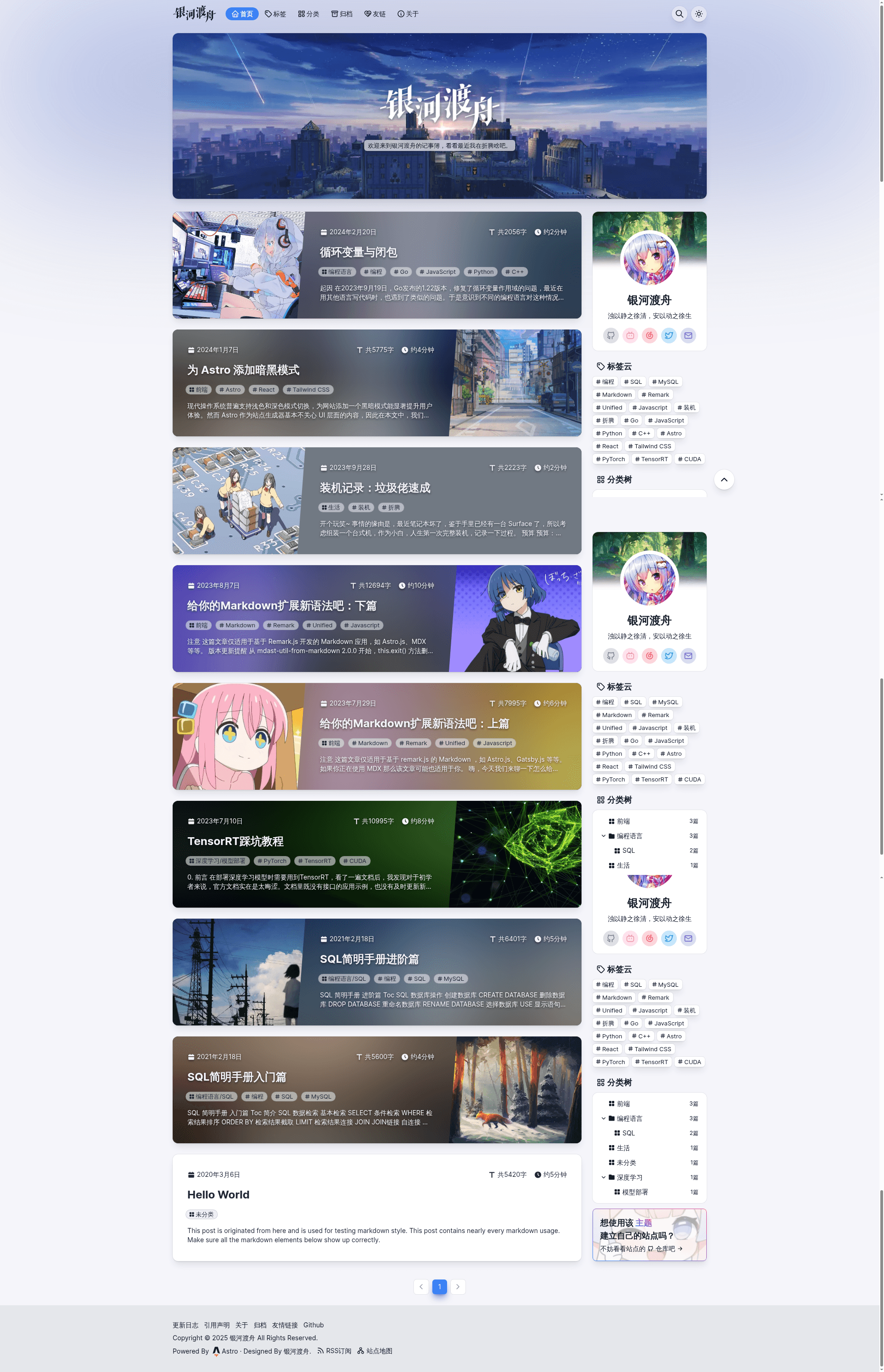
Open-source Astro blog theme with MDX, Tailwind CSS, Algolia search, giscus/Waline comments, dark mode, and RSS.
About this template
astro-mecure is an open-source Astro blog theme — a starter repository for building static personal blogs — that turns Markdown/MDX content in src/content/blog/ into a fast, fully static site with Algolia search, giscus or Waline comments, dark mode, RSS, and sitemap, ready to deploy to any static host.
What is astro-mecure?
astro-mecure, hosted in the izmttk/astro-mecure repository, is a blog template built with Astro as the static site generator, React for interactive UI islands, and Tailwind CSS for utility-first styling. As input it takes Markdown or MDX files with YAML frontmatter (title, slug, date, author, tags, category, cover image, draft flag) placed in src/content/blog/; as output it produces a static dist/ directory containing the rendered blog, generated by npm run build and deployable to Netlify, Vercel, GitHub Pages, or any static hosting provider — the author's live blog at suborbit.net runs on Netlify. The theme also includes TypeScript, PostCSS, Radix UI headless components, Jotai for global state, React Spring animations, and unplugin-icons.
What makes astro-mecure stand out?
- Content collections and frontmatter — Posts live in
src/content/blog/as Markdown or MDX files; frontmatter supports title, slug, date, updateDate, author, description, image, tags, category, draft, and cardVariant (blur, material, full, plain). Drafts are excluded from build. - Algolia DocSearch — Search requires only your Algolia appId, apiKey, and indexName in config; the theme includes the search UI and a navbar toggle.
- Two comment providers — Choose either giscus or Waline; giscus custom themes require setting the
Access-Control-Allow-Originheader to*orgiscus.appon your server, otherwise CORS errors appear. - Dark mode and view transitions — Navbar theme toggle is built in (configurable via
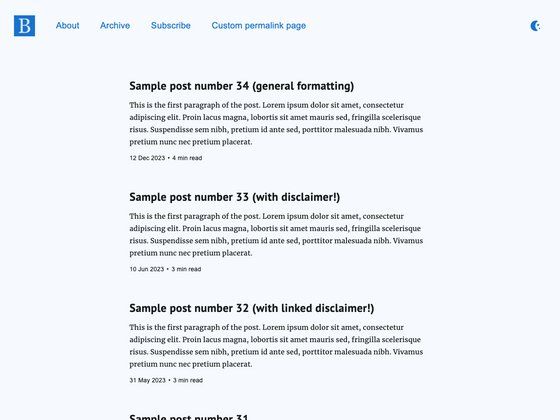
hasThemeToggle), and Astro View Transitions are enabled for page navigation. - RSS, sitemap, and pagination — RSS feed and sitemap are generated automatically; pagination options are configurable with pageSize (default 10), controls, edges, siblings, and boundaries.
- Configurable layout system —
src/config.tscontrols navbar (logo, menu with cascading dropdowns), hero (title, description, background image), sidebar widgets (profile, tag cloud, category tree, custom component), footer links, outdate tip, and license info. - Preinstalled icon and animation libraries — Tabler and MingCute icon sets are preinstalled via unplugin-icons; Radix UI, React Use, and React Spring are included.
- Developer helper scripts —
npm run create-postscaffolds a new post;npm run create-componentcreates a component; both are defined in the README's command table.
Who should use astro-mecure?
- Independent bloggers who want a ready-made Astro blog with search, comments, dark mode, and RSS — clone the repo, edit config.ts, and publish.
- Front-end developers who want a documented Astro + React + Tailwind project to study or fork, including Jotai store, React Spring, and unplugin-icons integration.
- Chinese-language or bilingual bloggers — the author's site is in Chinese, and the theme's content collections support author bios, friend links, and localized frontmatter.
- Developers deploying to any static host — since the build output is plain static HTML, there's no vendor lock-in to Netlify.
What can you do with astro-mecure?
- Launch a personal blog quickly: run
npm install, thennpm run devto start the local server; write posts in Markdown/MDX undersrc/content/blog/, andnpm run create-postscaffolds the frontmatter for you. - Customize layout and navigation without touching components: in
src/config.tsset the site title, description, author, favicon, navbar menu items (with nested dropdowns), hero background, sidebar widgets, and footer links. - Add comments and full-text search: configure giscus or Waline for discussions and enter Algolia DocSearch credentials for search; both are optional and controlled from config.
- Deploy anywhere: run
npm run buildto emit thedist/folder, then host it on Netlify, Vercel, GitHub Pages, Cloudflare Pages, or any static file server.
How does astro-mecure work?
The README documents a 5-step workflow: clone the repository, run npm install to install dependencies, start the local dev server with npm run dev, build the production site with npm run build and preview it with npm run preview, then deploy the generated dist/ folder to any static hosting provider. During development, Markdown/MDX files in src/content/blog/ are parsed by Astro content collections; at build time Astro renders all pages to static HTML.
FAQ
Does astro-mecure support comments?
Yes. The theme supports two comment providers: giscus (via GitHub Discussions) and Waline. Set comment.provider and comment.options in src/config.ts. For giscus with a custom theme, your server must return an Access-Control-Allow-Origin header of * or giscus.app; otherwise you'll encounter a CORS error.
How do I create a new blog post?
Run npm run create-post from the project root, and the script creates a new post file in src/content/blog/ with the expected frontmatter. You can also create the file manually; any file or folder whose name starts with _ is treated as a draft and excluded from the build.
Can I deploy astro-mecure to platforms other than Netlify?
Yes. npm run build outputs a static dist/ directory that can be served by any static hosting provider, including Vercel, GitHub Pages, Cloudflare Pages, or a plain web server. Netlify is used by the author's live demo, but the theme has no hard dependency on it.
How does Algolia search work in astro-mecure?
The theme integrates Algolia DocSearch. You must apply for a DocSearch account and provide appId, apiKey, and indexName in the algolia section of src/config.ts. Once set, the search button appears in the navbar unless hasSearchToggle is set to false.
What icon sets are included by default?
Tabler and MingCute icon sets are preinstalled and referenced via unplugin-icons in the format pack:icon-name (e.g., tabler:home). To use another set from icones.js.org, install the matching @iconify-json/... package, such as npm install @iconify-json/mdi for Material Design icons.