Template details
Cards Jekyll Template
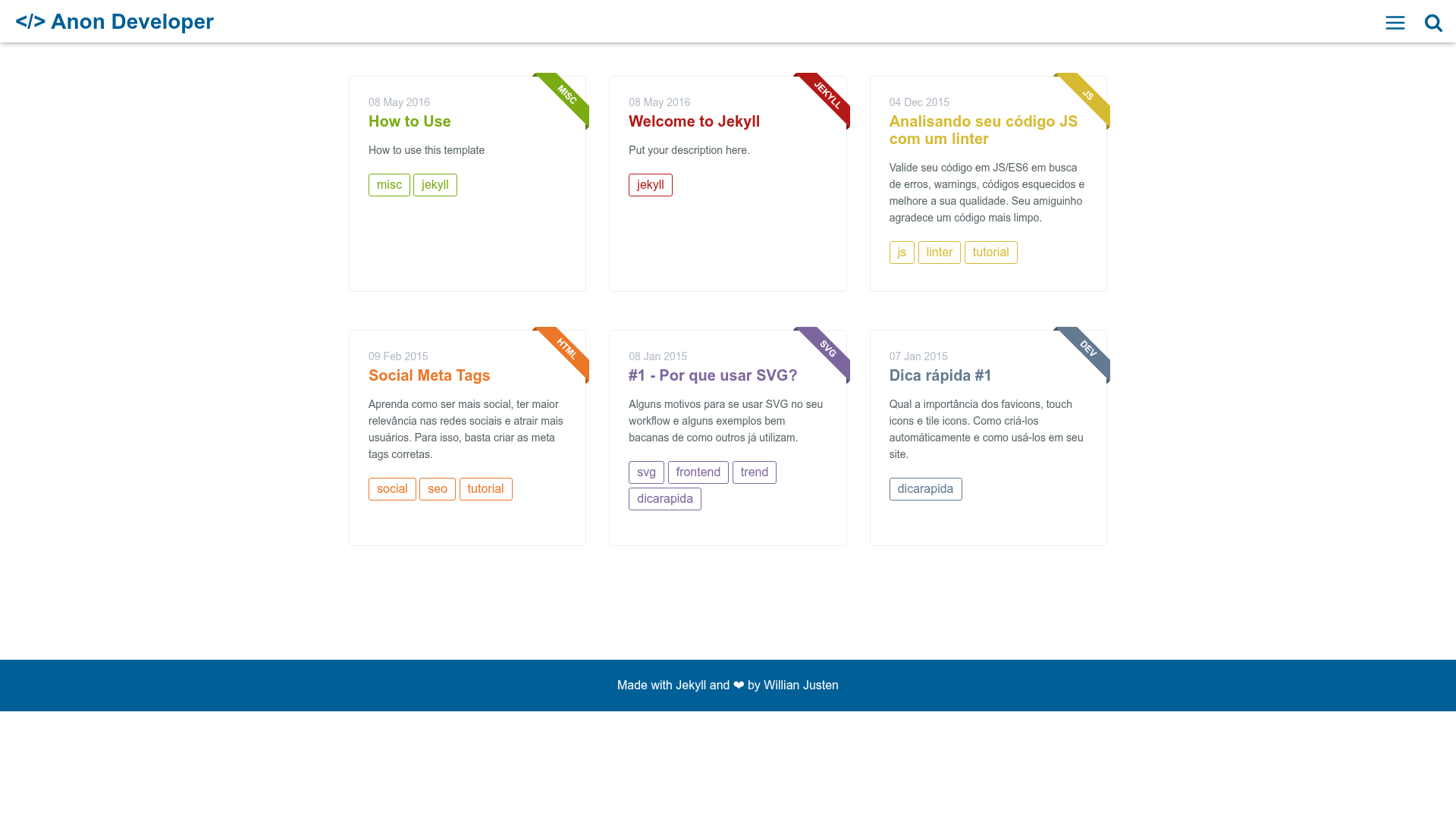
A simple, minimalist Jekyll blog template with card layout, live search, and Gulp-powered Stylus build.
About this template
Cards Jekyll Template is an open-source, card-based blog theme for Jekyll, built with Gulp and Stylus, that lets developers publish posts without writing frontend code.
What is Cards Jekyll Template?
Cards Jekyll Template is a minimalist Jekyll blog theme created by Willian Justen, distributed under the MIT License. It transforms a set of Markdown posts with YAML front matter into a card-based static blog that includes a tags page, series page, about page, RSS feed, sitemap, and live search. The theme is no longer maintained, but remains fully usable for static site projects.
Key Features
- Live Search — Search posts instantly from the browser without a third-party service.
- Offcanvas Menu — A slide-in navigation menu that keeps the layout compact on mobile and desktop.
- Gulp build pipeline — Compiles Stylus stylesheets (using Jeet, Rupture, and Kouto Swiss), processes assets, and speeds up local development.
- SVG icons — Icon set implemented as inline SVG, so no image requests are needed.
- Shell script for post creation —
initpost.shgenerates a new post file in_postswith the naming formatdate-title.md. - Customizable colors — Change the main theme color by editing
_variables.styl; each post can define its own accent color via acolorfield in the front matter. - Built-in SEO content — Includes RSS feed and
sitemap.xmlout of the box. - Tag and series pages — Automatically generated pages that group posts by tag or by series.
Who is it for?
Cards Jekyll Template is aimed at developers who want a blog with a clean card UI but don't want to spend time on frontend styling. It's also a good fit for Jekyll users who enjoy working with Stylus and Gulp, and for anyone who wants a fast static site with offline-friendly features like live search and inline SVG icons.
What can you do with Cards Jekyll Template?
- Developers: write posts in Markdown with YAML front matter, then run
gulpto compile assets and serve the site locally. - Technical bloggers: organize content by tags and series, and customize the accent color per post for visual variety.
- Open-source contributors: fork the repository, edit
_config.ymlfor site and user settings, and customize header text and colors in the Stylus source files.
How does Cards Jekyll Template work?
After forking and cloning the repository, you edit _config.yml to set your title, description, username, and social links. Posts are created with the initpost.sh script or manually in _posts; each post's front matter can include fields like main-class, color, tags, and categories. Running gulp compiles the Stylus assets and starts Jekyll so you can preview the site locally.
Pricing
Cards Jekyll Template is free and open source under the MIT License, so you can use it on personal or commercial sites without attribution.
FAQ
Is Cards Jekyll Template free?
Yes, the theme is distributed under the MIT License, meaning you can use, modify, and redistribute it freely. It doesn't require attribution, though the author appreciates a shout-out.
Is the theme still maintained?
No, the repository is flagged as no longer maintained, so you may not receive updates or support from the original author.
How do I create a new post?
You can run ./initpost.sh -c "Post Title" to generate a dated Markdown file in _posts, then fill in the front matter fields like title, description, and tags.
Does it work without Node.js?
The template's asset pipeline requires Node.js and Gulp to compile the Stylus files. If you skip asset compilation, the Jekyll site will lack the compiled CSS and JavaScript.