Template details
Csa23
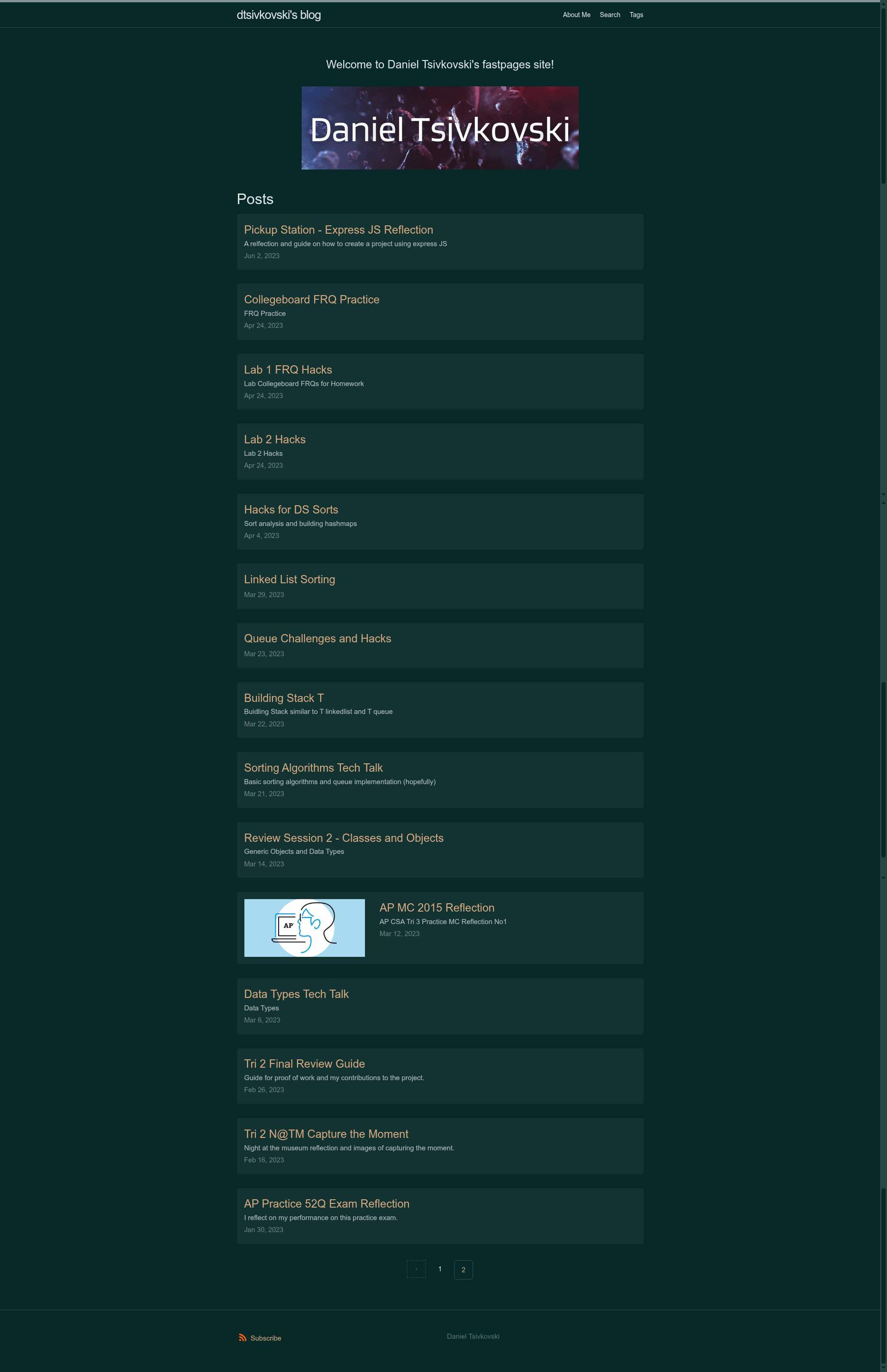
Webpage to keep track of my computer science progress through Jupyter notebooks and blogs.
About this template
Csa23 is a personal computer-science blog built with the fastpages Jekyll template, which turns Jupyter notebooks, Markdown, and Word documents into a static GitHub Pages site.
What is Csa23?
Csa23 is a GitHub Pages-hosted blog that documents computer science progress using Jupyter notebooks, created by the user dtsivkovski. It runs on the fastpages platform from fastai, which generates a Jekyll-based site from content committed to the repository. The live site is at https://dtsivkovski.github.io/csa23/, and the repository's README is the default fastpages template README, showing exactly what a new fastpages user receives. The blog's topics are listed as blog, html-css-javascript, jekyll, jupyter, and notebook.
Key Features
- Jupyter notebook posts — Write blog posts as .ipynb files in the _notebooks folder; fastpages builds them into web pages automatically.
- Markdown posts — Standard .md files placed in the _posts folder are rendered as blog posts alongside notebooks.
- Microsoft Word posts — Word .docx documents can be converted into published posts via the _word folder.
- GitHub Actions CI — The repository includes CI and GH-Pages Status workflows, indicated by status badges at the top of the README.
- Local preview — A DEVELOPMENT.md file in the _fastpages_docs folder explains how to preview the blog locally before pushing changes.
- fastai forum support — The README directs questions and feature requests to the nbdev & blogging channel on the fastai forums.
- GitHub Pages deployment — The site is served from the repository's GitHub Pages URL, with all content stored in the public repo.
Who is it for?
Csa23 is for computer science students and self-learners who want to keep a public, notebook-centric learning log that shows their coding progress. It also serves as a reference for anyone using fastpages who wants to see how the template's README instructs new users to set up their own blog. Additionally, it functions as a portfolio site for the author to demonstrate their work through code and written explanations.
What can you do with Csa23?
- Students: publish Jupyter notebook assignments or projects directly as blog posts without manually converting them to HTML.
- Writers: combine Markdown or Word drafts with executable code notebooks in a single blog that updates on every commit.
- Developers: fork or inspect the repository to learn how fastpages configures GitHub Actions, folder structure, and GitHub Pages deployment.
How does Csa23 work?
The repository stores content in three folders: _notebooks for Jupyter files, _posts for Markdown, and _word for Word documents. When new files are committed, GitHub Actions builds the Jekyll site and deploys it to GitHub Pages, making the posts live at the public URL. The README advises leaving those folders present even after deleting their example content, so the build continues to work.
FAQ
Is Csa23 free to use?
Yes. The blog uses fastpages, which is free, and is hosted on GitHub Pages, which offers free static hosting for public repositories.
What formats can I use to write blog posts?
You can write posts in three formats: Jupyter notebooks (.ipynb), Markdown (.md), and Microsoft Word (.docx). Each format has its own folder in the repository: _notebooks, _posts, and _word.
Where do I put example blog posts to remove them?
Example posts are located in the _posts, _notebooks, and _word folders. You can delete the example content, but you should leave the folders themselves empty rather than removing them entirely.
How do I get help with fastpages?
The README directs users to the nbdev & blogging channel on the fastai forums for questions and feature requests.